
bfpkgjlnboeecjmnbhbknmemmckmpomb
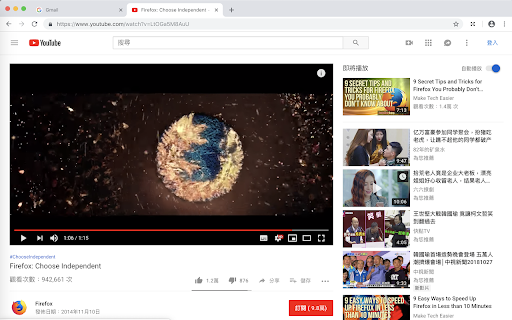


Maximize HTML5/Flash video and fill current tab. Usage: 1. Click on toolbar button 2. Select video that you want to maximize (you can click toolbar button again to cancel) NOTE !!!!!! 1. This extension only maximize video, it can't remove web advertisements for you. If you need remove web advertisements, you can install other extension to do that.

Full Screen
Add fullscreen button to the Chrome toolbar and to the context (right-click) menu This is just a full-screen button, added to the toolbar and the context menu. It does exactly the same as the keyboard shortcuts (F11 on Windows or fn+F on Mac). You can change the icon to match your chrome theme and that's it. I made this because I need to be able to click a button/menu item with the mouse, not all of my browsers come with keyboard. When in full screen, I need the context menu to get back. That's why this extension adds itself in the right-menu also. And that's it. To change the default settings, simply right-click on the extension icon and select "Options". On the settings page, you can change the icon to a different color (to match your Chrome theme or simply because you don't like the default black color) or even set your own icon. Rest assured, this extension doesn't require any special or risky permissions. The only permissions it needs are "contextMenu" and "storage." It doesn't access your data or sites. Its sole purpose is to add the buttons to the toolbar and context menu while saving the selected icon in local storage.

Fill Window - Youtube
Plays Youtube videos in the entire window Adds a button to the corner of your browser that will toggle youtube videos to fill the window.

Full browser screen Video Player
This extension is not a video player, instead this extension makes the SonyLiv, YouTube and Hotstar Video player to cover the entire screen of the browser without making the browser to go into the fullscreen mode.

Video Fill - TheY2T
Stretch any video to fill your screen — remove letterboxing and pillarboxing on streams and video players. This extension allows you to fit to screen any video across any platform video feeds regardless of aspect ratio. This is especially handy for people with older LCD / Plasma screens that do not support 16:9 or 16:10 ratio and you're always getting letterboxed screens as a result. Use this tool to avoid losing 30 - 40% of your already smaller screen!
