
dniaackmdeolpebmoijjnijcmiinbchk

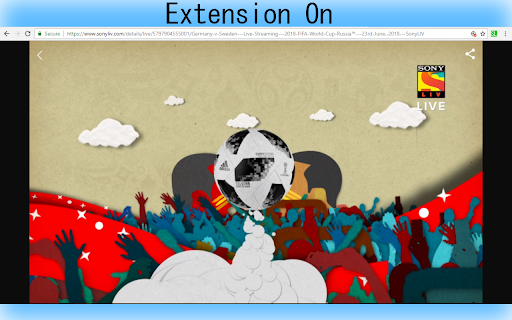
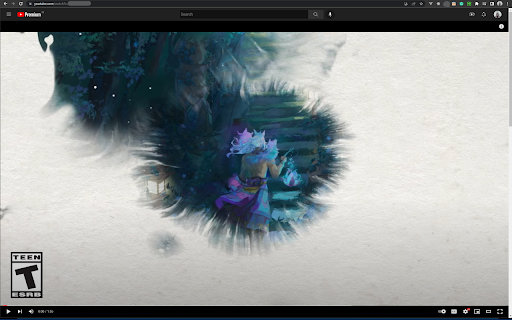
This extension is not a video player, instead this extension makes the SonyLiv, YouTube and Hotstar Video player to cover the entire screen of the browser without making the browser to go into the fullscreen mode.

Windowed Fullscreen - YouTube & All Videos
Watch YouTube, Twitch & any video fullscreen in your browser tab. Theater mode without hiding taskbar. Press F to toggle. Expand any video to fill your browser tab without going into native fullscreen. Keep your taskbar visible, switch tabs easily, and enjoy a distraction-free viewing experience. • Tab Fullscreen Mode — Video fills your browser tab, not your entire screen • Create your own Key Shortcut • Universal Compatibility — Works on popular video platforms like youtube, twitch and any site with HTML5 video • Simple Toggle — Press 'F' to activate, press again or ESC to exit • Custom Site Support — Add selectors for sites with unique video players • Lightweight — No bloat, no tracking, works offline PERFECT FOR • Multi-monitor setups where native fullscreen interrupts your workflow • Watching content while keeping other windows accessible • Users who prefer windowed viewing over full desktop takeover This extension operates entirely locally. No data is collected, stored, or transmitted. Your viewing habits remain private. 1. Go to any page with a video 2. Press 'F' on your keyboard 3. The video expands to fill your tab 4. Press 'F' or ESC to return to normal view WHAT'S NEW IN v1.3 • Improved video detection for modern web players • Custom progress bar with seeking support • Better audio synchronization • Support for videos in shadow DOM elements

FullscreenEverything
Fullscreen everything in your browser's web page F11 key allows you to fullscreen whole web page. If you want to fullscreen arbitrary elements on a web page, try FullscreenEverything! Usage: * click FullscreenEverything to enter the selecting mode * in selecting mode, the element will be highlighted when the cursor hovers on it * in selecting mode, by clicking the highlighted element to fullscreen it * in selecting mode, press the Esc key to exit without fullscreen anything

Maximize Video
Maximize HTML5/Flash video and fill current tab. Usage: 1. Click on toolbar button 2. Select video that you want to maximize (you can click toolbar button again to cancel) NOTE !!!!!! 1. This extension only maximize video, it can't remove web advertisements for you. If you need remove web advertisements, you can install other extension to do that.

Auto Full Screen for Tabs & Videos
Toggle tab full screen by placing the cursor at the top. Toggle full screen video by pressing play & pause. 1) After installing the extension, restart the browser or reload all previously opened tabs. 2) Pin the icon to the taskbar. 3) Stretch the browser to the top and edges, but leave a little space below. 4) Check if it's well positioned by clicking the resize button. The browser should not move. 5) Activate the extension by clicking the icon. 6) By moving the cursor to the top of the screen, you can show tabs, taskbar and other controls. When you lower the cursor, the browser will enter Full Screen more again. Toggle tab full screen by placing the cursor at the top. Toggle video full screen video by pressing play & pause. Key Features & Benefits: ● True Firefox and Edge Style Full screen: Enjoy the smart, auto-hiding UI that appears when you need it and disappears when you don't. ● Total Immersion, Total Control: Get maximum screen space for videos, reading, or focused work, while keeping your tabs and controls just a mouse-flick away. ● Intuitive Keyboard Shortcut: You can exit instantly with the Escape key. ● Seamless Workflow: Designed to transition perfectly from a standard maximized window to a chromeless full screen environment. ● Lightweight & Focused: No complex settings or bloat. It does one thing and does it perfectly.
