
bflmlogobllmgfkalilhafbncfpdlmpe
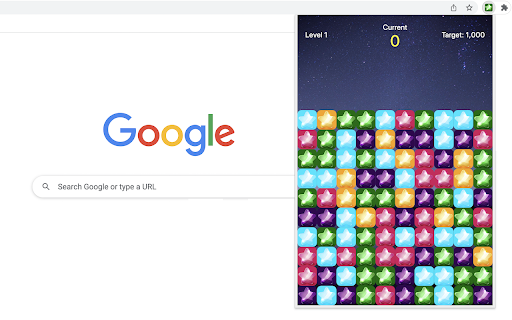
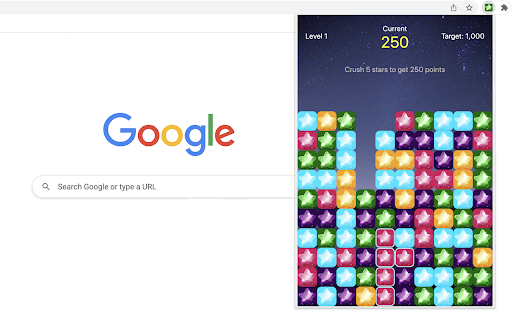
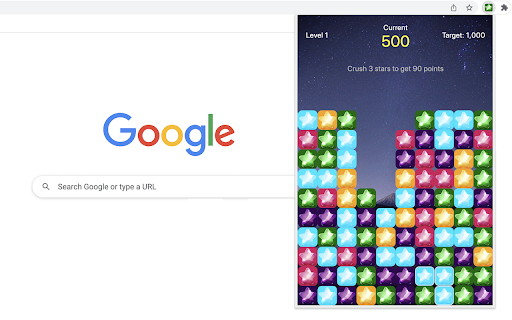
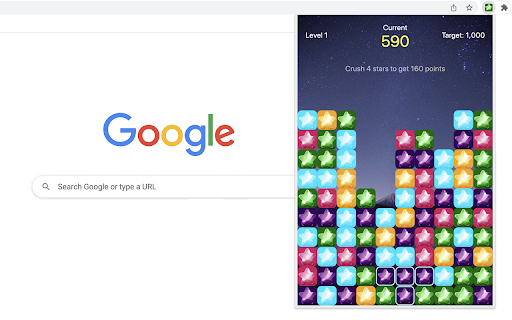
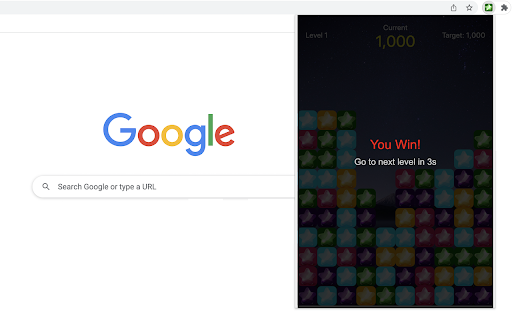
The Star Match Game requires you to match at least 3 adjacent stars of the same colors. The rule is very simple. Try to find 3 or more adjacent stars with the same color. These stars will be automatically highlighted when you mouse over them. Just click on any of the stars to crush them. The more adjacent stars crushed, the higher score you will get. When reaching the target score of current level, the game will automatically go to next level in a few seconds. Reminder: No time limit has been set for each level, so you have enough time to find more adjacent stars and get the higher score, no hurry! Go ahead and test your skills to see how far you can progress! For a variety of gaming experiences, feel free to explore our featured game extensions listed at the bottom of the game window at any time. CHANGELOG ========== Version 0.1.4 - 0.1.5 - Add google analytics - Show the list of new games - Prettify code and styles Version 0.1.0 - 0.1.3 - Initial release of the game - Update interface & features

Tic-Tac-Toe Game
A classic tic-tac-toe game that plays with AI player in a popup Play Tic-Tac-Toe game in single player mode against an AI player. Try to set different difficulty levels and see if you can beat the AI. You may love the smartest AI player with master level. Have fun with this classic puzzle game! Additionally, we've added some of our featured game extensions at the bottom for your extra enjoyment. CHANGELOG ========== Version 0.1.3 - 0.1.5 - Add the section on new games - Prettify code and styles Version 0.1.0 - 0.1.2 - Initial release of the game - Improve game interface

Unique Triangle Hunt Game
Find unique triangle from the grid. This triangle hunt game is a fun and challenging way to test how well you notice details when you're in a hurry. The goal is to find the one unique triangle in a 3x3 grid within 100 seconds. Eight of these triangles are identical, but one is different and marked uniquely. To increase game difficulty, each triangle is rotated randomly, with a black line beneath it indicating its orientation. 1. Just click on the extension icon in the browser, you'll be presented with a grid of nine triangles and a section at the top showing your points and time left. 2. Click on the one you think is different. It will light up red. 3. If you're right, you get 5 points and automatically move to the next round. If you're wrong, keep guessing by clicking on another triangle. 4. You can keep playing to get as many points as you can until the time runs out. - In your quick review of the grid, focus more on any triangle that noticeably differs from the rest in triangle area. - Find the right mix of quickness and precision to boost your score the most. Good luck and enjoy the game! Plus, we've featured our other exciting game extensions after the game ends for even more fun! CHANGELOG ========== Version 0.1.1 - 0.1.7 - Add google analytics - Show featured games after game over - Dynamic update of featured game list - Prettify code and styles

Drag Maze
Quickly drag the red dot to the orange exit while avoiding borders. Just click on the maze extension icon in the top right corner of your browser and the game will start immediately in a popup! All you need to do is to move the red dot along the white path until it reaches the orange exit. • For moving the red dot, just click on it and drag it with your mouse. Just be careful not to touch the blue borders as you move. • A timer is displayed in the top bar of the maze, indicating the amount of time you've spent on the current level. Once you've completed all the levels, you'll be able to view the total time used. • To advance to the next level, completion of the current level is required. To return to level one, just click the reset button whenever you wish. • If you happen to fail the current level, the game will automatically restart shortly thereafter. The extension has thirteen built-in maps and if you want to try more maps, just visit our website to access them. Beat the maze challenge and have fun! CHANGELOG ========== Version 0.1.1 - 0.1.8 - Add google analytics - Update the link to more maps - Prettify code and styles

Motion Card Match Game
It is a twist on the classic memory card game. Instead of flipping static cards on a board, cards with symbols (i.e. uppercase letters) will flow from the top of the screen. Match two cards with the same symbol consecutively to score points. Try to score as many points as possible before the cards slip away! 1) Start the Game: Click on the game Chrome extension icon in your toolbar. A popup window will appear displaying the game canvas. 2) Select Cards: Click on any card on the canvas to select it. The selected card will change its color to golden, signaling that it's been chosen. 3) Match Pairs: Once a card is selected, you must quickly find its matching pair from the cards on the screen. Click on the matching card. If you've found the correct match, both cards will disappear, and you'll earn points. 4) Continuous Flow: Cards will continue to flow from the top. If you don't match a card before it reaches the bottom, it will vanish, and you'll lose the chance to score with that card. 5) Score: For every successful match, you'll gain 10 points. The score is displayed at the top-left corner of the game canvas. 6) Endgame: The game doesn't have a set endpoint. The challenge is to see how high a score you can achieve. Have fun playing the card game! For a diverse gaming experience, feel free to explore our other featured game extensions on the Game Over page. CHANGELOG ========== Version 0.1.1 - 0.1.8 - Add google analytics - Show featured games after game over - Dynamic update of featured games - Prettify code and styles
