
bedapafeedkekkljdlajkknlnhingcop
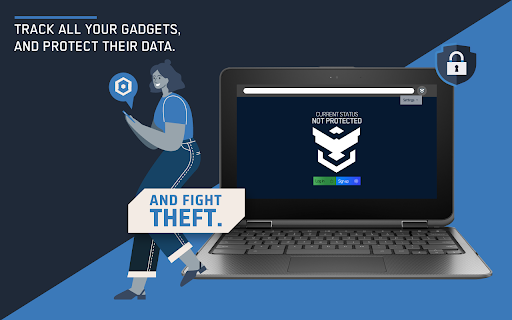


Prey for Chrome OS Meet Prey for Chromebooks, the security tool you need to stay in control of your remote assets and their data. Now available for Chrome OS laptops to be prepared if your devices get stolen, are breached or go missing. Prey is the industry-leading device tracking & security solution with over 10 years of experience locating lost phones, laptops, and tablets. Available for Android, iOS, Windows, Ubuntu, macOS and now Chrome OS for Chromebook laptops. Harness the ability to manage all your devices under a single account from our online panel. CREATED FOR CHROMEBOOK DEVICES This is a Chromebook specific application compatible with all native Chrome OS laptops. Make sure you get the best user experience: we recommend you install our app through your Google Admin Console. This will allow you to deploy Prey remotely and set it up for multiple users on the same device (and also multiple users across multiple devices). If the app is not installed from Google Admin, when you switch users in your device, the client will be uninstalled. AVAILABLE FEATURES Let’s say you already have a Prey account (that’s right, you will need one!). Once you’ve installed the app on your Chromebook laptops you’ll be ready to enjoy the following set of features: ►Create and manage geofences with Control Zones ►Locate devices on demand ►Remotely trigger Alerts and Alarms in your devices ►Lock the device’s browser ►Receive missing reports (screenshots, location, Chrome information) To learn more about how to install our app for Chromebooks using Google Admin Console, please visit our comprehensive step-by-step installation guide. ABOUT PREY Our company was born in Chile as the result of an actual theft when the founder’s laptop was stolen. Our innovative anti-theft app became the industry standard and since then we have worked hard to give our users a wide range of features and a more robust solution. We have become a global brand, and today we offer a persistent device tracking & security service to efficiently guard and protect your devices and data. INTERESTED IN KEEPING UP WITH OUR NEWS? Let’s talk more on: ✔Twitter: http://www.twitter.com/preyproject ✔Facebook: http://www.facebook.com/preyproject ✔Community: https://community.preyproject.com/ Still unsure if Prey’s for you? Don’t take our word, take a look at some of our recovery stories: https://preyproject.com/blog/en/recovery-stories Your privacy and mobile security are our top concern, that’s why we work with OPEN SOURCE code. Your personal information and data is only retrieved or used when requested. Terms and Conditions: https://www.preyproject.com/terms

Send Note to Device
Send Note to Device allows you to send current URL with a note (message) to different devices. 💬 Send Note to Device can send text / file between your Chrome browsers. 💡 Installation help: 1. make sure you are logged in your Chrome account on all devices you want to send notes to 2. once Chrome synchronizes this extension to your other devices, rename each device through Options page More info: https://github.com/fastaddons/SendNoteToDevice/wiki ⭐ Top features: - easy sending messages (notes) with currently opened URL to your devices - sending small files (~8KB) is also possible - no need to create additional account - Chrome Sync will handle everything ℹ️ Tip: - press "Alt + M" to open message window - in message window, press "Alt + up/down" to switch between target devices - in message window, press "Ctrl + Enter" to send the message 🛑 Limitations of Chrome Sync engine: - Chrome Sync can handle only 100KB of data and each message can be up to 8KB - if you try to send long note or too many notes at once, it may run out of space and fail. ☕ I'm extension developer since 2016 and my goal is to build powerful extensions for your web-browser to make you more productive. If you think I'm doing a good job, please donate :) - Ko-Fi.com: https://ko-fi.com/fastaddons - PayPal.Me: https://paypal.me/fastaddons/ - Patreon.com: https://www.patreon.com/fastaddons 💥 Thank you for supporting my work! 🔒 Privacy Policy: This extension is NOT using own cloud servers, all data synchronization is using "Chrome Sync" engine.

Barracuda Chromebook Security Extension
Barracuda Chromebook Security Extension is designed to protect you from malicious and inappropriate web content The Barracuda Chromebook Security Extension enables you to protect your Chromebook users from malicious and inappropriate content by enforcing the policies you configure on your Barracuda Web Security Gateway. The Barracuda Chromebook Security Extension leverages the cloud-based Web Categorization Service to filter content from over 80 million URLs, while also dynamically scanning websites not yet in the database. This allows administrators to provide safe Internet access to your Chromebook users, whether they’re on or off of your network. It’s like having the Barracuda Web Security Gateway right in your browser! · Single sign-on, user-based access. · Policies are cached on the Chromebook, ensuring that if it loses contact with the Barracuda Web Security Gateway, last-known policies are still enforced. No need for the extension to fail open or closed. · The extension works on or off network. · Since the extension works directly through the browser to apply browsing policies, there is no need to route traffic through the Barracuda Web Security Gateway. · Policies configured on the Barracuda Web Security Gateway are synchronized to the Chromebook periodically. · All Chromebook user access to websites is logged and the logs are available on the Barracuda Web Security Gateway. · The administrator can use the Barracuda Web Security Gateway report generation feature to generate reports on Chromebook user web access. · The Barracuda Chromebook Security Extension comes with the Barracuda Web Security Gateway at no additional cost! The Barracuda Web Security Gateway appliance or virtual running firmware version 10.1 or newer is required. For more information go to the Barracuda Campus page https://campus.barracuda.com/product/websecuritygateway/doc/168748336/how-to-get-and-configure-the-barracuda-chromebook-security-extension

Fedora free online linux server
Run the Linux Fedora, RedHat, RHEL, CentOS, Oracle Linux, Open SUSE and Mandriva from the OnWorks free servers hosting provider This extension is a file manager integration to import and export your desktop files into the Fedora linux server provided by the OnWorks free hosting provider. It also allows to import files detected as links by Google Chrome. Users should install this extension in order to import and export their files in their OnWorks Fedora linux online workstation.

Meet Compute System Recovery Utility
Create a recovery USB drive for your Meet Compute System. This is a Chrome Extension for creating recovery media for your Meet Compute System. Use this tool on M55+ Chromebooks, Windows, and Mac devices to create recovery media. Instructions on how to use the tool can be found here: https://support.google.com/meethardware/answer/10562922 By installing this item, you agree to the Google Terms of Service and Privacy Policy at https://www.google.com/intl/en/policies/.
