
bcfoanjpmoikpanagkinedlihjbaijke
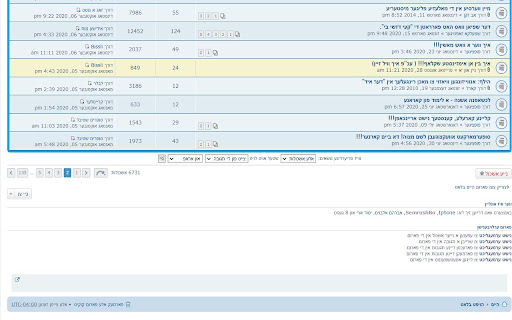
Adds accessibility and usability improvements to אייוועלט. This is an extension that provides useful keyboard shortcuts and accessibility features for the www.ivelt.com website, including the ability to go to the next page and previous page in a forum (אשכול) by pressing the right and left arrow keys.

Yiddish Typer
This extension pops up a window where you can type in Yiddish without needing any other software. This extension allows you to type in Yiddish without needing any other software or installing any other keyboards on your computer. Simply type Yiddish phonetically and the correct letters will appear. Basically, you type in YIVO transcription and it outputs the correct Yiddish: typing 'sh' produces a ש, 'ay' produces ײַ, etc. Shtumer-alef and the final forms of khof, mem, etc. are automatically produced correctly. In addition to YIVO-compatible output, there is an option for an alternative orthography as used by the Algemeiner Zhurnal. The functionality is closely modeled -- with a few minor modifications -- on that of the "Yiddish Pasekh" keyboard designed by Gyula "Ziggy" Zsigri for use with the software utility "Keyman". Inspired by the work of Noyekh Miller, Shoshke-Rayzl Yuni, and Refoyel Finkl. Please let me know about any bugs you find and any features you'd like to see by using the support options on the extension page. Changelog: 0.8 -- added more robust backup functionality 0.7 -- khirek-yud/shtumer-alef now added after tsvey-yudn (e.g., shneyik) 0.6 -- in accordance with new security features removed inline javascript. updated jquery. 0.5.0 -- added option to choose between "YIVO style" orthography and "Algemeiner style" -- where the latter differs from the former in that it employs the shtumer alef (rules taken from Dovid Katz's grammar), does not use the rafeh or pasekh-tvey-yudn, as well as some other minor changes. Also tried to fix some bugs. 0.4.2 -- changed Twittify function name to Condense since it's actually useless in Twitter (their/Unicode's fault, not mine), fixed a bug that was inserting khireks in some cases extraneously, changed font of textbox 0.4.0 -- added Twittify button, updated hints, fixed css bugs 0.3.0 -- added full screen option, hints page, and checkbox to turn on/off Yiddish letters.

GenTech - Browser Tools
Allows you to unlock and view blocked images using a GenTech account. You can login with GenTech account to unblock websites and images, based on your GenTech user account settings.

Voice to Text (Whisper) + AI Writing — Sleekio
Speech to text (Whisper) dictation + one-click tone polish. Works in Gmail, LinkedIn, and any textbox on the web Sleekio: The Native AI Writing Studio for the Web Transform the way you communicate online. Sleekio integrates a seamless, elegant toolbar directly into your workflow, giving you professional AI writing tools exactly where you type—whether you are drafting an email, writing a document, or posting on social media. Stop switching tabs. Start communicating with precision. 1. AI Drafting & Smart Replies Staring at a blank page? Just click the Smart Menu. Help Me Write: Give Sleekio a topic, and it generates a polished draft instantly directly in your editor. Help Me Reply: Select any incoming message or email text, and Sleekio will analyze the context to draft a relevant, personalized response in seconds. Custom Profiles: Create and save your own unique personas (or use our presets like "Professional," "Casual") to ensure every message sounds exactly like you. 2. Custom Polish & Tones Go beyond generic spell-check. Select your text to instantly refine it. Standard Modes: Perfect your grammar, make text concise, or switch to Professional/Friendly tones with one click. Custom Tones: Design your own unique voice. Create specific instructions (e.g., "Sarcastic," "Legal Formal," "Empathetic") and apply them to your selection. Raw Mode: Captures every word exactly as you speak it. Polish Mode: Rambling thoughts? Speak freely, and Sleekio will transcribe and restructure your speech into a coherent, perfectly punctuated message. 4. Seamless Integration Sleekio does not live in a sidebar. It lives where you type. It works natively inside: 💎 Instant Translation Select text and translate it into over 15 languages with a single click—no copy-pasting required. 🔒 Privacy by Design Your privacy is paramount. Sleekio only processes text you explicitly select, record, or submit. The microphone is never active unless you click it. Upgrade your writing workflow today.

Yiddish Klal
A phonetic (QWERTY) keyboard layout for Standard Yiddish. This extension installs a Standard Yiddish keyboard layout on your ChromeOS device. (If you are not using a Chromebook, but simply want to type in Yiddish in your Chrome browser, you should install this excellent transliteration-based extension: https://chrome.google.com/webstore/detail/yiddish-typer/higlebidpnhccabnhankdoiiccnnfkko) Yiddish Klal is based on a layout built for Mac. See instructions here: https://www.isaacbleaman.com/resources/yiddish_typing/ Note that the commands using Alt are not included in this version. Also, the Caps Lock feature is disabled (since Chromebook is missing a Caps Lock button). Once you've installed the extension, sign out of your Chromebook and then sign back in. Then go into your system settings, type "language" into the search bar, and click "Language and input settings..." Unfortunately, because Chromebook lacks native support for Yiddish, the keyboard can be found under English (United States). Select "Yiddish Klal" as an input method and click through to accept the third party terms (contrary to the warning, all this app does is take your keystroke and print out a Yiddish character; nothing is saved, and the app is completely offline). Finally, click "Done." I also recommend hiding the Yiddish Klal icon from your Chrome browser menu, since it doesn't do anything. Right click (or click with two fingers) on the Yiddish Klal icon and then "Hide in Chrome menu." To switch between Yiddish and other keyboards, click Ctrl + Shift + space. Updates: 0.5 - Update for Manifest V3 0.2-0.4 - bug fixes (and the "|" key now creates em-dash)
