
apbhfinbjilbkljgcnjjagecnciphnoi
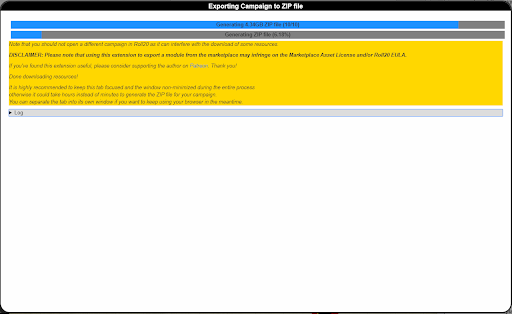
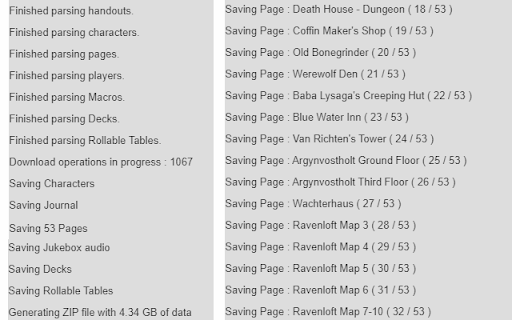
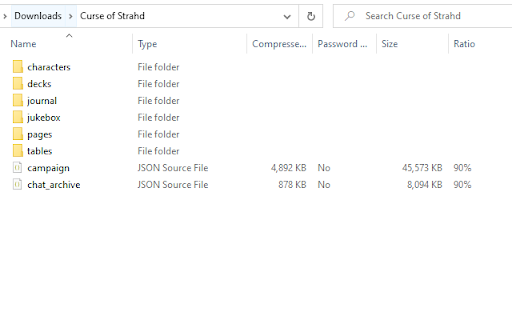
Export a Roll20 Campaign with all its assets to a ZIP file. R20Exporter allows you to export a Roll 20 campaign and all of its assets into a ZIP file for backup/archiving purposes. To export your campaign go to the settings tab in the Roll20 page (the gear icon on the far right of the sidebar) and at the top you should see a button "Export Campaign to ZIP". Simply click on it, then wait until the ZIP file is generated and downloaded. While generating the ZIP file, do make sure you have the campaign tab focused in chrome (separate it in its own window if needed), otherwise the download speed of the zip will drop to very very slow transfer speeds since the javascript that generates the zip on the fly will be running as a low priority background process. The dialog that opens will show you the various steps the script is undertaking and you can click the Log button to see a more detailed log of what is happening. That dialog window will also prevent you from messing around with the campaign. It is best to let the script do its thing unhindered and to not open another campaign in another window. Once the export process is complete, that window will close on its own and the ZIP file will be downloaded automatically. To report any issues, please go to the GitHub issue tracker : https://github.com/kakaroto/R20Exporter/issues

Roll20 Character Sheet Exporter for 5e
Adds an export button to the 5e character sheet of Roll20 games and exports the character sheet to an editable, savable, and printable form. Will only work with one character sheet open at a time and currently only tested with DnD 5e Character Sheets

GoRPG
Finally! A Chrome RPG Dice extension! Meet our first online RPG tool, which allows players to roll their dice and get the outcomes straight into their Roll20 using GoDice smart-connected dice.

Roll20 Character Sheet Printer
Adds a print button to the character sheet tab on Roll20. Will export the sheet to a blank page and from there the page can be printed or saved as a pdf. Works on most sheets but not guaranteed to work for every sheet.

D&D Beyond DM-Screen
Customizable DM Screen for D&D Beyond Campaigns ~~~DM SCREEN~~~ https://dmscreen.silas.link/gmscreen Decide for yourself which information of the players should be displayed! Open the screen by going to the campaign-screen and press the "DM Screen"-Button. If a character is open under DNDBeyond, the extension's settings can be opened. Here you can customize the DM Screen. If you have any questions, visit the website or contact me via the form on the website You can add links to the screen in order to open them fast! The extension supports dark and light mode. A Defense Roll is an alternative way to shape the monster attacks. The goal is to let the player roll outside of his turn and get him more involved. Here, the player rolls to see if he can escape the monster's attack. It also often improves roleplay because by having the player make the roll, you no longer describes how the monster attacks, but rather how the player dodges. The player is the focus of the narrative. If you have any questions, visit the website or contact me via the form on the website.
