
aiocjnejgjkfolnbpjpjapogcocadlol
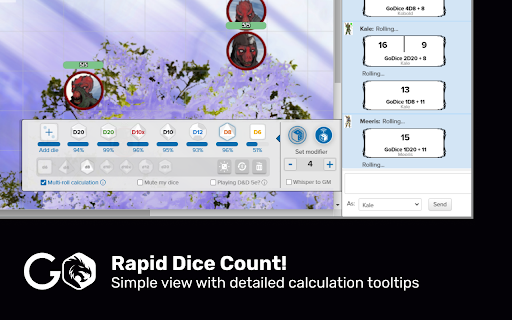


Finally! A Chrome RPG Dice extension! Meet our first online RPG tool, which allows players to roll their dice and get the outcomes straight into their Roll20 using GoDice smart-connected dice.

Pixels DnDBeyond Integration
Allows you to use pixel dice in DnDBeyond With this extension you can use dice from "Pixels - Light up your game" on a DnDBeyond character sheet. For this extension to properly work, your browser needs to support the Web Bluetooth API. Support for Beyond20 is now better than ever, with partial API support! When enabling the following chrome flag, then pixels will automatically reconnect when opening the page: chrome://flags/#enable-web-bluetooth-new-permissions-backend This extension also works now with chrome based mobile browsers that support extensions. Check it out! This extension is open source and released under the MIT license

VTTA.io D&D Beyond Integration
Integrate your licensed content from D&D Beyond into your running Foundry VTT Dungeons & Dragons session. Are you an avid user of both D&D Beyond and Foundry VTT? Do you want to seamlessly integrate both tools into your regular DMing workflows? VTTA.io: D&D Beyond Integration helps you to achieve that goal. By building a bridge between your licensed content and your gaming or preparation session using Foundry VTT, you can easily - use the encounter builder to prepare challenging encounters - and import the planned monsters straight into your game - buy source books and adventure books on D&D Beyond and import them into your Foundry VTT game, including backlinks to your D&D Beyond content. Everything is just few clicks away, enabling to refresh your memory on status effects and rules while running your game. - imported tables makes rolling the effect of Wild Magic or distribution treasure easier than ever The tools are aimed to provide an easy to use, yet powerful interface to create a great experience. Spend more time imagining and less time preparing! Be confident to be spontaneous in your adventure sessions because everything is just a few clicks away. Enjoy your games and the friendships that evolve during play. Privacy Policy and Data Protection We are storing only the information we think are necessary to provide a service for you, and we adhere to the principle of "Data Poverty". You will need to create a VTTA.io account in order to use this toolset, and the our privacy policy found at https://www.vtta.io/privacy-policy details what kind of data is stored about you, and why. Unless you create an account on the website, no data is stored or processed about you at all.

Beyond The Spire
An extension to add TaleSpire dice rolls to DnDBeyond character sheets, monster pages and encounters. Disabling DnDBeyond's digital dice is recommended while using this extension.

D&D Beyond DM-Screen
Customizable DM Screen for D&D Beyond Campaigns ~~~DM SCREEN~~~ https://dmscreen.silas.link/gmscreen Decide for yourself which information of the players should be displayed! Open the screen by going to the campaign-screen and press the "DM Screen"-Button. If a character is open under DNDBeyond, the extension's settings can be opened. Here you can customize the DM Screen. If you have any questions, visit the website or contact me via the form on the website You can add links to the screen in order to open them fast! The extension supports dark and light mode. A Defense Roll is an alternative way to shape the monster attacks. The goal is to let the player roll outside of his turn and get him more involved. Here, the player rolls to see if he can escape the monster's attack. It also often improves roleplay because by having the player make the roll, you no longer describes how the monster attacks, but rather how the player dodges. The player is the focus of the narrative. If you have any questions, visit the website or contact me via the form on the website.
