
jgflekbegoccflpmdemeeebbapfbmmjo
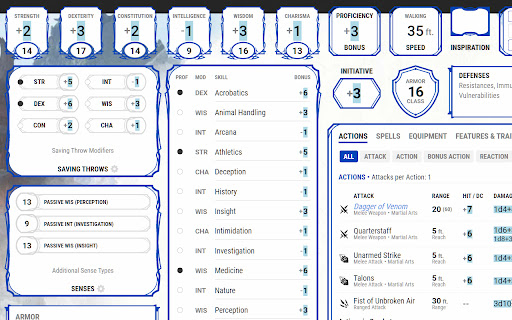
An extension to add TaleSpire dice rolls to DnDBeyond character sheets, monster pages and encounters. Disabling DnDBeyond's digital dice is recommended while using this extension.

Rivet
An integration between 5etools and Plutonium. Send creatures, spells, items, rolls, (and more!) to your Foundry game with the click of a button.

VTTA.io D&D Beyond Integration
Integrate your licensed content from D&D Beyond into your running Foundry VTT Dungeons & Dragons session. Are you an avid user of both D&D Beyond and Foundry VTT? Do you want to seamlessly integrate both tools into your regular DMing workflows? VTTA.io: D&D Beyond Integration helps you to achieve that goal. By building a bridge between your licensed content and your gaming or preparation session using Foundry VTT, you can easily - use the encounter builder to prepare challenging encounters - and import the planned monsters straight into your game - buy source books and adventure books on D&D Beyond and import them into your Foundry VTT game, including backlinks to your D&D Beyond content. Everything is just few clicks away, enabling to refresh your memory on status effects and rules while running your game. - imported tables makes rolling the effect of Wild Magic or distribution treasure easier than ever The tools are aimed to provide an easy to use, yet powerful interface to create a great experience. Spend more time imagining and less time preparing! Be confident to be spontaneous in your adventure sessions because everything is just a few clicks away. Enjoy your games and the friendships that evolve during play. Privacy Policy and Data Protection We are storing only the information we think are necessary to provide a service for you, and we adhere to the principle of "Data Poverty". You will need to create a VTTA.io account in order to use this toolset, and the our privacy policy found at https://www.vtta.io/privacy-policy details what kind of data is stored about you, and why. Unless you create an account on the website, no data is stored or processed about you at all.

R20Exporter
Export a Roll20 Campaign with all its assets to a ZIP file. R20Exporter allows you to export a Roll 20 campaign and all of its assets into a ZIP file for backup/archiving purposes. To export your campaign go to the settings tab in the Roll20 page (the gear icon on the far right of the sidebar) and at the top you should see a button "Export Campaign to ZIP". Simply click on it, then wait until the ZIP file is generated and downloaded. While generating the ZIP file, do make sure you have the campaign tab focused in chrome (separate it in its own window if needed), otherwise the download speed of the zip will drop to very very slow transfer speeds since the javascript that generates the zip on the fly will be running as a low priority background process. The dialog that opens will show you the various steps the script is undertaking and you can click the Log button to see a more detailed log of what is happening. That dialog window will also prevent you from messing around with the campaign. It is best to let the script do its thing unhindered and to not open another campaign in another window. Once the export process is complete, that window will close on its own and the ZIP file will be downloaded automatically. To report any issues, please go to the GitHub issue tracker : https://github.com/kakaroto/R20Exporter/issues

Beyond Dice Tray
Adds a dice tray to DnDBeyond to use for streaming, virtual cameras or on tv tables. With a customizable background that can be green screened. (Dice speed no longer functions and has been removed)
