
aklbieaecfoidlgjmiipikpgmhbcjoja
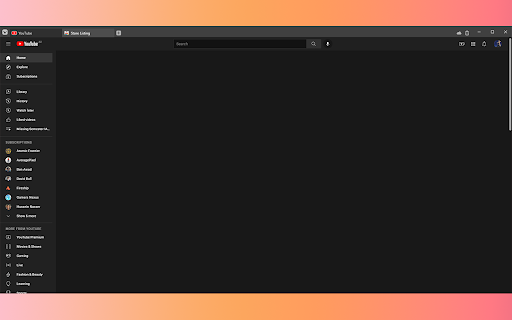

[OPEN SOURCE] Blocks YouTube recommendations on the front page and on the side of the video player, as well as the comments section This extension is a super light weight YouTube recommendations and comments blocker. Video recommendations on the front page and on the side of the player will be hidden, as well as the comments section. It hides the content rather than outright removing it, ensuring that nothing breaks in the site's internal workings. The extension will only request permissions for YouTube, and has no background scripts. Yo @graphic designers please fix my graphics make a pull request on the git repo The Github repo is here: https://github.com/Fishy-Fishes/yt-blocker

Hide YouTube Thumbnails
Hide YouTube Thumbnails for less clickbaity browsing Simply hides thumbnails on YouTube to have a more peaceful and less distracting browsing experience. Also useful for avoiding spoilers or inappropriate imagery. This extsion could also be descibed as blocking YouTube thumbnails on videos, disabling YouTube thumbnails on videos, blurring YouTube thumbnails on videos. People have found it useful for: - Hiding distracting or inappropriate YouTube thumbnails in class when teaching students - Hiding YouTube thumbnails to reduce distraction and procrastination when studying or working - Hiding YouTube thumbnails to avoid spoilers in the video

Block YouTube Feed - Homepage, Sidebar Videos
Block the homepage feed, sidebar suggestions, and end screen feed on YouTube. Remove YouTube feeds. Through the extension's options popup, you can configure whether to hide or show the homepage feed, sidebar recommendations feed, and end screen videos. Compatible with desktop, mobile, and embedded YouTube videos. For more features including removing recommendations, comments, and more: https://chrome.google.com/webstore/detail/unhook-remove-youtube-rec/khncfooichmfjbepaaaebmommgaepoid

ShortsBlocker - Remove Shorts from YouTube
SHORTSBLOCKER CHROME EXTENSION ===================================== This extension removes all Shorts videos from the YouTube homepage, tabs, search, explore, and subscriptions. Good news! The free version of ShortsBlocker continues to work exactly as before. All core Shorts blocking functionality remains completely free for personal use. Free Features: * Blocks Shorts across YouTube * Lightweight, fast, and easy to use * No account required Premium Features: * Advanced customization settings * Daily Shorts limit (control how many Shorts you can watch per day) * Scheduled blocking (block Shorts on selected days and times) * Channel whitelist (allow Shorts only from selected channels) * Blocked Shorts statistics (today, weekly, total) with time-saved tracking * More premium features coming soon Please Note: The free version works great for most users and will continue to be maintained and updated. Only purchase premium if you need advanced customization. * Unauthorized commercial or institutional use violates our Terms of Service. * Personal, non-commercial users are welcome to continue using ShortsBlocker for free. ===================================== UPDATE 3.6.1 ===================================== * YouTube is changing the way Shorts are displayed, which broke the extension. * Fixed various bugs and stability issues. 👉 Please report any bugs you encounter so I can address them quickly. Love the extension? Give us a rating! ===================================== FAQ ===================================== 1. What information do you collect? * We do not collect any personal data from free users. Premium users require basic account information for authentication purposes only. 2. Do I need the premium version? * Most users are completely satisfied with the free version. Only upgrade if you need the advanced customization options. * Businesses, schools, or universities: License required. ===================================== CHROME PERMISSION JUSTIFICATION ===================================== 1. Single purpose: The extension runs on YouTube.com and adds additional features. 2. Host Permission: Used to access information and run content scripts on the YouTube website. 3. Storage Justification: Used to access and store extension settings that users can toggle manually using the popup interface.

RYS — Remove YouTube Suggestions
Hide recommended videos, Shorts, comments, and more. Customize YouTube's interface with 80+ options including scheduling when the extension is active. Free features: - Hide homepage suggestions - Hide Shorts - Hide sidebar recommendations - Hide end-of-video suggestions - Hide comments - Hide search suggestions - Skip and close ads - Redirect Shorts to default viewer Sign in (no payment required) to enable any 2 premium features for free. Premium unlocks 60+ advanced settings: - Autoplay and ambient mode control - Homepage redirects (Subscriptions, Watch Later, Library) - Comment filtering (timestamps only, hide usernames, hide replies) - Nav bar and sidebar customization - Theater mode, grayscale mode, search engine mode - Settings lock (timer and code entry) - Schedule when RYS is active - And more Open-source and privacy-focused — no data collection or sharing. Regularly updated since 2018.
