
akgkfegkiajbamekmkcafnfckmhgcnpa


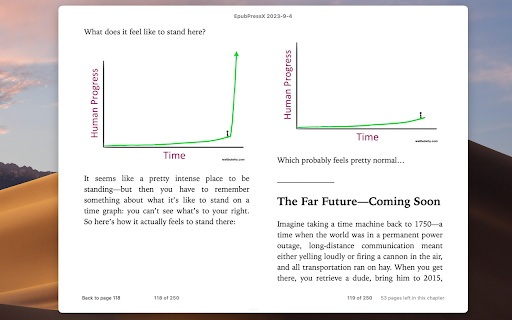
Create custom ebooks from your favorite blogs and websites. Fork from EpubPress, and make some updates: - Faster and more stable: e-books are created locally, not dependent on the server - Fixed EPUB format issues - Fixed image positioning issues - Can set the cover - Can choose whether to include images Web version for mobile: https://kiki-read.com Project: https://github.com/sunxen/EpubPressX

Douban Book+
Only 1-click from Douban to your favorite ebook platforms

Instabook
Create an eBook from any page instantly and beautifully. Instabook is a browser extension that makes it easy to convert any web page with content into a stylish and clean Ebook for free. You can save web pages as EPUB files and read them offline on your computer or Ebook reader. You also get to preview the cover page of your Ebook before the epub file is generated. The latest version also allows you to build a multi-chapter Ebook with each chapter being a snapshot of a different page. Read the README file on GitHub for details. This add-on does the conversion directly in the browser so the text content is not sent to any external servers. Only the images are sent to a remote server endpoint to mitigate CORS issues when downloading the ebook.

EpubKit Pro
Web page to epub You can use EpubKit to categorize and save your favorite web content, and then select your content to generate an optimized, formatted epub ebook for reading on your favorite reader.

WebToEpub
Extension that converts Web Novels (and other web pages) into an EPUB for offline reading. Works with many sites, including: 1.… Extension that converts Web Novels (and other web pages) into an EPUB for offline reading. Works with many sites, including: 1. Baka-Tsuki.org 2. ArchiveOfOurOwn.org 3. FanFiction.net. 4. royalroad.com 5. www.readlightnovel.com (partial support) 6. Numerous other light novel sites To use with Baka-Tsuki: 1. Browse to a Baka-Tsuki web page that has the full text of a story. 2. Click on the WebToEpub icon on top right of the Chrome window. 3. Check story details are correct. 4. Select image to use for cover. 5. Click the "Pack EPUB" button. 6. Wait for progress bar to finish (indicating the images being downloaded) and the generated EPUB to be placed in your downloads directory. To use with Archive Of Our Own: 1. Browse to first chapter of story you want. 2. Click on the WebToEpub icon on top right of the Chrome window. 3. Check story details are correct. 5. Click the "Pack EPUB" button. 6. Wait for progress bar to finish (indicating the additional chapters are being downloaded) and the generated EPUB to be placed in your downloads directory. To use with Royal Road/Readlightnovel 1. Browse to web page that has list of chapters of story you want. 2. Click on the WebToEpub icon on top right of the Chrome window. 3. Check story details are correct. 5. Click the "Pack EPUB" button. 6. Wait for progress bar to finish (indicating the additional chapters are being downloaded) and the generated EPUB to be placed in your downloads directory. Source code can be found at https://github.com/dteviot/WebToEpub. Or you can just unzip the chrome extension, as the code is javascript. If you'd like to help with testing the latest Beta version, the latest version and instructions for loading it can be found at https://github.com/dteviot/WebToEpub/tree/ExperimentalTabMode
