
aikoloonlgkkkmgebijmegndgjkpekje


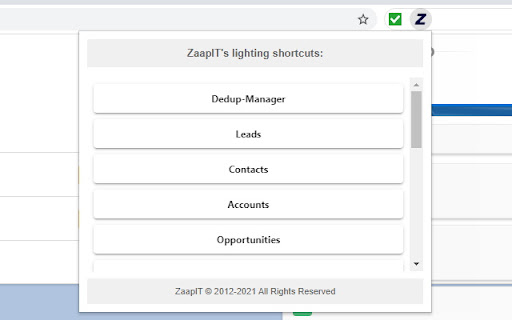
Eliminate duplicates & improve data quality like never before - ZaapIT for Salesforce 🚀 ZaapIT for Salesforce - The Ultimate Data Management & Deduplication Tool ZaapIT is the Salesforce power tool for Admins, RevOps, and Sales Ops who need dependable CRM data management and consistently high Salesforce data quality. From bulk update Salesforce operations to automated Salesforce deduplication, ZaapIT helps you clean, normalize, and govern your Salesforce data faster - without spreadsheets or risky manual work. Build Smart Lists with summary rollups, hierarchy rollups, and related lists - then act instantly with Excel-like grids, bulk actions, and automation - all with zero code 🧠📊 ✨✨ Make sure to install the package if it doesn’t open automatically. 🚀 🚀 https://www.zaapit.com/install?src=chromestore ⭐What You Can Do with ZaapIT ⭐ ZaapIT lets you mass merge Salesforce duplicates safely - and then automate the cleanup with Auto Merge. ✅ Merge duplicates across Leads, Contacts, Accounts, Opportunities, Cases, and custom objects ✅ Auto Merge Salesforce duplicates based on exact and fuzzy matching rules ✅ Full control over winner selection, merge logic, and data preservation ✅ Safety included: undo merge Salesforce anytime 🔁🛡️ 🧠 Field Merge Strategy: Keep the Best Data - Never Lose Phone Numbers 📞✅ Most “duplicate tools” force a risky, manual choice of which field value survives. ZaapIT goes further with advanced field merge strategies so the right values are automatically preserved and standardized. ✅ Auto-select surviving values using smart rules (for example created date, last modified date, newest or oldest record, or prioritized source) ✅ Concatenate values to retain all information (ideal for notes, descriptions, and multi-source text fields) ✅ Preserve all phone numbers and emails by merging into a single field or keeping values across multiple fields (because nobody wants to lose phone numbers) 📞 ✅ Copy non-empty values, apply overwrite rules, preserve “golden record” values, and define object-level or field-level priorities ✅ Support multiple strategies for different field types and business use cases This is the difference between basic deduplication and enterprise-grade Salesforce data cleansing. 🧼🏆 Keep Salesforce clean continuously - not just during one-time cleanup projects. ✅ Run scheduled merge and scheduled deduplication jobs hourly, daily, or on a custom schedule ✅ Automatically detect duplicates and apply your merge strategies at scale ✅ Track results with reports, logs, and job history Reliable, ongoing Salesforce duplicate management without firefighting. 🔥➡️✅ ZaapIT is built for high-volume Salesforce operations and makes bulk update Salesforce actions safe. ✅ Bulk update Salesforce and bulk edit Salesforce (inline and multi-field edits) ✅ Undo bulk updates and revert changes when needed ✅ Bulk delete Salesforce, mass clone, and mass create (with safeguards) ✅ Mass convert records and apply bulk formatting (proper case, lowercase, phone format, etc) ✅ Mass find and replace plus ETL-style transformations and regex support 🔗 https://www.zaapit.com/page/how-to-update-your-records-in-bulk-Mass-record-in-Salesforce Make large-scale changes confidently knowing every bulk update is safe, auditable, and reversible. ⚡🛡️ Import confidently while protecting Salesforce data quality. ✅ Advanced controls for import Salesforce and bulk import workflows ✅ Duplicate prevention during data load using matching rules ✅ A practical Salesforce Data Loader alternative for teams focused on clean CRM data 📦✅ Keep your pipeline clean and conversion consistent. ✅ Mass convert leads Salesforce ✅ Auto Convert Lead in Salesforce based on conditions and matching logic ✅ Convert Lead into Contact in Salesforce when matching records exist ✅ Support workflows to customize lead conversion process in Salesforce 💼📈 🔗 https://www.zaapit.com/page/Mass-Convert-Merge Scale Salesforce configuration work with bulk metadata control. ✅ Mass edit custom metadata ✅ Update multi-select picklist values ✅ Mass edit layouts, fields, validation rules, and more ✅ Mass edit, delete, and clone custom metadata and object metadata 🔗 https://www.zaapit.com/page/salesoforce-mass-update-metadata ✅ Filter, sort, group, and edit records in an Excel-style interface ✅ Cross-object visibility with related lists and forecasts ✅ Faster daily operations for CRM data management 🧾✨ ✅ Undo merges, bulk updates, and deletions ✅ Access audit logs and backups for compliance and governance ✅ Confidence for high-impact Salesforce operations 🔒🧾 🔗 https://www.zaapit.com/page/salesoforce-unmerge-undo-merge 🧩 Smart Related Lists, Rollups, and CPQ Visibility - Zero Code Turn Salesforce into a smarter workspace with Smart Lists that combine data from related objects and roll it up automatically. ✅ Build Smart Related Lists that go beyond standard Salesforce related lists ✅ Create summary rollups (even where native rollups fall short) and hierarchy rollups for Account structures and other objects ✅ View and manage cross-object data in one place - ideal for complex processes like Salesforce CPQ (quotes, quote lines, products, opportunities, and account context) ✅ Take action immediately using Excel-like grids, bulk actions, and automation - without custom code or heavy admin work ⚡ 🤖 Smart duplicate reports (exact and fuzzy match) 👥 Similar Leads and Contacts reports (name and email patterns) 🔗 Cross-object matching reports (Lead to Contact or Account) 📎 Attachment deduplication to save Salesforce storage 🔹 Video Demo: https://www.youtube.com/watch?v=VzjyR61GB_U 🔹 Video Guides: http://www.zaapit.com/page/Videos Start managing your Salesforce data smarter. Install ZaapIT for Salesforce today! 🔹Global Privacy Policy: https://www.zaapit.com/page/privacy 🔹Terms and Conditions: https://www.zaapit.com/page/Terms-and-Conditions

Maven Tools for Salesforce
Uniquely architectured for Salesforce technical consultants, Maven Tools transforms how Salesforce implementations are being delivered. It offers features like an intelligent query editor, REST console, event hub and many more, giving you the power to deliver changes more quickly and effectively. 📨 Support ▸ Go to our service desk to get technical support, or to report bugs and suggest improvements : https://mavenmule.atlassian.net/servicedesk/customer/portal/6

Salesforce Change Set Helper
Enhances the Salesforce change set. Adds last changed date and allows sorting, searching, validation and comparison with other orgs. A Chrome extension to improve the usability of Salesforce change sets NEW! Release 3.1.4 Optimizations for large organization Release 3.1.3 - Fix Compare and allow multiple orgs to be connected. - Add the ability to validate and deploy changes directly to other orgs. - Ability to select components from different types and add them at once. - Added a new Change Set Cart where the user can see what are the items have been added without needing to leave the add screen. - Persistent cart panel with sync badge, search, virtualised list, filterable chips. - Export/Import package.xml from cart and both page toolbars. - Bulk Remove via Tooling API DELETE (no A4J reload dance). - Single-row Remove without page reload. - Hide native Import entry point. - Fix lighting page issue. Release 3.0.2 Supports Chrome extensions best practices and manifest v3 updated better loading of components for large orgs. Features include: - Includes the last modified date and user and api name for each item. - Automatically ordered by most recent modified first - Filter/Search/Order by any field. - Sets all pages to show the 1000 rows. If more than 1000 items in a page, asks if you want to continue to retrieve more. - View and Search on items in the change set. This allows you to see the whole change set and search to make removing much easier. - Compare to another org (uses OAuth2.0 -- no username or password information is seen or stored by this extension). - Shows the last modified date and user for the compared org as well. - Click the file name to see a diff of the metadata file between orgs. Note that there is a delay when loading large pages and you may need to disable other chrome extensions that alter the change set page. Release 3.0.0. Lightning compatible! Fixed issue with Validation. Added Quick Deploy. Updated compare files content to compare all files (for example, in a Aura Component). Fixed issue with constantly spinning wheel if there is an error. Added ability to change API Version. Removed extension from all pages except change sets. Release 2.2.0 Now includes Validation helper. Log into another org and validate the change set. Release 2.1.2 Fixed bug with Quick Links on VF page even when disabled Fixed bug with Sharing Criteria Rules Release 2.1.1 Fixed bugs with hanging when no content. Merged with "beta" extension -- new features such as download zip file of the change set. Release 2.02 Now can compare files between orgs. Log in to a sandbox or dev/prod org. Uses Oauth2.0 for authorization -- no user or password information is seen or stored locally. Shows the last modified date and user for the compared org. Click the name and see a diff comparison of the two. Release 1.4 Updated to add ability to keep getting 1000 more items on pages. (Salesforce will only retrieve 1000 a time.) Added in a "clear" function to clear the search filters. Clear is automatically called before items are added to change set -- this is because of a bug where the items will not be added unless they are visible. Release 1.3 Updated to support workflows, reports, email templates and many more.

Salesforce Inspector Reloaded
Productivity tools for Salesforce administrators and developers to inspect data and metadata directly from the Salesforce UI. This extension is based on the original Salesforce inspector extension made by Søren Krabbe. IMPORTANT: If you have any question or facing bugs, please use the GitHub repository : https://github.com/tprouvot/Salesforce-Inspector-reloaded/issues - Analyze Field Usage in Show All Data - Multi Query tabs in Data Export - Download & Deploy Metadata - Security improvements - Field Creator page to bulk create fields from the extension - Event Monitor page to subscribe to Platform Events from the browser - Import / Export configuration from Option page - Customise extension shortcuts - Support SOSL and GraphQL languages - REST Explore page to run any API from the extension without external tool - Load recent records from popup - Customize extension favicon and Sandbox banner - Check QueryPlan on data export - Enable Logs from User tab - Customize settings in Option page - New Org tab - Search for a particular flow, profile or permission set from Shortcut tab - Restrict Salesforce Inspector usage with a default connected app - New "Shortcut" tab to quickly access setup menu - Link to permission sets assignment from User tab And many more !

Salesforce Simplified
Salesforce Recent Components For Salesforce Developers Salesforce Simplified is a Chrome extension designed for Salesforce and Omnistudio developers/administrators to enhance their productivity by making useful data points easily accessible directly from the UI. When working on any module, having your recently created or modified data readily available allows you to work faster and save time by avoiding unnecessary clicks. With the advanced search feature of Salesforce Simplified, you can access your code with just a few clicks. For Vlocity/Omnistudio, it provides access to: This extension is designed to streamline your workflow, making it easier to manage and access critical information.
