
agknpiliocimoiokabdfecmgilemoich
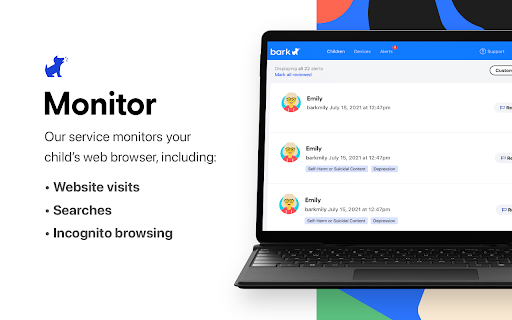
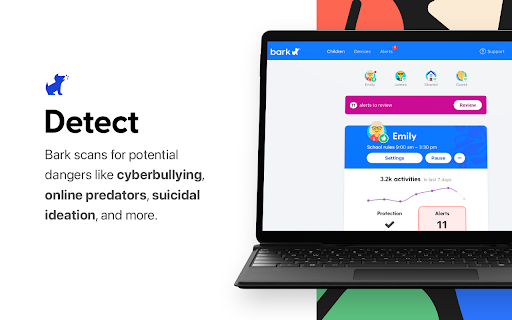

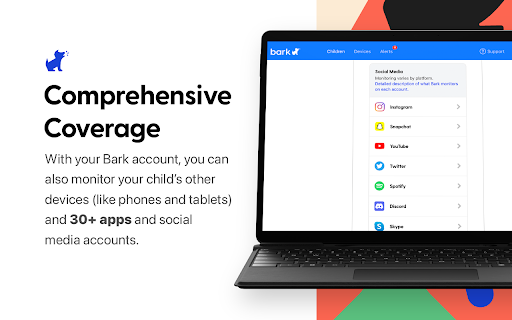
Ensure health of the Bark for Chrome extensions Bark for Chrome Watchdog provides an extra layer of protection to notify you when the Bark for Chrome extension has been disabled.

Chrome Notes
A simple notepad extension for Google Chrome NEW: You can now use speech to text NEW: You can now open Chrome Notes with Ctrl+Shift+X (Command+Shift+X on mac) NEW: You can now download and upload complete backups NEW: Chrome Notes adds a right click menu option to send the selected text to a new note! NEW: You can now have multiple notes! NEW: You can now customize the font size! A simple notes extension, right in your browser! Easily copy around a few words to and from different browser windows and other apps. Thank you for over 100,000 users, 100 ratings and 4.5 stars! Chrome Notes remembers your notes and mode, even after closing your browser or restarting your computer! Notes are stored in local storage, so nobody else will ever see them, not us, and not Google, Microsoft, or Apple. Features: * Resizable notepad * Shortcut buttons for cut, copy, paste, and select all * Normal keyboard shortcuts work too * Save as a .txt file * Open in new window * Speak selected text out-loud * Remembers last notepad size for you next time * Store multiple notes, and quickly create, edit, share, or delete * Focus mode for distraction free writing * Adjustable font size * Right click and send selection to new note * Download and upload full backups * Speech to text (click the mic and speak to put your words on the notepad) * Keyboard shortcut Ctrl+Shift+X (Command+Shift+X on mac) to open Chrome Notes is the smart, simple notepad built for you 😊

Save to Cosmos
Saving extension for Chrome Welcome to Cosmos. Your space for inspiration. With our Chrome extension, you can save images, links, videos, articles, and text directly to your Cosmos in a single click. — Images: Right-click any web image and save to Cosmos. — Links: Save any website or article with one-click after pinning the extension. — Text: Highlight any text on the web, then right-click and save to Cosmos. — Instagram: Hover over any Instagram post and click the Cosmos icon. — Pinterest: Save any pin on hover, or import your Pinterest boards. — X, Tumblr, and more: Hover over posts on other platforms to quick save. Cosmos is the spark. It’s the moment before you make the thing, build the thing, become the thing. Come dream with us.

Improved Potato
Chrome extension to manage bookmarks sanely Lets you export your bookmarks in markdown instead of the default shitty HTML format. Checkout the repo: https://github.com/patheticGeek/chrome-bookmark-exporter

Guardio Protection for Chrome
Experience complete security across your digital life. Guardio protects every part of your digital life across your browser, email, accounts, and devices. It detects and blocks scams, phishing attempts, malicious sites, and harmful downloads before they cause harm. With real-time alerts, proactive monitoring, and cross-device sync, Guardio keeps your browsing and personal data safe without slowing you down. Designed for Chrome and seamlessly synced with the Guardio mobile app, Guardio provides protection across devices. Both solutions operate continuously and update automatically. Users can access 24/7 email support. How It Works • Install the Guardio browser extension • Run a quick security checkup to scan for risks • Choose a plan that fits your needs • Recommended: Download the Guardio mobile app for full cross-device protection What’s Included Free (Basic) plan: • Fake website alerts in your browser Premium plan includes: • Real-time blocking of phishing, scam, and fake AI-generated sites • Email and account monitoring across desktop and mobile • Protection from malicious and risky downloads • Identity monitoring for up to 5 email addresses • Easy-to-understand overview of your security status • Guidance to fix issues and stay protected • Critical security alerts when severe threats are detected • 24/7 customer support via email • VIP security specialist support (select plans) Cross-Platform Coverage Guardio protects your identity, accounts, and devices with real-time threat blocking and intelligent monitoring, wherever you are. • Real-Time Protection: Active scam and phishing protection while you browse on Chrome or use your mobile device • Email & Account Monitoring: Get alerts about breaches, weak account settings (like missing 2FA), and suspicious activity, visible on any device • Critical Alerts: Guardio connects the dots across your online activity to highlight urgent risks, so you know when it’s time to act • Mobile Features: Scam text filtering (iOS only) and full visibility into your protection status, on the go Why Guardio Guardio doesn’t just block threats. It gives you visibility into your online exposure, alerts you when action is needed, and helps you take control of your digital safety, no deep technical knowledge required. • USA TODAY (Jan 2025): “Guardio provides a comprehensive cybersecurity experience that goes beyond traditional protection… ensuring a smooth and secure online experience.” • PCMag: “Perfect phishing protection.” For all questions and support-related issues, email support@guard.io By installing this extension, you confirm and agree with Guardio's Privacy Policy (https://guard.io/privacy) and Terms & Conditions (https://guard.io/terms)
