
afifhdmbkfliilndimmkjdoiciafcllo
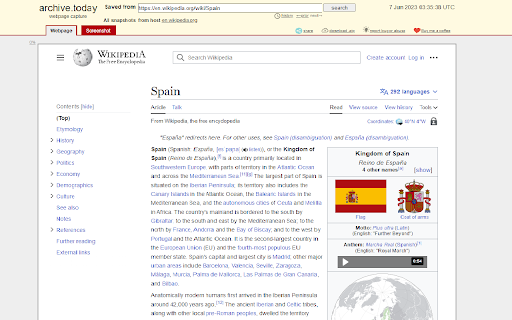
Opens the current page as an archived page in a new tab. Have you ever wanted to simply view an archived version of a website? The Archiver Chrome extension lets you easily archive any webpage you're currently browsing with a single click. Simply click the Archiver button in the toolbar, and the extension will automatically create a new tab with the archived version of the current webpage. With Archiver, you can easily preserve important web content for future reference, or access older versions of webpages that may no longer be available online. The extension is lightweight and easy to use, and works seamlessly with your existing browsing experience.

Open tabs in order
This is an extension that updates tabs in order when multiple tabs are opened. “Open tabs in order” is an extension that reduces browser load by loading tabs sequentially when multiple tabs are opened simultaneously. This extension is designed to solve the problem where opening many tabs at once causes all tabs to load simultaneously, slowing down your PC. Normally, in Chrome, opening multiple tabs at once causes each to start loading simultaneously, placing a heavy load on memory and CPU. Using “Open tabs in order” allows tabs to load sequentially, reducing consumption of system resources. This extension adjusts loading timing by pausing tabs, providing a comfortable browsing experience. It is especially useful for users who frequently open large numbers of pages at once, such as from bookmark folders.

Open with Internet Archive
open links with Internet Archive ⚡ Indie extension to open links with Internet Archive. 🪲 If you face any problems or have feature requests, submit a GitHub issue or send me an email at codedbymais@gmail.com 🤝 If you would like to support this project, consider leaving a review or buying me a coffee at https://www.buymeacoffee.com/mais ⚠️ Note: not affiliated with the official Internet Archive website. This project is built on its openly available API.

Wayback Wiki
Surf Wikipedia on a specific date in the past. When surfing Wikipedia, sometimes I want to see how articles looked like on a specific date in the past. With Wayback Wiki you can choose a specific date, and every Wikipedia article you visit will automatically redirect you to the version of the article that existed on that date.

Select and Search
Search for selected text on any search engine. You can add or remove search engines to context menu. You can also search for images, videos, dictionaries and shopping or use translations and more. 《 URL format for search settings in the option page 》 Your selected text will be replaced from %s in URL for search or that is placed at the end of the URL. https://www.google.com/search?q=%s or https://www.google.com/search?q= * If you need a separator, set TITLE and URL to "-"(minus sign). * Search engine URL examples available, please see my web page (Firefox version).
