
afgpbglehffikkhaokfgmdoedgapjdia

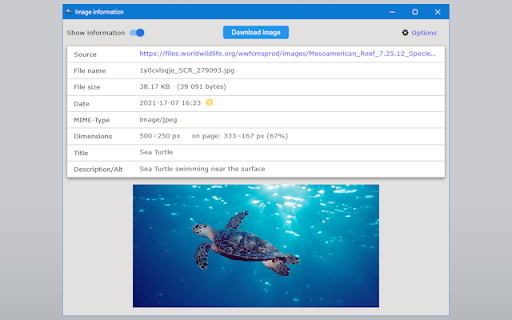

Select any image on a page, including background images, to view its detailed information, a full-size preview, and easy download. Select an image using the "Image info" icon in the toolbar, and a popup will open, showing information about the image and a button to download it. • Supports background images, local images and SVG images. • Allows to select which image to inspect when several images are stacked. • Lets you decide which information to show: - Image source/address - File name - File type - File size - File date - Image dimensions - Image title - Image description - Full image preview • Allows to quickly show or hide all the information from the list above 🚫 No data is sent, nothing is tracked or recorded. Only your preferences are saved on your computer v1.23.9.10: • Upgraded to Extension Manifest version 3 and updated code structure accordingly • Improved the detection and calculation of the images size, date and dimensions

Image Downloader - Save pictures
Find, choose and download images you need from any web pages or select all to bulk image download at once. Image Downloader - Save pictures for Chrome is a tool that helps you find the images published on a web page. The images may be protected by copyright and you should always assume that they are. It's a free tool that works without registrations and sign ups. Just make a few clicks and here you go! Images will be saved to your PC in seconds. A powerful Extension that gives you fast and convenient access to all images on any web page. Just click and download image on popular web sites such us Instagram, Facebook, Pinterest and also on others sites, simple as that! Image Downloader easy to use with responsive and intuitive design, so you don't need a special skills to use it properly. Just a single click to download all the images and colors available of any webpage. You can now with this Image downloader click on a single image to download or click on the - Select All - button to select and download all images at once. Alternatively, you can select a single image to download. With a bulk image saver, it becomes possible to download all website images simultaneously with simple clicks. What do you get by installing this Chrome Extension: ✔️ Filter based on pixel width and height ✔️ Download location (create folder directly to your images) ✔️ Display images in two columns ✔️ Filter based on url ✔️ Bulk download all images in once ✔️ Select what images you want to download ✔️ Check the size of each image ✔️Copy the url of the original image ✔️ Supporting all principal websites Now you can download all the images you might ever need. Every image format can be downloaded by this Picture Downloader extension. Our new application doesn't weigh a lot but simply does the job. Don't wait and install brand new extension and you'll get something special. Simple bulk image download extension, filter by resolution and file type, download photos from multiple tabs in one click. After installing this powerful Photo Downloader extension you will see a great improvement. You won't find a better tool to simplify the process than application. Privacy Policy You can read our privacy policy here: https://imagenloader.com/privacy-policy.html Website For more information about the extension, visit: https://imagenloader.com Before reusing an image, make sure you check its license and the specific terms of reuse. Do not use any image, illustration or photograph without researching its copyright status first.

Full Page Screenshot
Full page screen capture is a simple extension that lets you capture the entire screen in one click. Get an entire page screenshot. Note: FOR THE BEST RESULT, SCROLL THROUGH THE ENTIRE PAGE BEFORE TAKING A SCREENSHOT. The Full Page Screenshot extension for Chrome is a powerful tool that allows users to capture the entire screen with a single click. With this extension, users can easily take entire page screenshots of websites, articles, documents, or any other content they come across while browsing the internet. The extension offers two convenient methods for capturing full-page screenshots. The first method captures the entire visible content of the webpage, including what's currently visible on the screen. The second method captures the entire page, scrolling down automatically to capture the hidden content that extends beyond the visible area. This ensures that users can capture every bit of information on the page without any limitations. In addition to the full page screen capture functionality, the extension provides several useful features. Users can annotate the screen by adding various figures, shapes, lines, or other elements to highlight or emphasize specific areas of interest. This makes it easy to communicate information visually or draw attention to important details within the screenshot. Once a webpage is captured and annotated, users have multiple options to save and share it. They can download the image directly to their PC, making it easily accessible for future reference. Also, users can copy the screenshot to the clipboard and paste it into a message or any other application. This feature allows for seamless sharing with colleagues, friends, or anyone else. The extension is designed to cater to users who require comprehensive screen capture capabilities. Its intuitive interface, quick one-click functionality, and convenient annotation and sharing features make it a valuable tool for both personal and professional use. Why Full Page Screenshot? 1. Comprehensive Content Capture: Full page screen capture allows users to capture an entire webpage as it appears on their screen, including all visible content such as images, text, and interactive elements. This is especially useful for saving articles, blog posts, or other online content for offline reading or reference. 2. Design and Development Evaluation Web designers and developers often use entire page screenshots to assess the overall layout and appearance of a webpage. By capturing the entire page, they can review how different elements interact, check for visual inconsistencies, and ensure the webpage renders correctly across different devices and screen sizes. 3. Documentation and Reporting Full page screenshot is valuable for documentation and reporting purposes. They enable users to create visual records of webpages, which can be shared with others for reference or analysis. This is particularly useful in fields like user experience (UX) design, where capturing the entire page context helps communicate design decisions or identify areas for improvement. 4. Comparison and Analysis By creating full page screenshots of different versions of a webpage or different webpages altogether, users can easily compare and analyze changes in design, content, or layout. This is beneficial for A/B testing, tracking design iterations, or evaluating the effectiveness of different webpage variations. 5. Sharing and Collaboration Entire page screenshots are often shared with clients, team members, or stakeholders to gather feedback or discuss specific aspects of a webpage. They provide a visual representation of the webpage's appearance, facilitating effective communication and collaboration among team members, regardless of their physical location. Overall, Full Page Screenshot offers a convenient and versatile way to capture, evaluate, and communicate webpage content and design, making them a popular choice among users.

Bulk Image Downloader
Discover, explore, and retrieve all images from a webpage. Additionally, perform bulk downloads based on specified image filters. --- Features --- - Filter based on pixel width and height - Filter based on URL - Bulk download all images at once - Select which images you want to download - Check the size of each image - Copy the URL of the original image - Choose between various layout options - Support all major websites - Perform a reverse image search The Image Downloader is a utility designed to locate images featured on a webpage. It's crucial to recognize that these images might be safeguarded by copyright, and it's advisable to presume that they are. Prior to utilizing any image, it's essential to verify its license and the precise conditions for reuse. Always conduct thorough research on the copyright status of an image, illustration, or photograph before using it.

Full-page screen capture by ScreenshotOne
Render full-page screenshots as a single image. No more scrolling and resizing. Just click and download. Take full-page screenshots of any website. Just click on the extension icon and select the type of capture. After that, you can annotate the captured screenshot with text/arrows and download the image. The extension supports PNG/JPEG image formats and a few capture types: 1. A full-page capture of the current page. 2. A full-page capture from the current position. 3. Capture the screenshot of the visible area only. Privacy: No ads and no network requests are made to any third-party services.
