
abocjojdmemdpiffeadpdnicnlhcndcg


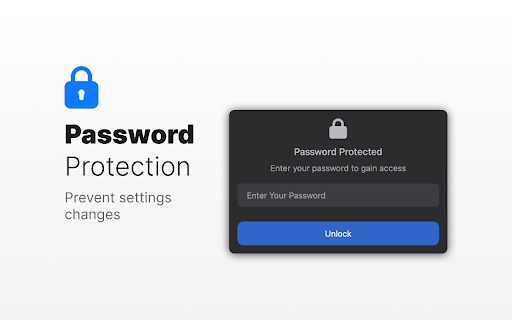
SocialFocus helps you hide feeds, Shorts, ads, and other distractions on popular websites — without blocking them entirely. Instead of cutting sites out of your life, SocialFocus lets you remove attention-grabbing elements so you can browse with intention. Hide what distracts you. Keep what matters. YouTube: - Hide Home feed, recommended videos, Shorts, comments, and sidebars Facebook & Instagram: - Remove feeds, promoted posts, stories, reels, and suggestions Twitter / X: - Block the Home timeline (For You / Following), trends, suggestions, and promoted posts Reddit: - Disable Home feed, related posts, trending sections, and comments 🧠 Designed for everyday focus It’s a focus tool built for everyday use — especially for people who still need these platforms for work, learning, or communication. Additional features include: - Password-protected settings - Import, export, and reset preferences - Light and dark themes - Optional daily usage limits per site - Works on desktop and mobile versions of websites Whether you want to stop endless scrolling or simply reduce visual noise, SocialFocus helps you stay in control — without breaking your workflow. The extension includes a “My Apps” section, where you can discover additional tools created by me.

FocusTube: Remove All Distractions from YouTube
Stay focused on YouTube by hiding distractions: thumbnails, Shorts and more. 🎯 FocusTube: Remove Distractions and Reclaim Your Attention from YouTube's Algorithm 🛠️ Built by Benjamin Floyd Rubin (ex-Amazon) YouTube's algorithm decides what you see. FocusTube lets you take that control back. Hide or show exactly what you want on every page: Shorts, recommendations, comments, thumbnails, feeds. Use YouTube without distraction. ✦ CUSTOMIZE EVERY PAGE ✦ 🏠 Home / 🔔 Subscriptions / 🔍 Search / 🎬 Video / 👤 Channel / 📋 Playlists Toggle what appears on each page independently. Hide or show: navigation, sidebar, Shorts, thumbnails, video feeds, comments, recommendations, live chat, video end cards, view counts, like/dislike buttons, breaking news, YouTube Playables, and more. Lock any control so "hide/show all" skips it. Fine-grained control without the chaos. ✦ BLOCK YOUTUBE WHEN YOU NEED IT ✦ 🚫 Enable hard block mode to stop browsing entirely. Choose to block all open tabs or new tabs only. YouTube redirects to a focus screen. One toggle to unblock. Your block settings remember your preference, no need to reconfigure every time. ✦ MINIMAL, FOCUSED HOMEPAGE ✦ 🔍 Enable Google-style homepage layout for a distraction-free, search-first YouTube. Cleaner interface, fewer engagement traps, more control over what you see. ✦ YOUR SETTINGS, YOUR ACCOUNT ✦ ☁ All preferences sync to your Google account via Chrome Sync. Dark mode extension popup. Per-page visual preview so you know exactly what each toggle does before you enable it. Toggle groups let you hide or show all unlocked elements at once. ✦ LIGHTWEIGHT & PRIVATE ✦ 🔒 No tracking. No ads. No analytics. Your preferences stay on your device and sync to your Google account. Runs silently in the background with minimal overhead. ✦ FINE-TUNED CONTROLS ✦ ✶ HOME PAGE: Hide navigation, sidebar, video feeds, Shorts, thumbnails, breaking news, YouTube Playables ✶ SUBSCRIPTIONS: Hide navigation, sidebar, subscription videos, Shorts, thumbnails ✶ SEARCH: Hide navigation, sidebar, search results, Shorts, thumbnails ✶ VIDEO (WATCH PAGE): Hide navigation, player controls, title, description, comments, recommendations, thumbnails, Shorts, like/dislike buttons, view counts, post time, end cards, live chat ✶ CHANNEL: Hide navigation, sidebar, channel content, thumbnails ✶ PLAYLISTS: Hide navigation, sidebar, playlist content, thumbnails ✦ COMING SOON ✦ ⭐ FocusMode (watch ad-free, cookie-free YouTube) ⭐ Lock Settings (schedule or lock your FocusTube settings while on YouTube) ✦ SUPPORT & FEEDBACK ✦ 💬 Submit support tickets, feature requests, and bug reports at getfocustube.com/support

Distraction Free Reddit
Remove the distracting parts of reddit and focus only on what really matters to you. Distraction Free Reddit is an extension that helps you use Reddit more intentionally. You can block off parts of Reddit to cut out mindless scrolling and increase productivity. The extension includes features like hiding the main feed, hiding r/all and popular, hiding user profiles, hiding full page search, hiding the sidebar, hiding comments, and more. You can also use whitelist or blacklist mode to customise your Reddit experience further.

one sec | Website Blocker, Screen Time, Digital Detox, ADHD, Block Websites
one sec gives you the chance to think twice – before you get sucked into an endless loophole designed to draw you in for hours. one sec forces you to take a deep breath whenever you open social media or other distracting websites. It’s as simple as effective: You will reduce your social media usage just by becoming aware of it. one sec is the focus app that tackles the problem of unconscious social media use at its root. It is designed to change your habits on a long-term basis. You just wanted to check that one message – and ended up scrolling for 30 minutes on Instagram? Social media companies use psychological traps to keep you hooked and spend as much time on their apps as possible. Time that could be spent so much better – with your family and friends, getting work done or for your hobbies and wellbeing. Many apps and tools block social media for a limited amount of time to help you focus. This might increase your productivity for the moment, but the real problem – your habitual urge to check apps and websites to get that dopamine boost – stays. The one sec Chrome Extension is designed from ground up to keep your information private and secure. All usage data is stored offline, on-device, and only you can access it. I make money selling apps and subscriptions, not your data! one sec is also available for iPhone, iPad, and Android Devices to block native apps and websites. More info on my website.

UnTrap for YouTube — Block YouTube Shorts & Remove Recommendations
Make YouTube more focused and distraction-free. UnTrap turns YouTube into a clean, focused, and intentional space. It removes distractions like Shorts, visual noise, and attention-grabbing UI elements, so you can watch content without endless scrolling or interruptions. UnTrap offers 250+ powerful features that let you fully customize how YouTube looks and behaves — from layout and content filters to automation, focus tools, and AI-powered summaries. Short videos are one of the biggest attention traps. UnTrap lets you remove Shorts entirely or treat them as regular videos, so you stay in control without breaking your workflow. You can disable Shorts, open them in the standard player, or keep them hidden for a cleaner interface. Decide what stays and what goes. Remove related videos, comments, suggestions, live chat, notifications, buttons, sidebars, and trending sections when they pull attention away. Reduce visual noise by hiding thumbnails, overlays, promotions, and ad banners, or even the Home feed entirely. Get instant AI video summaries with key insights, timestamps, and enhanced transcripts. Jump directly to important moments, expand transcripts or descriptions, and save summaries for later — with multilingual support across content types. A calm interface and mindful controls help reduce overstimulation and support healthier viewing habits. Whether you’re building productivity habits or simply trying to stay focused, UnTrap adapts to your workflow. Enjoy a distraction-free player with full-window viewing, resizable layout, and precise playback controls. Personalize YouTube with themes, cinema mode, or full-size theater mode. Restore the old YouTube layout, use legacy list views, or switch to a minimal interface. Small tweaks like disabling ambient lighting or improving in-page search refine everyday use. Filter content, block unwanted videos or channels, mute topics, and apply keyword-based rules to shape your feed. UnTrap supports advanced content filtering and parental control tools to help build a safer, distraction-free environment. Save time with smart automation. Disable autoplay, auto-skip video promotions, add intentional opening delays, set default playback speed, enable fullscreen automatically, redirect the Home page, and control YouTube with custom keyboard shortcuts. YouTube adapts to you — not the other way around. UnTrap works across desktop, mobile, and embedded YouTube players, making it a reliable YouTube enhancement wherever you watch.
