
abafaagbfhobgjkcepckbnadafflkdea
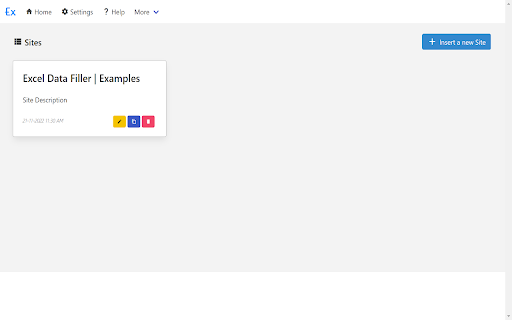


Fill Online Form and Scraper Data, Input, Checkbox, Select Fields, Click Button, Execute JS Script, Run Predefine Functions Fill Online Form and Scraper Data with Excel Template, Input, Checkbox, Select Fields, Click Button, Execute JS Script, Run Predefine Functions, Save as PDF Page 🔄 Auto Form Filling - Fill web forms automatically using Excel data 📊 Excel Template Generation - Create and manage Excel templates for data entry 🌐 Multi-Browser Support - Works on Chrome, Firefox, Opera, Edge, and Safari ⚡ JavaScript Execution - Run custom JavaScript with predefined functions 📁 File Upload Automation - Handle automatic file uploading 🕷️ Data Scraping - Extract text and table data from websites 📄 PDF Generation - Automatically save pages as PDF 🕒 Date/Time Manipulation - Advanced date and time operations 💬 Dialog Handling - Manage JavaScript alerts, confirms, and prompts > The extension is designed to help users automate repetitive data entry tasks while providing flexibility through custom scripts and configurations. It's particularly useful for businesses and individuals who need to handle large amounts of data entry across different web platforms.

AutoFill Forms
One-click form filler that supports multiple profiles and regular expression rules The "AutoFill Forms" extension is a user-friendly tool for automatically filling web forms, supporting multiple profiles. Features: 1. Easily create or update profiles by detecting user-inserted data in filled forms. - This feature simplifies the process of creating multiple profiles or updating stored data. 3. Request the extension to generate a random password, conveniently stored on your clipboard. 4. Manage multiple profiles. - Duplicate or modify existing profiles on the options page. 5. Import and export preferences. 6. Locate element positions based on their physical location within the form. 7. Supports both dark and light themes. Notes: Your profile data is securely stored in your browser's profile directory, with no backup created by the extension for security reasons. --- Changes (0.3.0) 1. The extension now operates in event background page mode, consuming no resources when not in use. 2. The extension is enhanced to fill forms that don't perfectly match the predefined fields. --- Changes (0.3.2) 1. Resolved the issue where multi-line text was not being inserted from the context menu.

Excel to Form Filler
Fills a web form with data from an Excel file after PIN authentication Contact Admin for the PIN Excel to Form Filler is a powerful, offline Chrome extension designed to streamline web form data entry. Import data from Excel files (.xlsx, .xls) and automatically populate web forms with ease using a predefined PIN for authentication. Ideal for users who need to fill repetitive forms quickly, this extension works offline, making it perfect for environments without internet access. Simply upload your Excel file, enter the required PIN, and let the extension handle the rest, adding and filling form rows seamlessly. Imports data from Excel files to populate web forms. Uses a predefined PIN for secure access. Fully offline operation for reliable use anywhere. User-friendly interface with minimal setup. Perfect for professionals, data entry specialists, or anyone looking to automate form filling. Try Excel to Form Filler today and save time on repetitive tasks, currently works for IR-WCMS website.

Auto Clicker - AutoFill
AutoFill input field or auto click button or link anything anywhere.You can configure and check click speed test Need help? Chat with us on https://discord.gg/ubMBeX3 Easily fill input fields, click buttons, or interact with any link anywhere. Configure it in just a few steps and operate like a PRO. Features: ⚡Auto click / Auto fill functionality ⚡Delay before click/fill ⚡Retry in case the element takes time to load ⚡Repeat single action/group of actions ⚡URL support with regular expression matching ⚡Start time configuration ⚡Manual / auto start options ⚡Fill form values from Google Sheets ⚡Fill random values ⚡Perform operations like append, prepend, replace, and clear ⚡Copy and paste from clipboard ⚡Fetch values from query parameters ⚡Scroll page to specific element or location ⚡Trigger mouse and keyboard events ⚡Close window after job completion ⚡Run browser default functions ⚡Check within iframes ⚡Google Drive backup ⚡Notification on Discord server ⚡Check conditions before performing actions Developed with HTML, CSS, and JavaScript, you can quickly configure your tasks using XPath and operate like a PRO. Instead of leaving a bad rating, please report bugs https://github.com/Dhruv-Techapps/acf-docs/issues. Your feedback helps us improve Auto Clicker - AutoFill. Give early feedback: Let us know what you think and help make Auto Clicker - AutoFill a better extension.

QuickForm - Autofill & Form Filler
QuickForm is a free form autofill Chrome extension and form filler that lets you fill out any online form in one click. Unlike browser autofill or other auto fill extensions, QuickForm works on complex web apps: React, Angular, Vue, dynamic SPAs, internal tools, staging environments, and enterprise portals. 🔴 How It Works: 1. Activate Record Mode on any web form 2. Fill it out naturally - QuickForm saves every field automatically 3. One click to autofill that form anytime, instantly and accurately 🔥 Record Mode - Automatically detect and capture form fields. No manual configuration needed. 🖱️ Auto-Click - Automate clicks between form steps, buttons, and navigation. ⏳ Smart Delays - Set timed pauses for pages with loading states or dynamic content. ✅ All Field Types - Input, textarea, checkbox, radio buttons, select dropdowns, date pickers, and more. 🏎️ Multiple Profiles - Create different profiles for different forms or environments. 📄 Duplicate Profiles - Clone and modify profiles for similar forms. 🔗 URL-Specific Profiles - Link profiles to specific websites for automatic form filling. 📥📤 Import/Export - Backup, share, and transfer profiles between devices. 🎨 Autofill Animation - Customize the speed of form filling. ⚡ Fast Access - Fill forms from the toolbar icon or right-click context menu. 🎯 Built For: - QA testers who fill the same test forms hundreds of times - Developers working with admin panels, staging forms, and internal tools - Job seekers filling out repetitive application forms across multiple sites - Data entry teams who need fast, accurate, repeatable form filling - Anyone who's tired of typing the same information into forms - Works where others fail - Supports React, Angular, Vue, and dynamic web apps that break generic autofill tools. - Record Mode means zero setup - No CSS selectors, no field mapping, no technical knowledge needed. - 100% free - No premium tier, no paywalled features, no usage limits. - No account required - Install and start using immediately, no sign-up. Note: Profiles are stored in plain text locally, so ensure your device is secure to prevent unauthorized access. Automate form filling in Chrome today. Download QuickForm, the fast, free, and private form filler and autofill extension trusted by 30,000+ users 🌟
