
pohhbeonhllijccjmldhclbehpdiigcg
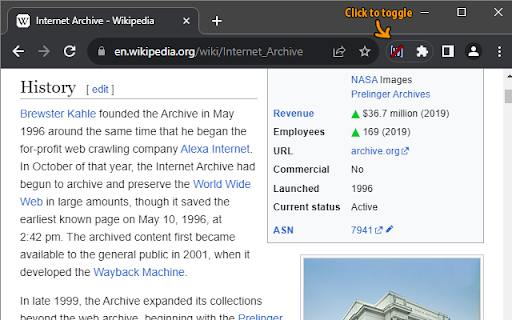
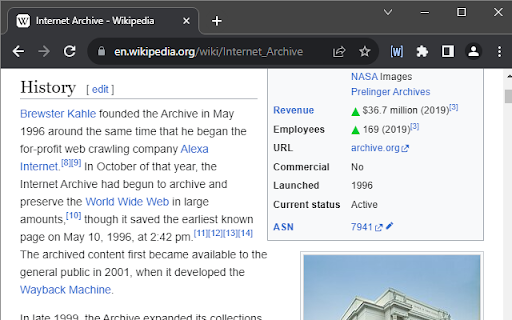
Toggle Wikipedia citation markers on and off Toggles showing and hiding Wikipedia reference/citation markers. By default the extension hides citation markers in articles to improve Wikipedia article readability. For the few times you actually want to check a reference, just click the extension icon and they will reappear. Note: the extension only activates on Wikipedia wiki pages, so if it's grayed out, visit such a page (e.g. https://en.wikipedia.org/wiki/Internet_Archive).

Wikipedia Time Travel
Wikipedia Time Travel is a browser extension that lets you check how the text and images of Wikipedia pages have changed over time. It retrieves the version of a Wikipedia page that was most recent at the end of any date of your choice. Additionally, it tells you when the page was created. 1. Navigate to a Wikipedia page. 2. Click on the extension icon in the browser toolbar. 3. Enter the date you want to check the page for and click Go. The page will be reloaded with the version of the page that was most recent at the end of the date you entered.

Wikipedia +
WikipediaPlus is an extension that allows you to quickly and efficiently access all relevant links on the page you're visiting. WikipediaPlus is the perfect tool to enhance your browsing experience on Wikipedia. This extension allows you to quickly and efficiently access all relevant links on the page you're visiting. With its interactive banner, you can easily explore all links without interruptions. With WikipediaPlus, you can save time and increase productivity while learning and discovering new information on Wikipedia. Important: If you press "SHIFT + SCROLL" on the Wikipedia+ banner, you will be able to scroll and view all the existing tags of the page you are on.

Wikipedia Search
Allows users to quickly search highlighted items on Wikipedia. Inspired by the "search Wikipedia" function on the kindle mobile… Allows users to quickly search highlighted items on Wikipedia. Inspired by the "search Wikipedia" function on the kindle mobile app.

Wikipedia Modernizer
Updates Wikipedia's design to a more modern and user-friendly layout and adds additional features. Enhance your Wikipedia browsing experience with Wikipedia Modernizer - the extension that updates the design to a sleek, user-friendly layout. Features include a modern navigation bar, improved search functionality, and a new sidebar for easy access to related articles. Enjoy added functionality like image zoom, table expansion and reference expansion for a more seamless browsing experience.
