
pmmebpkgkcjmdacahjaomedifklninbp
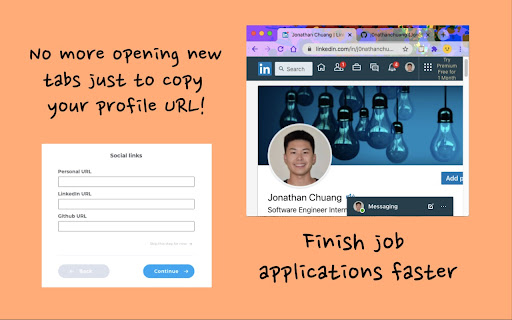
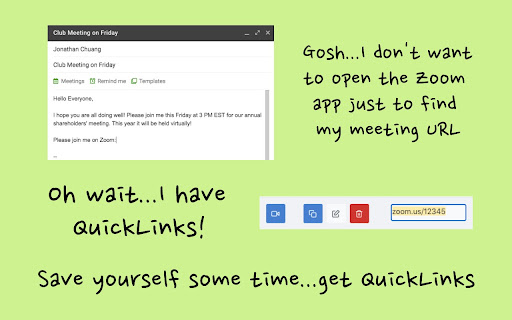
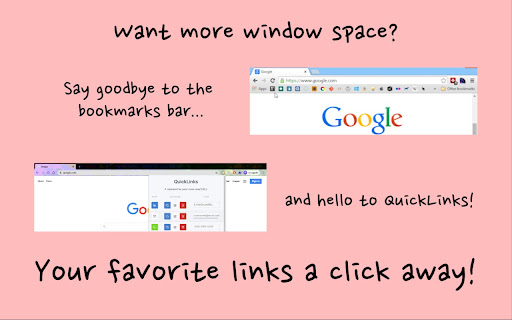
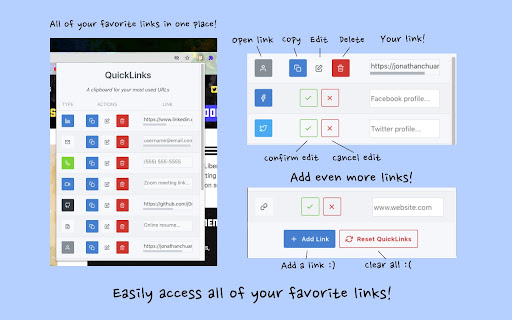
The clipboard for your most used links - easily access your social media profiles, Zoom meeting link, contact info, and more! QuickLinks is your clipboard for your most used links. Irritated from flipping through tabs just to get your LinkedIn profile for a job app? Tired of opening the Zoom app just to copy your meeting link? Want a faster way to share your social media profiles? QuickLinks can make your busy life a little bit easier. PRIVACY: QuickLinks does not require any personal information to use nor does it track any of your personal links.

Pau | Bookmark Manager
Organize your bookmarks fast and easy with Pau bookmark manager A powerful browser extension to boots your productivity on your day-to-day, it's the easiest way to save, access, organize and manage your most used links and bookmarks Group your bookmarks by collections Create collections by context to stay organized. - set it once and forget about it. Multiple Layouts Customize the layout to make it work the way you want it to. - take advantage from each one. Share Collections Share your collection easily with your team/clients. - it's like givint them the whole context Use the theme that fits you Choose the best theme that better fits your personality. - try out the featured ones! Check out trending themes in here: https://www.pauapp.com/themes

SachaSoft
AI assistant for LinkedIn Introducing SachaSoft Extension – your AI assistant for LinkedIn! Grow your personal brand and your business on LinkedIn with SachaSoft. ⭐ Main features: ✔️ Write high-quality LinkedIn posts ✔️ Generate smart replies to comments and messages directly on LinkedIn ✔️ Grow your personal brand ✔️ Find hot leads ready for your business ⭐ How to use: ➡️ Install the extension – a SachaSoft badge will appear on LinkedIn ➡️ Click the badge or the extension icon to open the SachaSoft sidebar ➡️ Sign in to access all features Our extension is constantly improving. If you encounter any issues, please reach out – we're here to help!

Bookmarkme - Bookmark Manager
Save, organize, and rediscover your favorite corners of the internet. AI-powered summaries, collections, tags, and more. Bookmarkme is a visual bookmark manager that helps you save, organize, and rediscover your favorite corners of the internet. ORGANIZE YOUR WAY • Create collections and nested sub-collections to group bookmarks by topic • Tag bookmarks for flexible cross-collection organization • Drag and drop to reorder collections and move bookmarks between them • 4 view modes: Grid, Masonry, List, and Headlines SAVE EFFORTLESSLY • Right-click any page or link to save instantly • Save all open tabs to a collection in one click • Import bookmarks from Chrome, Firefox, Safari, or Edge • Smart duplicate detection warns you before double-saving AI-POWERED (Pro) • One-click AI summaries with key points, reading time, and category • Auto-tag bookmarks with AI-suggested labels • Ask AI questions about your saved content and get answers with citations READ & ANNOTATE (Pro) • Built-in reader view for distraction-free reading • Highlight and annotate text on any bookmarked page • Read Later queue with progress tracking • Page archives — save permanent snapshots of pages FIND ANYTHING • Full-text search across titles, URLs, notes, and tags • Advanced search with filters for date, collection, and more • Command palette (Ctrl+K) for keyboard-first navigation SHARE & COLLABORATE • Share collections as public links • Password-protect shared collections • Perfect for team resources, reading lists, and research DESIGNED FOR YOU • Beautiful dark mode • Responsive — works as a Chrome extension overlay or full web app • Bookmark reminders with push notifications • Set it up in seconds — import your existing bookmarks and go Free plan includes unlimited bookmarks, collections, tags, and all view modes. Upgrade to Pro for AI features, highlights, archives, and more.

Gmail Notes - Add notes to email in Gmail
Add note to Gmail emails for remind something, like a sticky. Save a portion of the email you receive and make a note of it. 100 percent free and no note limits. It is no longer necessary to copy important content to other places. Any email on Gmail can save important content. The next time you reply to an email, you can get inspiration from your notes and never forget important things. Gmail Notes tool will label your email that you have taken notes on, so you can know which email you have taken notes on. feature: ● Store Notes in your own Gmail, No one else can see. ● 100 precent Free and no notes limits ● Show note in email page ● Support Chrome, Firefox and Edge ● Support multiple gmail accounts ● No need for Gmail access authorization This extension is perfect for anyone who wants to make a mental note about an email that they received. This extension was made by third party developers and it is NOT made by Gmail Inc.
