
pmkkodnnklbefedoioocpgnccmnibfni
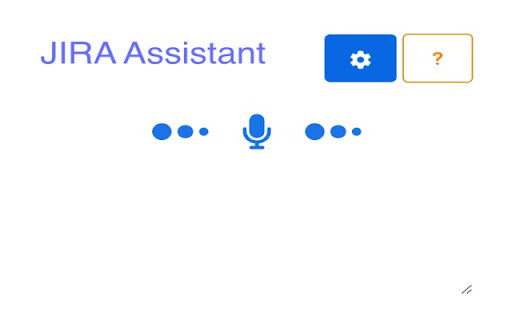
A JIRA virtual assistant for hands free voice commands Boost your JIRA Workflow with Voice Commands! Introducing the JIRA Voice Command extension for Chrome, your one-stop solution for managing tasks in JIRA with just your voice! This extension empowers you to streamline your workflow and increase productivity by controlling JIRA through voice commands. Here's what you can achieve: Effortlessly Add Tasks: Simply speak your task details, and the extension will create a new task in JIRA. Seamless Task Updates: Need to modify an existing task? No problem! Use voice commands to update descriptions, assignees, or any other relevant details. Effortless Task Deletion: Remove tasks that are no longer relevant with a simple voice command. Smooth Task Transition: Moving tasks between stages in your JIRA workflow is now a breeze – just use your voice to transition tasks! Increase Efficiency and Stay on Top of Your Workload This extension is perfect for busy professionals who want to save time and effort managing their JIRA tasks. With voice commands, you can stay focused and get things done without ever needing to switch between windows or applications.

CROMI - AI Voice Assistant
CROMI is the Chrome extension that lets you control your web browsing entirely with voice commands. Easily navigate the web and… CROMI is the Chrome extension that lets you control your web browsing entirely with voice commands. Easily navigate the web and perform tasks faster and more efficiently with just your voice. 👉 Key Features - Chat - Voice dictation - Add to bookmarks - Add to Google Calendar - Retrieve schedule - Open specific website - Retrieve browsing history - Mute current tab - Google search - Check the weather - Get the latest news - Close tabs - Preview page - Set timer 👉 How to Use 1. Click the CROMI icon located at the top-right of your browser. 2. Simply say the command you want, such as “Check the weather,” “Google search,” or “Close the current tab.” 3. CROMI’s AI will automatically recognize your command and perform the task for you. Control your browsing with just your voice, and let CROMI make your web experience faster and smarter! * The calendar feature is currently disabled.

Jarvis
Explore commands that close, open and regroup your tabs without any hassle, making your browsing experience SEAMLESS. First, there are no commands to Jarvis. Converse with it, but try to make sure that the context you want it to act on is CLEAR. Given a query/request/command, you can perform 7 types of tasks with Jarvis : 1) Reopen tabs given their specific context try to be as concise and accurate as possible. For e.g., "Reopen entertainment" , " reopen funny videos ". This feature accesses the last tabs you visited under 6 hours of time and finds the most similar tabs to your query. ( Unfortunately, this command won't always work. I am a student developer and the free Hugging Face inference endpoints have very low rate limits. The OpenAI key is enough to empty my pockets :). ) 3) Close multiple tabs when you name their websites, e.g. " Close google and youtube " 4) Group tabs together by naming their websites "club youtube tabs please", "put together LinkedIn and Udemy", "group google with medium " etc. 5) Navigate on your current tab, in both directions and if you want specify the number of times you want to go back too. E.g. - "Can you go back twice", " Can you go forward 3 times?" 6) If Jarvis feels you are little sad and need cheering up, it will open random websites on its own. 7) Open tabs given the website name ( Only use it when you want to open multiple types of websites, this is quite useless otherwise.)

Jarvis - Your Smart ChatGPT AI Assistant
Browse Smarter with Jarvis ChatGPT AI Extension! Select content & Get Relevant Information, Summarize, Write Replies & Much more! Introducing Jarvis - Your Smart AI Assistant powered by ChatGPT that is going to revolutionize the way you interact with online content! 🚀 GETTING STARTED Launch Jarvis by using any of the following option: 1️⃣ Simply Select Any Online Text Content, which brings up the Jarvis custom menu to choose from. 2️⃣ Or, Press Ctrl+J to start chatting with Jarvis. KEY BENEFITS ⭐ FREE access to the power of ChatGPT! ⭐ Summarize selected articles and other long-form content. ⭐ Get More Information about any topic of interest. ⭐ Create replies to emails, social media posts, and anything else, saving you time and enhancing productivity. ⭐ Ask any question and get instant answers, making it really easy to find the information you need. HOW JARVIS WORKS ➡️ Simply Select Any Online Content, which brings up the Jarvis custom menu. ➡️ Choose any Command from Menu (Summarize, Get More Info, Generate Reply, etc) ➡️ Jarvis pops up with relevant answer. Continue to chat with Jarvis if needed. FAQs ➡️ Is Jarvis Free? Yes! There is a free version of Jarvis. ➡️ Can I turn off Jarvis for selected websites? Absolutely! Just click the Jarvis extension from the Chrome extensions list and select the 'Disable Jarvis for this Website' checkbox setting. 🙏 THANK YOU! Jarvis is designed to be user-friendly and intuitive. Its seamless integration as a Chrome extension means you can effortlessly access its capabilities while you browse. Say goodbye to switching between tabs or opening additional apps. Jarvis becomes your trusted co-pilot, always ready to assist and enhance your online journey. We believe that Jarvis has the potential to revolutionize the way people interact with the web, and we're eager for your help and feedback. Thank you so much for your support!

J.A.R.V.I.S.
AI-powered floating assistant with smart commands J.A.R.V.I.S. is an advanced AI-powered Chrome extension that provides a floating assistant with smart voice commands and contextual responses. The extension settings popup offers the following configuration options: ### Core Settings - **Enable/Disable Assistant** - Toggle switch to turn the AI assistant on or off across all websites - **AI Model Selection** - Choose from multiple AI model options: - llama3-70b-8192 - llama-3.3-70b-versatile - gemma2-9b-it - deepseek-r1-distill-llama-70b - **Theme Selection** - Customize appearance with options: - Light - Dark - Auto (Follow System) - **Widget Position** - Control where the floating widget appears: - Bottom Right - Bottom Left - Top Right - Top Left - **Save Settings Button** - Applies and stores your configuration preferences ### Basic Interface - **Draggable Widget** - The 🤖 icon can be positioned anywhere on screen - **Text Input** - Type questions or commands in the chat box - **Message History** - Maintains conversation history in the chat interface - **Smart Contextual Responses** - AI considers the content of the current webpage ### Control Buttons - **Wake Mode Button** (👂) - Activates "wake word" listening mode - **Voice Chat Button** (🎤) - Enables voice recognition for hands-free interaction - **Clear Chat Button** (🗑️) - Erases the conversation history - **Close Button** (×) - Minimizes the chat back to the widget icon ### Voice Interaction - **Wake Word Detection** - Say "Jarvis" to activate the assistant - **Continuous Voice Mode** - Conduct conversations entirely by voice - **Voice Indicator** - Visual feedback showing when the assistant is listening - **Voice Synthesis** - Natural-sounding speech responses ### AI Capabilities - **Context-Aware Responses** - Considers page content for relevant answers - **Command Detection** - Intelligently processes questions vs. commands - **Markdown Formatting** - Supports code blocks, lists, bold/italic text - **Task Specialization** - Optimized for various tasks: - Summarization - Code help - Explanations - Reviews - Translation - Rewriting #### Navigation - **"Go to [website]"** - Navigate to a specific website - **"Search for [query]"** - Perform a Google search - **"Back" or "Go back"** - Navigate to the previous page - **"Forward" or "Go forward"** - Navigate to the next page #### Page Interaction - **"Click [element]"** - Click on buttons, links, or other elements - **"Fill [form field] with [value]"** - Enter text in forms - **"Scroll down/up"** - Scroll the page in either direction - **"Scroll to top/bottom"** - Jump to beginning or end of page - **"Scroll to [section]"** - Find and scroll to specific content #### Browser Controls - **"Refresh" or "Reload"** - Refresh the current page - **"Bookmark" or "Save"** - Bookmark the current page - **"Close tab" or "New tab"** - Tab management - **"Screenshot" or "Capture"** - Take a screenshot of the current page #### Utility Actions - **"Clear chat"** - Clear the conversation history - **"Extract [content]"** - Pull specific information from the page ### Technical Features - **Tab-Based Activation** - Voice recognition pauses when tab is inactive - **Cross-Site Functionality** - Works across all websites with permissions - **Persistence** - Maintains settings across browser sessions - **Error Handling** - Graceful recovery from API or processing failures - **Context Management** - Maintains conversation history for contextual responses ## Content Analysis - **Page Content Extraction** - Identifies and extracts main content - **Metadata Reading** - Accesses page metadata for better context - **Code Block Detection** - Special handling for pages with code content - **Smart Element Finding** - Locates elements based on descriptions J.A.R.V.I.S. effectively combines a powerful AI chat interface with browser automation capabilities, allowing users to interact with both content and browser controls through natural language commands.
