
pmeaboegmjmmpimbhlnpodigbnjndonk
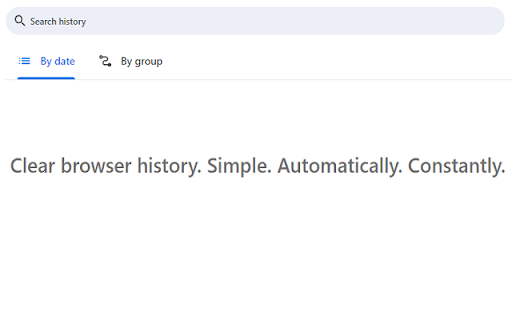
A simple product that allows you to automatically clear your browser history every few seconds

Clear Browsing Data
Delete browsing data directly from the browser toolbar. Clear cookies, history and cache with a single click. Clear Browsing Data is a browser extension which enables you to delete browsing data, such as cookies, history and cache, directly from the browser toolbar. The toolbar button can be configured to clear all browsing data with a single click, or to show a list of data types available for clearing. Clear Browsing Data is an open source project made possible thanks to a community of awesome supporters. If you'd like to support the continued development of the extension, please check out https://armin.dev/go/patreon. The extension also supports closing and reloading tabs, these features can be configured from the extension's options. Supported data types: • Cookies • Browsing history • Cached images and files • Cache storage data • Autofill form data • Download history • Service Workers • Local storage data • IndexedDB data • Web SQL data • Website file systems • Application Cache The data types and their order can be customized from the extension's options. The extension is also available for Edge and Firefox: https://github.com/dessant/clear-browsing-data#readme The developer does not collect any personal data from this extension, visit the extension's privacy policy for more information. Reviews are not monitored for bug reports, please use GitHub for issues and feature requests.

History Cleaner
A single-click browser history cleaner. You can wipe your browser history for a configurable period. This extension is the simplest method to clear your browser history for a specific time frame. You have the flexibility to set a custom period through the options page, as well as define the zone for which you wish to delete the history data. For a more thorough cleaning experience, try out my eCleaner: https://chrome.google.com/webstore/detail/ecleaner-forget-button/ejhlpopncnfaaeicmbdnddebccnkfenn With this extension, you can delete the history from three distinct contexts: 1. Regular websites 2. Protected websites (Websites installed as hosted applications) 3. Extensions zone (Installed extensions and packaged applications) Modes of Operation: 1. Using the User Interface (UI): Click on the browser action, choose the desired cleaning period, and press the "Run Cleaning" button. 2. Headless Mode (Single Click): Select the "Do not show this window" option after opening the interface. From then on, when you click on the browser action, the extension will automatically run the cleaning job in headless mode. Frequently Asked Questions (FAQs): - How can I restore the interface in headless mode? Open the options page and uncheck the "Do not show this window" option.

Simple History Manager
This extension will replace Chrome's default history manager. It can search or clear browsing history by date range. How to use: • Click this extension's icon • Click menu item from Chrome -> History -> Show Full History • Use Chrome keyboard shortcuts, Windows/Linux is Ctrl + h, Mac is ⌘ + y

History Trimmer (Cleaner)
Chrome extension to automatically trim and clean your browsing history ✨ Keep your Chrome browsing history clean and private with History Trimmer! This lightweight extension automatically removes browsing history older than your chosen time limit, helping you stay organized and secure. ⏳ Custom Time Limit: Set how long (e.g., 7 days, 30 days, etc.) you want to keep your history. 🤖 Automatic Cleanup: Say goodbye to manual work—history trimming happens effortlessly in the background. 🔒 Privacy-Friendly: All data stays on your device. No history is sent to external servers. 🎛️ User-Friendly Interface: Intuitive settings make it easy to customize the extension just the way you like it. 🚀 Perfect for users who value privacy and want a clutter-free browsing experience! ⏸️ Temporary Disable: Pause trimming functionality when needed without uninstalling the extension. 📥 Download History Trimmer now and take control of your browsing history!
