
pkmhcpmfkmdegooomhncciolklcofneh


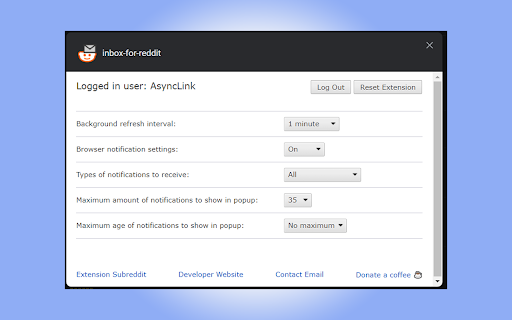
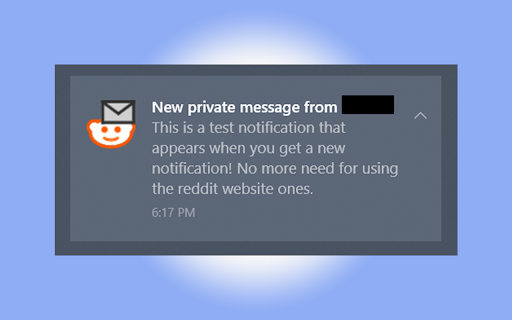
"Inbox for Reddit" is an extension to help you monitor and manage your Reddit.com inbox. Have you ever wished you could easily check your Reddit inbox without having to visit the site? Well now you can with this small and useful tool! Features include: - Simple, clean user interface - Customizable notifications you when you get a new reply - Helpful unread notification counter to make sure you don't miss a message - Can mark individual or bulk notifications as read to clean up your inbox - Quick links to each inbox message or comment thread - Settings to customize your experience to your liking Requires logging into a Reddit.com account of your choice to be able to check and manage your inbox. No login information is stored, as it uses Reddit's OAuth to get a local authorization token for your browser. Note: this extension is not affiliated or created by Reddit.com, it utilizes the public API: https://www.reddit.com/dev/api/ Version changes: https://sites.google.com/view/asynclink/inbox-for-reddit/release-notes Privacy Policy: https://sites.google.com/view/asynclink/inbox-for-reddit

Reddix - Reddit bookmarks
Search your saved and upvoted Reddit posts and organize them using tags Reddix helps you manage and search your Reddit saved and upvoted content. Features: - Save and organize your Reddit posts and comments in your browser's local storage. - Search, sort and organize saved content using tags. - Dark and light themes. - View your content in a toolbar pop-up window or on a separate page. - Import or export your data. Please note that Reddit limits the number of posts you can fetch to 1,000. If you want to view more, please refer to the extensions help page for instructions on how to manually import all your content. Source code: https://github.com/flytaly/reddix-extension Changelog V0.10.0 - Reversed the order of the elements before saving so that the newly saved elements remain at the top of the list - Sorting by ID is set by default - Fix: saved search parameters are now applied correctly when opening the search - Fix: fixed incorrect auto-update settings

BoostPic - Google Reverse Image Search on the fly
Uncover the possibility to perform Google Reverse Image Search quickly and incredibly, with clip & paste. With this extension users can search google images simply with clip & paste. The following is how it works. 1. For win10/11: win+shift+s to clip an image even outside the browser, and for mac: shift+control+command+4; 2. Click at the input box below(select another visual search engine other than Google Images at the bottom if you prefer), and then press ctrl+v or command+v; 3. Wait a moment until it returns an URL. If timeout error happens, please delete the error message and ctrl+v or command+v again.

Find on Reddit
Find discussions of the current URL on Reddit Minimal, light-weight, open-source extension that finds Reddit submission threads of the current URL using Reddit's public API. You can either initiate the search by clicking the extension button, or by having auto-search enabled, which automatically does the search in the background for every URL you visit. Other features include: - Do an exact or a fuzzy search - Special YouTube handling: search by video ID to find all variations of YouTube links - Ignore URL's query-string - Sort results by score, # of comments, age, or subreddit - Blacklist sites to exclude them from auto-search - Cache results for a (configurable) amount of time to reduce network usage If you find this extension useful, please consider leaving a rating and review. In case of any issues, suggestion, or general feedback, please feel free to reach out either here or on GitHub (https://github.com/AdeelH/find-on-reddit). Changelog v1.6.2 (July 2025): - Slightly tweak how post ages are displayed: - Use "days ago" for posts that are not older than 60 days. - Round number of months to nearest 0.5. E.g. "1.5 months ago". Changelog v1.6.1 (April 2025): - Make the options page dark themed, consistent with the popup. - Add option for opening tab in background next to current tab instead of at the end. - Add new option to do both exact and non-exact search when using auto-search. - Bug fixes and code improvements. Changelog v1.5.8 (March 2023): - Fix a bug causing links to not open in the same tab. Changelog v1.5.6 (May 2022): - Add option to show comment count instead of post count on extension icon when using auto-search. - Migrate to Manifest V3. - Code improvements. Changelog v1.5.5 (August 2021): - Can now find even more results (in some cases) by using the /duplicates API endpoint. (Thanks Droyk for the suggestion!) - Can now find even more results (in some cases) by omitting the URL's protocol ("http://") when doing a fuzzy search. - Fix bug that caused the popup to close after opening a link using ctrl + click. (Thanks Droyk for the report!) - Minor bug fixes. Changelog v1.5.2 (January 2021): - Fix bug in ctrl/cmd/shift/alt+click behavior. (Thanks NovaDev94 for the report!) - Minor improvements to the options page. Changelog v1.5.0 (September 2020): - Updated Handlebars.js to latest version to include recently released security patch. - Fixed bug that caused the popup size/zoom to change when a hyperlink was clicked (https://github.com/AdeelH/find-on-reddit/issues/17, thanks nkmathew for the report and debugging help). - Fixed bug that sometimes caused the search results to not render. - Improved ajax error handling. - Minor fixes and improvements. Changelog v1.4.8: - Added option to make all links point to old.reddit.com. Enabled by default. - UI fixes and improvements Changelog v1.4.5: - added option to sort search results - can sort on score, comments, age and subreddit - default sorting preference can be set in the options - minor improvements Changelog v1.4.1: - reduced extension size - added 'exact match' option to toggle between search and info API endpoints - default options for search (exact matching, query-string, YT handling) can now be set on the options page - added option to allow automatic non-exact search if exact search returns 0 results (default: enabled) - added option to allow automatic retry in case of server/network error (default: enabled) - both exact and non-exact search results are now cached for each URL simultaneously - UI improvement: toggling the checkboxes in the popup automatically initiates the search without the user needing to press the search button - UI improvement: automatically uncheck 'ignore query string' if YT video detected - UI improvement: clear old badge on URL update - added option to post/repost link to Reddit from the popup - other fixes and improvements

Reddit Comment Arrow
The loved arrow in the reddit comment section to skip to the next top level comment Brings the skip-to-next-top-level-comment-button from the mobile apps to the desktop version of reddit. The button will be positioned on the middle left side of the screen by default. Instructions: - Open a reddit post page - Wait until top comments have loaded - Click on the button to jump to the next comment - Hold and drag (default 500 milliseconds) to reposition the button - You can alter several options in the action menu of the extension. Just click on the icon in the extension popover. If the button should mislocate by any reason, its' position can be reset from the action menu via "Reset button position".
