
pjkdanpceiflkefmadiodjbhfffedhlm
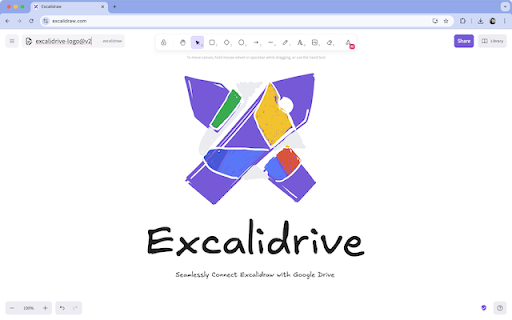


Open & Save Excalidraw files on your Google Drive Excalidrive is a handy Chrome extension that makes it super easy to connect Excalidraw, the fun online drawing tool, with your Google Drive. Now you can sketch, diagram, and save your creations effortlessly, all in one place. What's new in 1.2 1. Set current drawing into favorites, and it's sync into google drive 2. Introducing Sidebar, where you can see your favorites drawing & recents drawing 3. Auto Save 1. Smooth Integration: Open and save your Excalidraw diagrams directly to Google Drive—no jumping between apps, just pure creativity. 2. Safe & Sound: Uses OAuth 2.0 to keep your Drive access secure, so you can focus on your sketches and diagrams directly from browser (no backend not man in the middle). 3. Feels Just Right: Works right inside Excalidraw, blending in like it’s part of the magic. Excalidrive slips right into the Excalidraw interface, adding simple options to open from or save directly to Google Drive. With a few quick clicks, your diagrams are stored safely in the cloud, ready whenever you are. Perfect For: • Developers who love creating clear, hand-drawn diagrams in Excalidraw • Artists, thinkers, or anyone who enjoys doodling without worrying about losing their work • Teams that need a shared, cloud-based home for their sketches and diagrams • Fans of Excalidraw who want a quick and easy way to back up their creative genius Take your Excalidraw workflow to the next level with Excalidrive. Keep your sketches and diagrams safe, and never lose a masterpiece again! ⚠️ **IMPORTANT**: This extension is currently in beta. Please back up your Excalidraw files before installing and using Excalidrive.

Mentus - Chat with Obsidian Notes and Google Docs
AI-powered chat for your Obsidian vault and Google Docs. Mentus - Chat with Obsidian Notes and Google Docs Mentus is a Chrome extension that brings your Obsidian vault and Google Docs to life, allowing you to chat with your notes and documents directly in your browser. This powerful tool integrates seamlessly with your personal knowledge base, enabling you to explore, edit, and interact with your content in innovative ways. Key Features: Chat with Your Knowledge Base: Engage in dynamic conversations with your Obsidian notes and Google Docs. Ask questions, get summaries, and receive insights from your personal content using advanced AI models like GPT-4 and Claude 3 Opus. Access and edit your Obsidian vault and Google Docs directly within Chrome. Switch effortlessly between viewing, editing, and chatting about your documents. Visualize connections between your notes and ideas with a node-based graph view. Discover new relationships and insights within your knowledge base. Edit your notes and docs using a feature-rich markdown editor. Enjoy syntax highlighting, dark mode, and other productivity-enhancing features. Receive contextual explanations and insights related to your current document or notes. Enhance your understanding and expand your knowledge with intelligent, adaptive support. Configure API keys and settings to tailor your interaction with Obsidian, Google Docs, and AI models. Incorporate images into your notes and chat sessions for rich, multimodal interactions. Mentus transforms your Chrome browser into an intelligent interface for your personal knowledge management system. By enabling direct chat interactions with your Obsidian notes and Google Docs, it offers a unique way to explore, question, and expand your knowledge base. Whether you're a student diving deep into course materials, a researcher organizing complex ideas, or a professional managing extensive documentation, Mentus provides an intuitive environment for knowledge exploration, creation, and learning. Unlock the full potential of your notes and documents - start chatting with your knowledge today with Mentus!

Preview Link
Preview links without leaving the page—live previews, fewer tabs, and hover or key-triggered opening. Preview Link lets you inspect links before committing to full navigation. Open a live preview directly on the page you are already reading, compare links without losing context, and avoid filling your browser with extra tabs. What Preview Link helps with: • Open live link previews on the current page • Choose how previews open: on hover or on hover + trigger key • Keep several previews open with configurable limits • Reload a preview, close it, or open the page in a new tab • Use reader mode suggestions for article-like pages when a cleaner reading view is useful • Fall back to simpler actions when a site blocks embedded preview Useful for documentation, search results, references, dashboards, admin tools, issue trackers, and other link-heavy workflows. Important: some sites do not allow embedded previews. Preview Link does not bypass those restrictions and shows a fallback instead.

TagifyBookmarks
A new better way of searching and managing your bookmarks Innovative Chrome Extension designed to revolutionise your bookmarking experience. TagifyBookmarks uses tags to save and retrieve Bookmarks. Major features: 1. Quick Search: Directly From the Search Bar 2. Effortless Tagging : No need to organise into folders 3. Easy Search: Autocomplete and Suggestions 4. Intuitive Search: No folder hierarchy to remember 5. AutoSync With Chrome Bookmarks: no need to manually migrate all your bookmarks 6. Flexible Tag Management 7. Privacy and Security 1. Quick Search: Directly From the Search Bar Searching for specific bookmarks is a breeze with TagifyBookmarks. The extension integrates seamlessly with your browser's search bar, allowing you to search for bookmarks using tags directly. Simply enter a tag in the search bar, and TagifyBookmarks will instantly display all relevant bookmarks associated with that tag. TagifyBookmarks simplifies the process of bookmarking by allowing you to add tags to your bookmarks effortlessly. With just a few clicks, you can assign relevant tags to your bookmarks, enabling you to categorize and organise them according to your preferences. 3. Easy Search: Autocomplete and Suggestions Simply start entering a tag in the search bar, and TagifyBookmarks will instantly display all relevant tags and bookmarks associated with the entered letters. It will also show suggestions of related tags. Simply start entering tags in any order , TagifyBookmarks will efficiently find your Bookmark 5. AutoSync With Chrome Bookmarks Your tagged bookmarks stay in sync with your already saved chrome bookmarks, ensuring that you have access to your organised bookmarks wherever you go. When you add a new tagified bookmark or install the extension for the first time, TagifyBookmarks syncs with your already saved chrome bookmarks. TagifyBookmarks offers a comprehensive set of tools for managing your tags. You can create new tags, edit existing ones, and even delete tags that are no longer needed. This flexibility ensures that your tagging system evolves with your changing needs. 7. Privacy and Security TagifyBookmarks does not send your bookmarks to a backend server. The bookmarks are only saved in your local system and synced with chrome bookmarks. For more details on how to use visit our website : https://www.tagifybookmarks.com/how-to-use

Excalidraw Super Zen
Hide all UI for a clean, focused experience. MacOS: Cmd + Shift + B Windows: Ctrl + Shift + B Hide all UI for a clean, focused experience. Cmd/Ctrl + Shift + B to toggle UI. For more info about the developer see: swarnim.me
