
pjkabbnddmbdmpegfdgjpnmabcoadiam
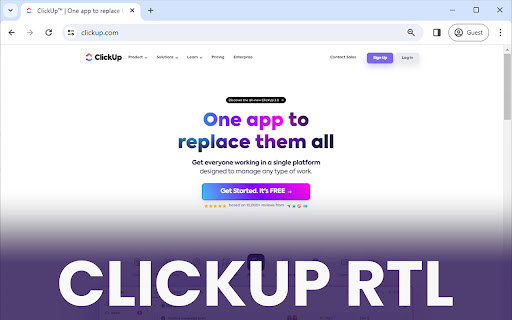
With Clickup RTL you can view the clickup app in rtl mode. Affects task's inner view, forms, notifications section and etc. As all we know, unfortunately Clickup doesn't support RTL by default. It means you will have plenty of problems in Arabic, Hebrew, Persian, Urdu, Kashmiri, Pashto, Uighur, Sorani Kurdish, and Sindhi languages. With "Clickup RTL!" you can view the Clickup app in RTL mode with a better font. Affects task's inner view, forms, notifications section, etc.

Task Manager for ClickUp
Task Manager for ClickUp An easy task management tool for ClickUp. Users can easily see their tasks color coded according to due date and can make changes to them.

Unread for ClickUp
A simple Extension that allows you to access your clickup WorkSpaces and Tasks! Unread For ClickUp, a simple chrome extension powered by ClickUp API, specially made to simplify your experience with live updates on your ClickUp tasks and it's comments! Easy access to tasks created by you, and to the ones assigned to you. Want to check comments on your task? Check it on the go, just a click away. Want to check the task status? Check it on the go, just a click away. Check through different workspaces, Folders and lists, with simplified minimalistic user interface. User Directions : -> Login using clickup credentials (reopen extension after login) -> Choose a Team (from top left menu) -> Choose a workspace -> Choose a list -> Tasks from that list will appear -> You can then access the task details, statuses, comments. In dark mode, for the cult! :) Actively under Development!

ClickUp RTL
Transform your ClickUp experience with seamless Right-to-Left (RTL) language support. "Add RTL Support to ClickUp" is a tailor-made Chrome extension designed to enhance usability for RTL language users. This extension intelligently integrates with ClickUp, one of the leading project management tools, to provide a more accessible and user-friendly interface for speakers of Arabic, Hebrew, Persian, Urdu, and other RTL languages. Automatic RTL Adjustment: Automatically detects and adjusts text direction to RTL in ClickUp, ensuring optimal readability and ease of use. Seamless Integration: Works quietly in the background, integrating smoothly with ClickUp's interface without disrupting your workflow. User-Friendly Interface: Enjoy a natural and intuitive text alignment and direction, making your project management tasks more efficient and less stressful. Customized Experience: Tailor your ClickUp experience to suit your language preferences, boosting productivity and focus. Simple Activation: Just install the extension, and it does the rest – no complex settings or configurations needed. Whether you're managing complex projects, tracking tasks, or collaborating with a diverse team, "Add RTL Support to ClickUp" ensures that your language preferences are no longer a barrier. Experience ClickUp like never before – in a way that suits your language needs and preferences. Why Choose This Extension? Developed with a deep understanding of the challenges faced by RTL language users, this extension is more than just a tool – it's a solution to enhance your daily project management experience. With a focus on simplicity, efficiency, and user satisfaction, "Add RTL Support to ClickUp" stands out as an essential add-on for any RTL language professional using ClickUp. Elevate your ClickUp experience. Install "Add RTL Support to ClickUp" today and embrace a more inclusive, productive, and user-friendly project management environment.

ClickUp Champ
A browser extension for ClickUp Transform your ClickUp experience with ClickUp Champ, a powerful browser extension designed to supercharge your productivity. Available for Chrome, Firefox, Edge, and all Chromium-based browsers. ✨ Key Features: ✅ Quick Task Creation - Instantly create tasks from any webpage ✅ Notion Like Web Clipping - Capture entire pages or selections with formatting preserved ✅ Screenshot Integration - Capture viewport and full page screenshots directly into tasks ✅ Intelligent Search - Quickly find tasks, lists, and spaces ✅ Custom Field Support - Edit custom fields right from the extension ✅ Task Attribute Support - Set task attributes like priority, status, due date, tags and assignee ✅ Time Tracking - Start/stop time tracking without leaving your current page ⌨️ Keyboard Shortcuts: Ctrl/Cmd + Shift + Comma - Open ClickUp Champ Ctrl/Cmd + Shift + U - Clip current page Ctrl/Cmd + Shift + 1 - Bookmark current page Ctrl/Cmd + Shift + 2 - Capture viewport screenshot 🔒 Security First Unlike other ClickUp extensions that require you to manually input API keys (which can be a security risk), ClickUp Champ uses ClickUp's official OAuth 2.0 authentication. This means: 👍 No API keys needed 👍 Your credentials are never stored 👍 Secure, token-based authentication 👍 Direct authentication through ClickUp's secure login 👍 Full control over app permissions Perfect for teams and individuals who want to maximise their ClickUp workflow without constantly switching between tabs. ClickUp Champ brings the power of ClickUp right to your browser, making task management seamless and efficient. > Note: This extension requires a ClickUp account and appropriate permissions to access your workspace. ClickUp Champ is developed by Connor at 4610 Software If you would like to buy us a coffee ☕ visit our Ko-Fi page: https://ko-fi.com/4610
