
piphpieodkchnlmjjefbbniabeikafha
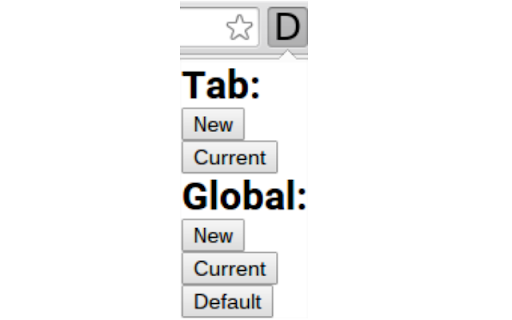
The icon shows in which tab links will open, click it for options to toggle it for the current tab or for all tabs.

New Adjacent Tab
Opens a new tab to the right or left of the current one. New Adjacent Tab allows you to open tabs to the right/left through keyboard shortcuts, the context menu, and the extension's icon. It does not change or override Chrome's default behavior for opening new tabs. The default keyboard shortcuts are: - Alt+T to open a new tab to the right of the current one. - Alt+H to open a new tab to the left of the current one. All settings are configurable and are automatically synced across your devices if you're signed in to Google Chrome. Developed exclusively for Chrome. This extension is not guaranteed to work with other Chromium-based browsers like Edge, Brave, Opera, etc... Please don't report issues or down-vote this extension in the Chrome Web Store if you're using a non-Chrome browser.

Link Control
Manage whether links are opened in the same tab or a new tab Link Control gives you the power to decide how links open in your browser, helping you to ensure a consistent and uncluttered browsing experience. Always Open Links in the Same Tab: Prevent websites like eBay and Etsy from opening new tabs with every product click. Enable this option to keep your browsing streamlined in a single tab. Always Open Links in a New Tab: If you prefer to open each link in a new tab, this feature is perfect for you. It’s ideal for research, comparison shopping, or simply keeping your main tab uncluttered. Customisable Behaviour for Specific Websites: Conveniently configure how links open on individual websites according to your preferences, giving you complete control. ***PLEASE NOTE*** The extension cannot change the behaviour of links for every website as there are many methods that sites can use which prevent the functionality. Please report any sites where Link Control is not working using the Contact Us button in the extension - we will investigate and attempt to fix.

Open Selected Links
Opens multiple links in the selected content in the current or new window or a tab group. When viewing a page containing a list of links you want to open, such as a list of references in Wikipedia or a paper, it's convenient to be able to open them all at once rather than opening and dragging one at a time. This extension adds context menus item for selections to open all the links contained in them in the current window (optionally in a new tab group) or a new window. Alternatively, you can bring up the extension's popup menu to choose exactly which links to open (and now, you can also filter the link text with a regular expression!), whether to open them in the current or a new window, and whether to add them to a new or existing tab group. You can also open the tabs "snoozed" to reduce memory footprint prior to reading the tabs. Finally, you can set up keyboard shortcuts to open selected links with a keystroke. What's new in Version 1.8.4 * Fix opening links in a new window from the menu or command What's new in Version 1.8.2 * Add side-by-side mode * Multiple-display support * Hamburger icon to hide/show the popup config options * Filter enhancements * Disallow inserting newlines. * Don't crash if partially entered regexps are invalid * Make the placeholder text come back on deleting all the text * Make the filter URLs checkbox actually search both URL and link text * Give the filter focus if any keys are pressed

Link Blanker
When you click a link to open in a new tab. Anyway open in a new tab. (You can also open in the background. ) And you can close tabs cluttered together. The browser 'back' how to hate, why strangers.
