
pioognemndfiikaapccdbcphgfdpgekp

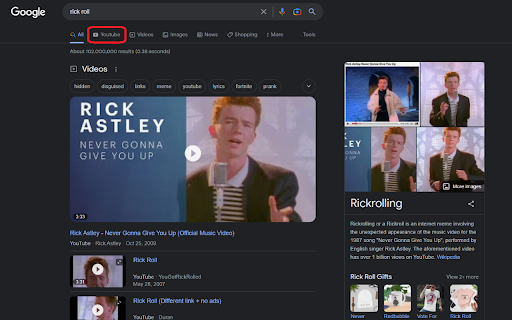
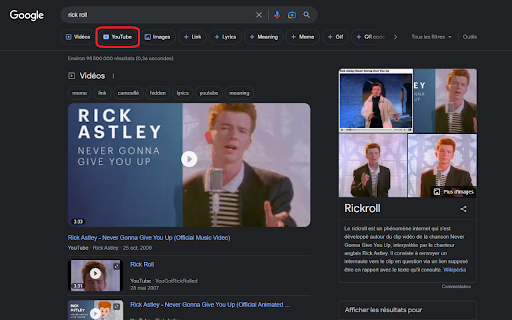
Simple browser extension to redirect YouTube videos being opened embed in Google Search to YouTube directly. Supports opening in a new tab and go back to Google Search with the back button. In addition, the extension also adds a YouTube button on the Google Search results page, allowing you to quickly and easily redirect your search query to YouTube. No configuration needed, just install and enjoy ! This project is entirely open source and can be found here : https://github.com/Drarox/GoogleYoutubeRedirect

YouTube Search Bar
Avoid YouTube home screen to be able to concentrate the best in studies I decided to create this extension to be able to search on youtube without having to go through the youtube home screen

Search by Subtitles/CC for Youtube™
Search for videos on Youtube™ by Subtitles/CC in a specified language. Step 1: Search anything on Youtube Step 2: Select subtitles language (next to the filter button) Step 3: Click "Start filtering" Note: - Once you select the language, the extension remembers it and highlights all video thumbnails that have CC in that language, anywhere on youtube. - Every CC badge on a video (if existing) contains a list of all available languages with an option to download each.

Contextual Search for YouTube
Allows the user search YouTube for a term by highlighting text and selecting 'Search YouTube for...' from the right click menu. A very simple extension that allows the user to search for a term in YouTube simply by selecting text, right clicking and selecting "Search YouTube for..." from the contextual menu. Easy to use. Nothing extra.

Lazy Search on Youtube
Simple and quick way to search for highlighted text on YouTube via right-click context menu or from popup. YouTube Helper. Update: - dark mode - manifest v3 (new browser requirement for all extensions) 📌 The main purpose of the extension is to help you quickly open youtube - with the results according to your search. You can search using: - Highlight text on the page and right-click - Enter text manually in the extension menu 🚀 Features: 1) Search from the context menu (right click) 2) Search from popup menu ( just tap the extension icon or use the keyboard hotkey to open it ) 3) Show search suggestions 4) Keyboard navigation friendly (Arrows or Tabs) 5) Open youtube by clicking on youtube logo in popup menu Privacy Policy: The extension does not collect any user information! ❤️ In case you want to say thank you) https://buymeacoffee.com/e1white
