
pioclpoplcdbaefihamjohnefbikjilc
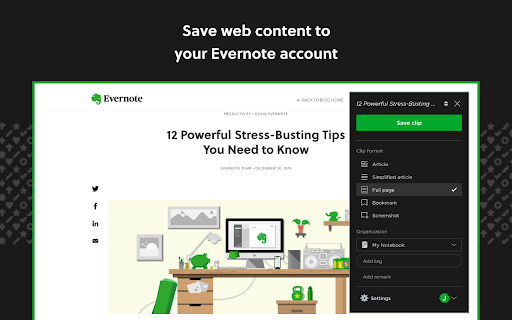
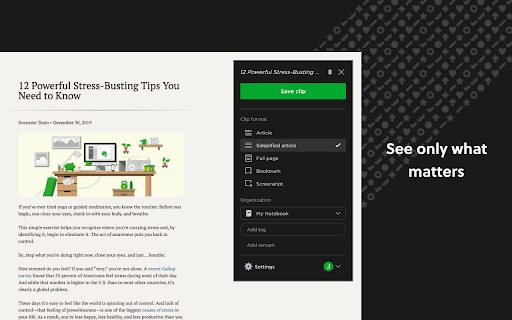

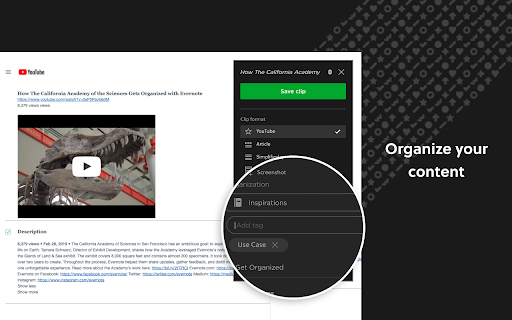

Use the Evernote extension to save things you see on the web into your Evernote account. Evernote Web Clipper is a browser extension that lets you save interesting things you find on the web directly to your Evernote account. Web Clipper Capture ideas and inspiration from anywhere with ease. Save articles, web pages, and screenshots directly to Evernote. Save what matters Clip web pages, articles, or PDFs and save them in Evernote. Screen capture full pages or just the parts you want—without distracting ads and sidebars. Customize your clips Take a screenshot of a web page, then add highlights, text, and other annotations. With Web Clipper, you can make sure what’s important is clear at a glance. Keep content organized Tag what you save so your research, photos, ideas, and more are all easy to find using keywords. You can also add titles and save content to the notebook that makes sense. Go beyond bookmarks Save web page URLs, images, and descriptions to your relevant Evernote notebook and keep all your related content in one easy-to-find place.

有道云笔记网页剪报
一键保存精彩网页,多终端同步,永久珍藏 有道云笔记网页剪报 Chrome 插件帮助您轻松地将网页内容保存到有道云笔记中。支持右键划选部分网页,也可以自动提取正文进行保存。同时,还能方便地同步到有道云笔记桌面版、手机版,随时随地查看。

Todoist for Gmail: Planner & Calendar
Stay on top of emails with Todoist for Gmail Trusted by over 47 million people, Todoist simplifies tasks for individuals and teams. Instantly declutter your mind, build habits, and boost your productivity. Use Todoist for Gmail to: • Add emails as tasks: Finally, achieve inbox zero by adding emails to Todoist so that you can take action on them later. • Remember to follow up: Include dates, reminders, deadlines, and priorities to the emails that you've added as tasks so that they'll never slip under your radar. • Plan your day: Quickly organize your tasks for the day right from the extension as a list, as boards or as a calendar planner. • Complete tasks from your inbox: Once your tasks are done, check them off from within Gmail without switching context.

Instapaper
Instapaper browser extension to save links for offline reading. Instapaper is a simple tool for saving web pages to read later on your iPhone, iPad, Android, computer, or Kindle. This browser extension may be used in place of the bookmarklet to save articles directly into your Instapaper queue. It works by saving the current tab to your Instapaper account . Users who aren't logged in will be taken to a login or signup page, after completing the process they will be redirected back to the original page with the original page saved in their queue.

Joplin Web Clipper
Capture and save web pages and screenshots from your browser to Joplin. This is a web clipper that allows you to save web pages to Joplin and take screenshots while you're browsing the internet. You can either save complete web pages or simplified versions of it. You will need the Joplin desktop application to use this extension.
