
pgpajoccknelglckifioojakhbcljjcj


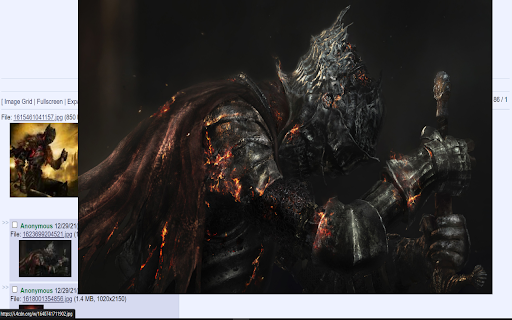

Your extension description **AFTER DOWNLOADING MAKE SURE YOU HAVE THE IMAGE EXPANSION AND IMAGE HOVER FROM 4CHANS SETTINGS MENU DISABLED EVERYTHING ELSE IS FINE, THE MENU IS LOCATED IN THE TOP RIGHT OF THE SCREEN** This extension is a script that adds various features to the image board 4chan and 4channel these features include: -Image hover preview: Hover your mouse over an image to get a preview of the higher quality version theres 2 versions no1. dynamic positioning you can move the preview left and right by moving your cursor left and right. no2. the default hover behaviour non moving placed on the right of the screen. -Image grid: Creates a grid of all images within the thread if you click on an image it can take you to a fullscreen version of the image or to the post in the thread depending on what you choose in the settings menu. -Load images as you scroll the thread option: This utilizes an infinite scroll tactic to lazy load images in as you will need them this is recommended for bigger threads with a lot of images to save your bandwith. -Mass downloading images in thread with original file names: Added the option to mass download images with their original file names make sure you have the option "Ask where to save each file before downloading" which is located via settings -> downloads if this is left on when mass downloading you will be prompted to save every file you have selected to download. -Full screen image viewing: You can click on an image in the image grid to go fullscreen on the image -Slideshow functionality: This allows you to view all images in the thread via a fullscreen slideshow with personalizable slide interval length. -Expand all images This will go through and expand all images and videos in the thread -Customizable keybinds I have provided many keybinds in the settings menu that you can customize to your liking these include: Keybind to instantly go to image grid, Keybind to expand all images, Keybind to go fullscreen, Keybind to go to the top of the thread and Keybind to go to the bottom of the thread.

4chan Advanced
Adds several media viewing and loading features to 4chan 1: Replaces all media URLs in posts with embedded media. Images are… Adds several media viewing and loading features to 4chan 1: Replaces all media URLs in posts with embedded media. Images are expandable. URLs in square brackets will become spoilered media. Works for images, videos and audio. 2: Dropping any files to browser will automatically upload them to catbox.moe forever. You will receive links in a small window. 3: Adds a "Read Aloud" button to every post. Only reads actual text. 4: Makes all non-media links clickable.

4chan Enhanced Overlay (FEO)
Quickly show images from page, they're overlayed on current page and eliminate the need to open tabs or scrolling to open links. Show images of 4chan threads in page instead of opening in new tab. Start the extension by pressing escape key, when extension is open can see next image by pressing the "W" key or on screen W button, see previous image with "S" key or on screen S button, download the current image, mp4, or webm by pressing "D" or the on screen D button, refresh the page with "R" or the onscreen R button.

4media - 4chan Media Downloader
Download all images, gifs, and videos within a 4chan thread. A lightweight extension that allows you to download all images, gifs, and videos within a 4chan thread at the click of a button. You can configure what extensions to download in the settings panel.

4rchive - archived.moe media downloader
For use on https://archived.moe. Download all images, gifs, and videos within an archived 4chan thread. You must be on an archived 4chan thread on https://archived.moe This extension will Download all images, gifs, and videos on the tab that contains an archived 4chan thread. In the background the files are saved to a blob, then that blob is saved as a zip file, the zip file is then downloaded once all files are downloaded and included. ( Does not work anywhere but on threads with images on https://archived.moe)
