
pfglcbmpkoenkbpmjikbefpahaeechpg
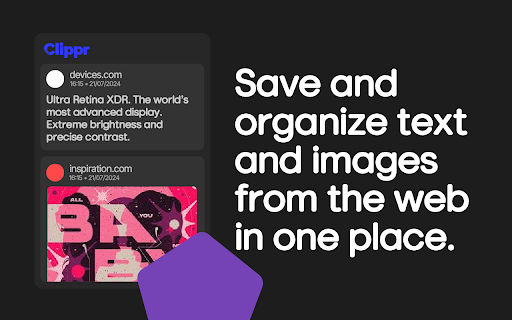


Easily save text and images from the web! Clippr is your one-stop shop for saving snippets of the web you don't want to forget. Text, images - Clippr grabs it all with a single click! Keep everything tidy with folders and personalize your clips with notes. Never lose that perfect recipe or hilarious meme again! ➕ Boost your productivity: You can transfer your clips to other devices, so your inspiration is always with you. 🔨 Features: - Folders: Sort your clips for even more productivity. - Notes: Write more about what you're saving. - Board View: View clips in a Pinterest Board-like-view. - Image Edit: Crop & Edit images to see only what you want. - Folder Shortcuts: Automatically organize clips into folders based on the website they're from. - Multi Select: Select multiple clips and delete them at once. - Undo: Bring clips back after deleting them! - Themes: Choose a theme for Clippr! - Search: Find any clip instantly! 🙌 Install Clippr today and conquer the web!

Text Saver
Tired of losing valuable snippets of text you find while browsing? Text Saver is your simple and efficient solution! With just a quick highlight and a click, this handy browser extension allows you to effortlessly save any selected text for later review. Whether it's a key quote, important information, or just something you want to remember, Text Saver makes it easy to collect and keep track of the text that matters most to you. Say goodbye to copy-pasting into various documents – streamline your information gathering with Text Saver today!

Faro
Save pages with highlighted taglines - Bookmark manager ⨯ web highlighter Chaos in your bookmarks? Can't find what you want? They end up gathering dust? Or you don't even try and end up with 100s of open tabs? Faro is made to fix that! It's the simplest way to save & keep track of pages. With it, even thousands of saves don't get overwhelming. When saving, you highlight a sentence to act as a tagline. It helps you remember what the page is about and why you saved it. If unsure - just save whatever sentence you're reading. All saves appear on your dashboard. They come most-recent-first by default, so you don't forget what you recently saved. You can pick up your reading where you left off - no need for a separate reading list. You can also pin & archive to further arrange it. Organize them with tags. Since you're reminded what you saved and why, you can do it later. It makes your saves much easier to manage than bookmarks. Faro supports nested tags (eg: recipes/vegan), so combines the best of tags and folders. Clicking a save takes you right back to your highlight - especially useful for longer articles. Also: ➣ export to bookmarks to keep them if you uninstall Faro ➣ copy links to highlights and share them or paste into Notion, Obsidian, etc. ℹ️ About your data: When installing you can read: "it can read and change all your data on all websites" The only information that ever gets uploaded (when signed in) when you use it to save: ➣ Open page address ➣ Saved highlight/quote - what's visible in the sidebar ➣ Timestamp ➣ Debug info e.g. errors The extension also keeps track the currently open tab for each window - to update the sidebar as you navigate - but doesn't save or upload that data.

Save Tabs as Text & File
Copy, Save, and Apply Tabs as urls. v3.0 - UI changes (larger buttons, larger width). - Tab Separator, Window Separator Options are added for TXT file. - Live Preview/Editor is added. v2.0 - You can now save Multiple Windows and Tab Groups via the options. - You can now copy and save URLs in Plain Text format, in addition to the original JSON format. - Applying Multiple Windows, Tab Groups, and Plain Text format URLs are also supported. - An option to Apply URLs in a new window (not closing current one) has been added. - (Window, Tab Group) Left-click to toggle selecting all, and Right-click to fold/unfold them.

Right-Click Save Text
Enable right-click, copy text on any site, unblock selection, extract clean article text, and save content as TXT or PDF. 📝 Right-Click Save Text Save selected text instantly as TXT, PDF, DOCX, HTML, or Markdown – right from your browser. Tired of copying and pasting into a document? This simple, powerful extension lets you right-click any selected text on a webpage and save it instantly in your preferred format: Automatically names files using the website name + today’s date Prompts you to choose where to save (so you stay organized) ⚡ No setup needed — just install and start saving Built for productivity — fast, clean, and zero clutter 💡 Why Use It? Whether you're saving research, collecting quotes, or grabbing job listings, this extension helps you work smarter, not harder. 🧠 Built by a real user, for real users I created this extension to simplify my own daily work. I use it every day — and I hope it helps you too.
