
pffdhhfimgbjinhhniodkcfnjncibagl
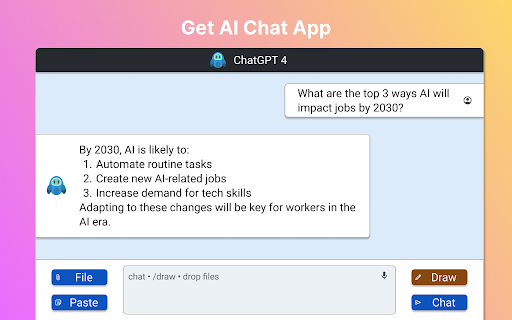
Use AI ChatBot for instant access to Anthropic Claude, ChatGpt and Gemini models. 🤖 Introducing Your Intelligent Companion for Seamless Browsing and Beyond AI Chat is a powerful extension that brings the cutting-edge capabilities of anthropics claude right to your fingertips. This innovative tool seamlessly integrates with your browsing experience, offering a wide range of features designed to enhance productivity, creativity, and knowledge acquisition. What sets the app apart from other AI assistants? AI Chat App is not just another chatbot – it's a sophisticated artificial intelligence powered by the latest advancements in natural language processing. Unlike chat gpt or chatgpt4, AI ChatBot offers a unique blend of capabilities tailored specifically for advanced users. Contextual Conversations: Select any text on a webpage and instantly start a chat with Claude about it PDF Chat: Open and discuss PDF documents directly within the chat interface Voice Interaction: Engage in conversations using voice commands for hands-free operation Image Generation: Create stunning visuals with AI-powered image generation Multilingual Support: Communicate in various languages for global accessibility 🧠 Harness the Power of AI for Enhanced Browsing AI Chat App transforms your browsing experience by providing instant access to a wealth of knowledge and capabilities. Whether you're researching a topic, analyzing data, or seeking creative inspiration, Claude is always ready to assist. ➤ Contextual Understanding: it excels at grasping the context of your queries, ensuring relevant and insightful responses. ➤ Deep Learning: The AI continuously learns and adapts, providing increasingly accurate and helpful information over time. ➤ Ethical Artificial Intellignce: Built with a strong focus on responsible AI practices, ensuring user privacy and data security. 📚 Revolutionize Your PDF Experience Say goodbye to tedious PDF reading sessions. AI ChatBot allows you to open PDF documents directly from your browser and engage in dynamic conversations about their content. • Summarize lengthy documents in seconds • Ask questions about specific sections or topics • Extract key insights and data points effortlessly • Compare and contrast information across multiple PDFs 🎨 Unleash Your Creativity with AI-Powered Image Generation Leveraging the capabilities of Dalle AI, our app brings the power of AI drawing right to your browser. Create stunning visuals, conceptualize ideas, or generate unique artwork – all with simple text prompts. 1️⃣ Describe your vision in words 2️⃣ Watch as AI Chat generates images based on your description 3️⃣ Refine and iterate until you achieve the perfect result 🗣️ Voice-Activated Artificial Intelligence at Your Command Experience the future of chatting with AI Chat App's voice interaction feature. Simply speak your queries or commands, and watch as the AI responds in real-time. ▸ Perfect for multitasking and hands-free operation ▸ Ideal for accessibility and users with limited mobility ▸ Seamlessly switch between voice and text input as needed While both our app and openai chat offer powerful capabilities, AI Chat is specifically designed to integrate seamlessly with your Chrome browsing experience. It offers unique features like PDF integration and voice interaction that set it apart from other AI assistants. 🔍 Is it suitable for professional use? Absolutely! AI Chat App is an invaluable tool for professionals across various industries. From researchers and writers to data analysts and creative professionals, It offers features that can significantly boost productivity and streamline workflows. 🛡️ How does the app ensure user privacy and data security? Our app is built with a strong emphasis on user privacy and data protection. All conversations and data interactions are stored on your browser only, and the AI is designed to forget personal information after each session. Users have full control over their data and can delete their chat history at any time. 🌐 Can AI Chat App understand and communicate in multiple languages? Yes! It supports a wide range of languages, making it an ideal tool for global communication and research. Whether you're translating content, learning a new language, or communicating with international colleagues, AI Chat has you covered. 📊 How can it assist with data analysis and research? AI Chat is an excellent companion for data analysis and research tasks. It can help you: Interpret complex datasets Identify trends and patterns Generate hypotheses for further investigation Summarize research findings Suggest relevant sources and references 🎓 Is AI Chat suitable for students and educators? Absolutely! It is an excellent educational tool that can assist students with research, writing, and problem-solving. Educators can use it to create engaging lesson plans, generate quizzes, and provide personalized assistance to students. 🚀 Experience the Future of Browsing with AI Chat Don't miss out on the opportunity to transform your Chrome browsing experience with the power of advanced AI. Install our app today and discover a new world of productivity, creativity, and knowledge at your fingertips. Remember, AI Chat is more than just a chatbot – it's your intelligent companion for navigating the vast landscape of information on the web. Whether you're a student, professional, researcher, or creative enthusiast, it has something to offer you. Try it now and join the artificial intelligence revolution!

Capsule Hub by Tilantra
Capture AI conversations as capsules and reuse context instantly across ChatGPT, Claude, Gemini and other Tools. Capsule Hub by Tilantra is the context-transfer layer for modern AI workflows. Capture once, reuse everywhere. ✨ Whether you brainstorm in ChatGPT, build in Claude, research in Gemini, or explore in DeepSeek, Capsule Hub turns your conversations into reusable “Capsules” 💊 so you never have to restate goals, constraints, or project background again. Why Capsule Hub? Most teams lose time switching AI tools and rebuilding context from scratch. Capsule Hub gives you a portable, searchable context system that moves with you across platforms. 1. ✅ Capture Your Context: When you are in a chat on AI tool - click the capture button to save the core details of that conversation into a Capsule. 2. ✉️ Save Emails as Capsules: Open an important email in Gmail and click once to turn the project details into a Capsule. 3. 👥 Organize for Your Team: Save your Capsules into team folders (like Engineering, Marketing, or Product) so your whole team can stay on the same page. 4. 🪄 Drag & Drop to Inject: To use a saved Capsule, simply drag it from your library into any AI chat box. The AI will instantly understand all the background, goals, constraints and even attachments! 5. 🔄 Keep Context Updated: If a conversation changes, you can choose to add a "New Version" to an existing Capsule or create a brand new one to keep your history organized. You can also rollback and diverge from a current version 6. 📁 Transfer attachments: Apart from context, drag and drop the attchments you added or generated across fragmented tools. Unlock more with paid tiers built for power users and teams - Multiple integrations across more AI and work tools - Split workflows for better context management - One-click package installer to set up Capsule Hub across tools on your system - Mobile app: Your Capsule library, anywhere Download Capsule Hub today and never start a chat from zero again

ChatbotsPlace: All-in-One AI Sidebar (ChatGPT, Claude & Gemini)
Access ChatGPT, Claude, Gemini, and Grok in one sidebar. Chat with multiple top-tier AI models without switching tabs or accounts Stop juggling multiple subscriptions and tabs. ChatbotsPlace is the ultimate all-in-one AI sidebar that integrates the world's most powerful LLMs directly into your browser workflow. Whether you need to write code, generate art, or summarize articles, do it instantly without leaving your current webpage. 🚀 Why ChatbotsPlace? We act as a unified interface (wrapper) for the best AI tools, giving you the freedom to switch between models instantly to get the best answer every time. 🔥 Powerful Features: - 🤖 Multi-Model Access: Chat with GPT 5.5, Claude 4.7, Google Gemini 3.1, and Grok 4.2 in a single window. - 🌎 No VPN Required: Access restricted AI models from anywhere in the world. No country blocks. - 🎨 AI Image Generation: Turn text into stunning visuals instantly using integrated diffusion models. - ⚡ Lightning Fast Shortcut: Open your AI sidebar instantly with Ctrl+M (Cmd+M on Mac). 💡 Who is this for? - Writers: Compare output from Claude vs. ChatGPT to find the best tone. - Developers: Debug code snippets without switching windows. - Researchers: Summarize long articles instantly. 🎁 Start for Free: Enjoy a generous free trial with no payment required. Experience the future of browsing today. Disclaimer: ChatbotsPlace is an independent interface and is not affiliated with OpenAI, Anthropic, or xAI.

CompareAI - ChatGPT, Claude, Grok, Gemini At Once - AIggregator
Prompt Gemini, ChatGPT, DeepSeek, and Claude simultaneously with text, screenshots, or files with one click, now with Privacy Mode Every top AI, anywhere on the web, with real privacy. CompareAI puts ChatGPT, Claude, Gemini, DeepSeek, Qwen, and more side by side in one clean panel, so you can compare answers instantly and get to better results faster. Privacy, for real • Privacy Mode stops common page tracking, including focus and visibility listeners used by sites like Canvas LMS, keeping your on-page activity private. Use responsibly, follow your institution’s rules. • Zero-Tracking Guarantee, we do not see, store, or sell your data. Not your prompts, not your history, not your screenshots, not your files, not your outputs. No analytics beacons, no session replay, no fingerprinting. • Everything stays on your device except the model calls you choose to send. Smarter by default • Reasoning Mode auto-routes your prompt to the most capable models available at that moment, so you always tap the latest state of the art without hunting settings. • Organized results, clean threads, side by side or stacked, perfect for research, coding, writing, and decisions. Power commands you will actually use • Command I on Mac, Ctrl I on Windows, open the side panel anywhere. • Command M on Mac, Ctrl M on Windows, draw a region on the page, screenshot it, send to all AIs. • Command period on Mac, Ctrl period on Windows, analyze the entire page in one step. • Command K on Mac, Ctrl K on Windows, Clarity Mode to discreetly share your screen with multiple AIs at once. • Right click any selection to send it to your AI stack. Optional Google results overlay when you want it. Built for real work • Context anywhere, select text, drop images, capture regions, or analyze full pages. • Your keys or ours, bring your own API keys, or use credits, new accounts start with free credits. • Fast, consistent, works across the sites you already use. Getting started Pin CompareAI, sign in with Google, press Command I or Ctrl I to open the panel, turn on Privacy Mode and Reasoning Mode, start comparing.

ChatHub - ChatGPT, Gemini, Claude side by side
Use ChatGPT, Gemini, Claude, Llama and more chatbots simultaneously Stop switching apps. Compare AI responses side-by-side with ChatHub! ChatHub is a powerful browser extension that revolutionizes your AI chatbot experience. With ChatHub, you can simultaneously use multiple AI chatbots, such as ChatGPT/GPT-4o, Gemini, Claude 3.5, Llama, and more, and compare their responses side by side. We offer users various ways to access AI models: 1. Use your own account: If you're already logged into services like ChatGPT or Claude in your browser, we automatically utilize them, meaning you can use your own ChatGPT Plus privileges within ChatHub! 2. Use your own API key: We've integrated official APIs from various services, allowing you to use them with your API key on a pay-as-you-go basis, ensuring stability and reliability. 3. Use our AI service: We provide ready-to-use AI services, giving you access to over 20 AI models with a simple subscription to ChatHub. In addition to these, ChatHub offers: 1. Prompt library: Manage and discover commonly used prompts. 2. Local chat history: Save your chat history locally and perform full-text searches. 3. Markdown support and code highlighting for enhanced readability. 4. Dark mode for comfortable viewing in low-light environments. 5. Smart web access: Improve chatbot responses by incorporating up-to-date information from the internet. 6. Custom chatbots: Integrate any OpenAI-compatible API to create your own chatbots. 7. Quick access within your browser using keyboard shortcuts. Experience the future of AI chatbot interaction with ChatHub. Install the extension now and unlock a world of powerful AI conversations at your fingertips.
