
penhlhdgahppmdkdpalemahmgmecbopg
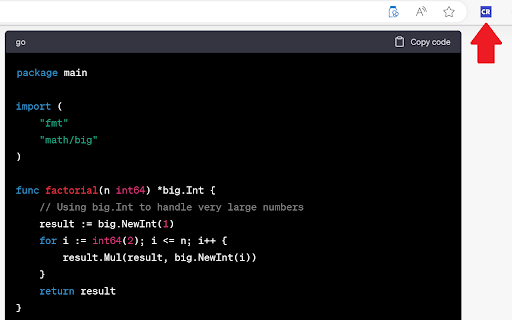
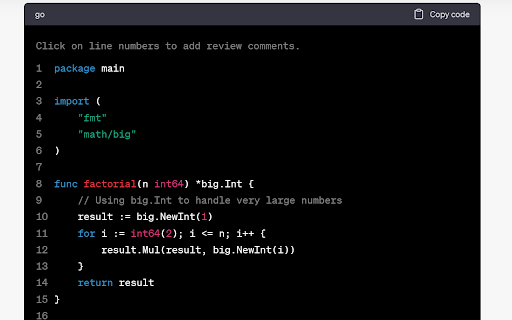
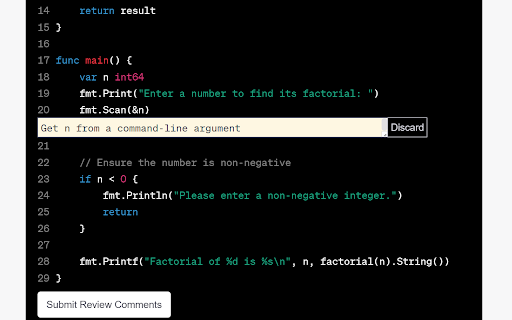
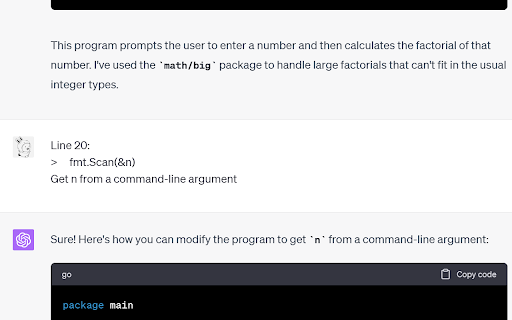

Code Review Mode for ChatGPT Enhance your ChatGPT experience with our Code Review mode, tailored specifically for code blocks. This tool simplifies the process of guiding ChatGPT in making accurate code modifications. Accelerate your code iterations and achieve precision with ease.

ChatGPT Degrade Checker 降级检查
ChatGPT Downgrade Check Tool 🔧 / ChatGPT Service Status Monitoring🕵️♂️ A Chrome extension that displays PoW information and IP quality for ChatGPT. You can easily detect if the GPT model has been downgraded.

ChatGPT Token Counter
Counts tokens in the ChatGPT active conversation on chatgpt.com The ChatGPT Token Counter is a Chrome extension designed to help users keep track of their token count during long conversations with the ChatGPT language model on chat.openai.com. OpenAI is hiding what the context window is on the web version. ChatGPT 4o in Plus and Team should have a context window of 32,768 tokens (~24,000 words). 3 words ~ 4 tokens. When your conversation becomes longer than that, ChatGPT will start to "forget" what was discussed earlier. The box in the corner of the window lets you monitor the token usage and ensure that the conversations do not exceed the context window, which is particularly important for coaching, idea generation, and working with longer articles where retaining the context is crucial. With this extension, you will know when context can be missing and will have more productive and meaningful conversations with ChatGPT. This extension is written 99% by ChatGPT. The logo icon is created 100% by MidJourney. The number IS NOT exact but should be in the range of +/- a dozen.

ChatGPT Code Highlighter
Improve the appearance of code snippets in ChatGPT code snippets. Welcome to ChatGPT Code Highlighter! This Chrome extension enhances readability and understanding by applying syntax highlighting to code snippets within ChatGPT conversations. 1. Click on the extension icon in your browser toolbar. 2. A popup will appear displaying a dropdown menu with the available themes. 3. Select your desired theme and click the "Apply Theme" button. 4. Your selected theme will be applied to all code snippets in ChatGPT.

Chatgpt Notes
Take and organize notes from ChatGPT conversations Enhance Your ChatGPT Conversations with ChatGPT Notes! 🗒️ Struggling to keep track of key insights during long conversations? ChatGPT Notes lets you save, organize, and manage chat responses directly within the ChatGPT interface. No need to switch between apps—just click, save, and organize your ideas in real-time. Features: 🚀 One-Click Saving: Easily capture important chat responses with the custom icon. 🗂 Folder Organization: Structure your notes with folders—create, rename, or delete as needed. 📥 Export Options: Download notes as PDFs or DOC files for easy sharing or storage. ✨ Persistent Storage: Your notes stay intact across sessions with local storage. Install the extension and open ChatGPT. Use the 🚀 icon next to responses to save notes. Select or create folders on the fly to organize your notes. Click the “View Notes” button anytime to access your saved notes. Export your notes as PDF or DOC files when needed. 📌 No need to copy-paste—save notes directly from ChatGPT. 📌 Stay productive and build your own knowledge base with ease. 📌 Organize ideas and insights without losing focus. Get Started Today! Download ChatGPT Notes and take control of your conversations!
