
fideanlgimnffbhocnkbdpmfngiccaho


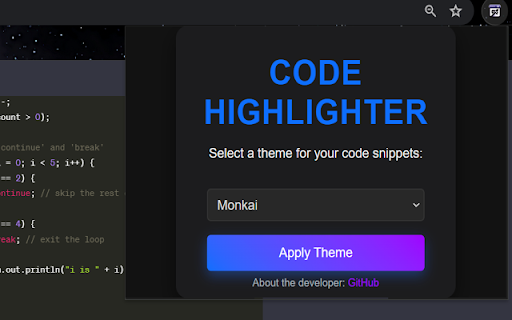
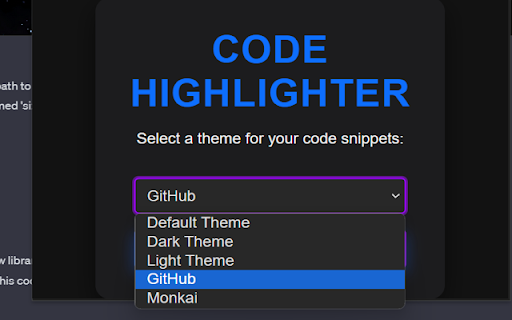
Improve the appearance of code snippets in ChatGPT code snippets. Welcome to ChatGPT Code Highlighter! This Chrome extension enhances readability and understanding by applying syntax highlighting to code snippets within ChatGPT conversations. 1. Click on the extension icon in your browser toolbar. 2. A popup will appear displaying a dropdown menu with the available themes. 3. Select your desired theme and click the "Apply Theme" button. 4. Your selected theme will be applied to all code snippets in ChatGPT.

Tabsets.net
Use tabsets.net to safely keep track of all your tabs and links in the Side Panel, stored locally on your browser With the Tabsets Extension, you'll have a new way to organise your Links, Tabs, and Bookmarks - store and find any website quickly. * It runs in the Side Panel :) * Your data is stored solely on your own computer * Integrates Bookmarks: simply use both * Organise your tabs using: tags, domains, folders, colours etc. The code is open source and available at GitHub. Do not navigate through multiple levels of folders of your browsers bookmark manager until you might find what you were looking for. This is what you can do instead: - Organise and Manage everything in your Browser's SidePanel - Utilise multiple windows and access them with inline window manager - Search for websites easily (by URL, title, or even content) - Quick access to your bookmarks (optional feature*) - Conveniently find and open an URL, or open all tabs of a set - Archive Tabsets (for later use) (optional feature*) - Quick access: newest tabs, most used tabs, tabs by domain Further Features: - Dark Mode - Import and export Tabsets as JSON - Use Color Markers for Organising (optional feature*) *) optional features need to be activated in the settings page

ChatGPT Color Palette
Theme and customize ChatGPT with editor-inspired color palettes. Customize ChatGPT with editor-inspired themes. ChatGPT Color Palette is a Chrome extension that lets you change the look of the ChatGPT web app with polished light and dark themes inspired by popular developer tools and modern workspaces. Choose from built-in palettes like Codex, Vercel, GitHub, Catppuccin, Gruvbox, Linear, Notion, Raycast, Rose Pine, Solarized, VS Code Plus, Xcode, and more. You can also create and edit your own theme by customizing ChatGPT’s semantic color tokens. Features: - Theme Picker: Switch between named light and dark presets with clear previews. - Editor-Inspired Presets: Includes themes inspired by familiar IDEs, developer tools, and productivity apps. - Custom Theme Editor: Fine-tune ChatGPT surfaces, sidebar colors, composer colors, text, links, borders, icons, hover states, and interaction tokens. - Light and Dark Support: Apply light or dark palettes directly, even if ChatGPT’s own theme mode differs. - Save Custom Palettes: Create, edit, duplicate, and reuse your own color presets. - One-Click Reset: Restore ChatGPT’s default appearance whenever you want. Why Use ChatGPT Color Palette? - Make ChatGPT feel more like your personal workspace. - Reduce visual friction with themes that match your preferred tools. - Quickly switch between clean light themes and focused dark themes. - Customize modern ChatGPT UI tokens beyond basic background colors. What's New in Version 1.0.0: - Completely redesigned popup with visible theme names and palette previews. - New settings page with a cleaner preset manager and token editor. - Replaced the old preset library with editor-inspired themes. - Added modern ChatGPT color token support, including surfaces, composer, sidebar, text, links, borders, icons, hover states, and interaction variables. - Improved light theme handling so ChatGPT text and UI colors apply more reliably. - Added a new logo and refreshed extension branding. Install ChatGPT Color Palette and make ChatGPT match the way you like to work.

CodeChatGPT
Prepare your code for seamless conversations with any LLM! Generate Markdown from your code folders and craft intelligent prompts. CodeChatGPT converts your entire project into one clean, organized file using a simple text format (Markdown). This file is optimized for sharing with AI platforms like ChatGPT, Gemini, Claude, Deepseek, and others—ensuring that every bit of context your code needs is right at your fingertips. Key Features: • Unified Output: – Automatically generate one comprehensive file that captures your project’s structure and essential code content. • Pre-Generated Prompts: – Receive intelligent, ready-to-use prompts based on your code structure, making it easier to start discussions with AI tools. • Customizable Settings: – Fine-tune your output by excluding specific file types or folders, so only the most relevant information is included. • Optimized for Large Projects: – Efficiently process even extensive codebases, summarizing key details without compromising performance. • User-Friendly Interface: – Enjoy a straightforward setup with an intuitive interface that guides you through folder selection, settings adjustment, and file generation. Why Choose CodeChatGPT? By distilling your project into a single, easily shareable file, CodeChatGPT gives you complete control over your code-to-AI workflow. Whether you’re preparing documentation, seeking code analysis, or starting a conversation with an AI, this extension provides the perfect foundation—without any platform lock-in. Usage Note: For the best experience, open your preferred AI platform before generating the file, and consider starting with a fresh chat session for optimal results.

ChatGPT Styler
Improve the appearance of code snippets in ChatGPT code snippets. Upgrade your ChatGPT experience with our new Chrome extension! Specially designed for ChatGPT users, our extension gives you the power to customize your interface like never before. Break free from the default theme constraints and choose from a variety of stylish code snippet themes, tailored to your visual preferences and coding style. But that's not all – immerse yourself in an environment that inspires you by selecting a personalized background for the ChatGPT website. Easy to use and designed to boost your productivity and enjoyment, this extension is a must-have for every ChatGPT user.
