
pemolekjjcfebcoiadhlbpmojjglogol
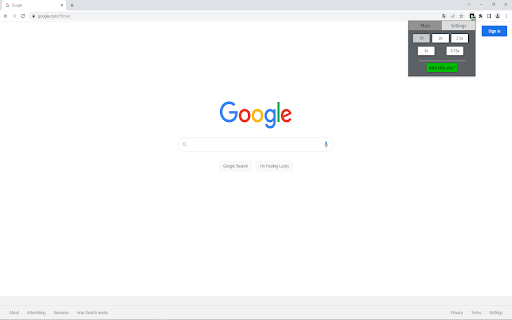

A simple video speed control extension A video speed controller - chromium extension | A simple and easy to operate chromium extension. | Extension is designed to let you change speed to any desired speed of a video (within browser capabilities). | Features: changing playback speed, shortcuts, option to choose affected tabs, customizable speed options | Github page: https://github.com/pajavilc/Video_Speed_Control shortcut list: - Ctrl + Shift + Q - Add/remove current tab to/from list of tabs affected by speed control. - Ctrl + End (Ctrl + Shift + 1 on numpad) - Set speed to a predefined value no. 1 - Ctrl + Left Arrow (Ctrl + Shift + 4 on numpad) - Set speed to a predefined value no. 2 - Ctrl + Down Arrow (Ctrl + Shift + 2 on numpad) - Set speed to the default value (1x)

Video Speed Controller
Speed up, slow down, advance and rewind HTML5 audio/video with shortcuts HTML5 video provides native APIs to accelerate playback of any video, but most implemented players either hide or limit this functionality. This extension fixes that, plus more... It will help you optimize your video viewing by allowing you to make quick playback speed adjustments, as well as rewind the video to hear the last few second one more time. Once the extension is installed simply navigate to any page that offers HTML5 video, and you'll see a speed indicator in top left corner of the video player. - Works on any site with HTML5 media: YouTube, Netflix, local files, etc, including audio. - Fine-grained speed controls and defaults - 0.07x to 16x in configurable increments. - Fully customizable shortcuts: remap every key, add modifier combos, custom speed toggles. - Configurable per-site speed rules - set a default playback speed for specific domains. - Option to persist your last speed across sessions and tabs. - Reposition the on-video speed indicator anywhere you like. Hover over the speed indicator to reveal the controls to accelerate, slowdown, or rewind the video (10 seconds + lowers playback speed). Or, even better, use your keyboard: If you prefer other shortcuts, want to change the increment value, or want the player to remember your playback speed in the future, head into the settings page and customize it to your heart's content.

Super Video Speed Controller
Adjust playback speed for any video. Video speed controller for your videos Super Video Speed Controller allows to increase or decrease playback sped on any web site. Features: 🎥 Work almost anywhere 🎥 You can adjust with presets or set a custom speed in percents 🎥 Use shortcuts Quick start: find "Super Video Speed Controller" icon by opened a menu under the "puzzle" icon in the toolbar.

Video Speed Controller
Control the speed of your video! It is a speed control extension that could help you speed up the video play rate. There are a few existing button for user to quick choose the playing rate and also adjusting rate for user to input.

Video player extension
More control over the video player Adds keyboard shortcuts to the video player on any website. Use space bar to pause and '[' and ']' to adjust speed by 0.1x increments. 'o' and 'p' to move forward and backward by 3 seconds. '\' make the video very fast for a short time.
