
pekekpmfhdjhcbojlbknbciobbjaligd
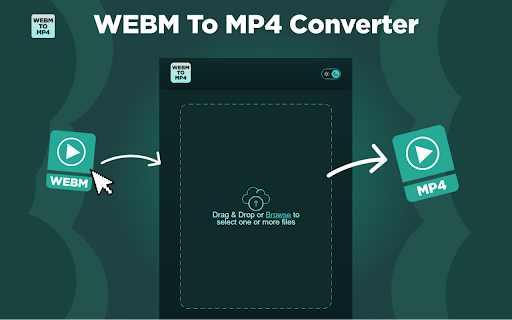
Easily convert WEBM to MP4! Fast and simple solution for transforming webm format to mp4. 🌟 Looking for a simple, reliable way to convert webm to mp4? Our extension is here to make your life easier! Why Choose This Extension? ✅ User-Friendly Interface: No technical skills required! ✅ Lightning-Fast Conversion: Say goodbye to long wait times. ✅ High-Quality Output: Preserve the quality of your videos. 💎Key Features ➤ Seamless Conversion: transform webm to mp4 or convert webm into mp4, this tool has got you covered. ➤ Batch Processing: Work smarter, not harder. Convert multiple .webm to mp4 files simultaneously. ➤ Offline Capability: No internet? No problem! Convert webm file to mp4 even without a connection. 🌍 Cultural and Language Support ➤ Number formats tailored for local languages and dialects. ➤ Cultural considerations for a more personalized experience. ➤ Multilingual user support catering to a global audience. 💫How It Works 1️⃣ Install the extension. 2️⃣ Upload your .webm to .mp4 file. 3️⃣ Download your freshly converted webm into mp4 file instantly. 🌐 Who Can Benefit? ☑️ Content Creators: Quickly webm to mp4 video converter formats for smooth editing. ☑️ Students: Make your projects compatible with different platforms. ☑️ Professionals: webm mp4 converter files for presentations or training materials. 📑 Clear Usage Policies ♦️ Concise guidelines for the proper use of the conversion tool. ♦️ Committed to transparency across all operations. ♦️ Expanded FAQ section covering a broader range of user queries. 🔝 Scenarios You’ll Love 🔥 You receive a video in webm format to mp4 conversion needs for your device. 🔥 A tutorial is only available in .webm, so you need to turn webm into mp4 for easier sharing. 🧐 FAQs ❓ How to convert webm to mp4? Simply upload your file, click "Convert," and download the output. ❓ Can I convert webm a mp4 without losing quality? Yes, our tool ensures the quality remains intact when you .webm to .mp4. ↪️ The WEBM format is excellent for web use, but MP4 is more versatile. Use our extension to convert from webm to mp4 and enjoy wider compatibility. 💡How to Get Started 🟢 Install the extension from the Chrome Web Store. 🟢 Open the extension and upload your webm convert to mp4 file. ✨ The intuitive interface ensures that even beginners can navigate the process effortlessly. You won’t encounter unnecessary settings or complicated menus—every action can be completed with just a few clicks. 💡 Advantages of Choosing WEBM to MP4: 🔺 Outstanding video quality. 🔺 Convenient video reordering feature. 🔺 High-speed performance for quick conversions. 🔺 Offline functionality – no need for an internet connection, ensuring convenience in any situation. 🔺 Capability for bulk converting multiple files at once. Why Our Extension Stands Out 🟢 Convenient: Convert .webm to .mp4 directly from your browser without additional software. 🟢 Secure: Your files are not transferred anywhere and are converted on your computer 🟢 Universal Compatibility: Works on Chrome and other Chromium-based browsers. 👩💻 Popular Use Cases ☑️ Editors needing a reliable converter for professional workflows. ☑️ Everyday users asking, how can I convert webm to mp4? This extension is the answer! 😍 Stop searching for "how to turn webm into mp4" or struggling with compatibility issues. With our extension, how to turn webm into mp4 is fast, secure, and effortless. 🚀 Ready to make the switch? Install now and enjoy the easiest way to convert .webm to mp4.

nico downloader
ニコニコからの動画保存をサポートする他、ニコニコを便利に使うための非公式の拡張機能です。 【帰ってきたニコニコ 対応済】ニコニコの動画を保存するためのリンクを、動画ページのタイトル直下に作成します。 さらに、ニコニコ大百科を始めとするニコニコのサービスの拡張・機能向上を行う拡張機能です。 これらは全て自動でリンクを作成するため従来に比べ手間が省けており、かつシンプルです。 ◆設定方法 こちらを読んでいただくのが一番わかり易いと思います。 https://note.com/masteralice3104/n/na2e2325b50a3?sub_rt=share_pb ◆バグの報告はここから https://github.com/masteralice3104/nico_downloader/issues ◆ソースコードはここにあります https://github.com/masteralice3104/nico_downloader ■動画保存の事前準備 ① 当拡張機能をインストール ② 当拡張機能のオプションに記載された初期設定を行う ③ 初期設定モードをOFFにする ■基本的な動画保存の使用方法 ① 任意の動画ページ(sm~~~の動画)を開きます。(nm~やso~等は基本的に対応しません) ② 動画の右下にある「~~~~~.mp4を保存」をクリック ③ 自動でダウンロード・変換処理を行った後、保存ダイアログが開くor既定のフォルダにダウンロードされます(Chromeの保存設定に依存します)。 ■注意事項 ○ 様々な法的規制に十分に注意してご利用ください。 ○ 保存方法③の処理は回線速度とCPU速度に依存します。また通信量などにご注意ください。

Converter Video
Convert any video file to one of several supported formats (for example, mp4) from your browser! The "Converter Video" extension allows you to convert any video format to another with ease. The FFmpeg library, which is compiled from the C/C++ language to JavaScript using the Emscripten compiler, is used. Emscripten is a source-to-source compiler that converts native C/C++ instructions to JavaScript. To acquire further information about the Emscripten compiler, see this Wikipedia article. To use this add-on, just open the app UI and drag a video file to the designated area. Then input your FFmpeg command into the input file and press the Run button. The link to download the video file will be available at the bottom of the UI once the conversion is finished. Please keep in mind that depending on the video size and type of conversion selected, conversion might take some time. In order for you to start working with this add-on, there are some sample commands (as buttons) offered in the app UI that you may utilize. Because this add-on uses the browser version of FFmpeg, it is slower than desktop applications/libraries. The usage of the extension is simple, however. Simply place it in your browser and it will begin to operate immediately without the need for any extra plugins. It's only suited for simple conversions and has a restricted number on codecs.

Screen Recorder for Google Chrome™
Screen Recorder is a software that allows you to capture and record your computer screen right in the browser! Use this free screen recorder software to make video recordings / screen recordings directly from the Chrome browser and share these video recordings with your friends/colleagues. To begin using the software Screen Recorder for Google Chrome™, simply click on "Start Capture" to begin recording your computer screen. Once you have finished recording your video, click on "Stop capture" to stop the video. You can save the video you made onto your computer/Google Drive. Its simple and easy to use Screen recorder to make video tutorials/software help videos etc and much more. Disclaimer: Please note this extension is NOT made by Google and is made by an independent development team. All copyrights belong to their respective owners. Google doesn’t endorse or sponsor this Chrome extension. Screen Recorder for Google Chrome™ is not owned by, is not licensed by and is not a subsidiary of Google Inc.

Cheese-PIP
치지직에 녹화, 스크린샷 등 다양한 기능을 추가합니다. 네이버 게임 스트리밍 서비스 치지직에 녹화, 스크린샷, 다운로드 등 다양한 기능을 추가해주는 확장 프로그램입니다. 🚀 주요 기능 ⭐️ 스트림 녹화 / 스크린샷 버튼 추가 ⭐️ 방향키를 이용한 이전 스트림 내용 탐색 ⭐️ 자동 최대 품질 해상도 적용 ⭐️ 확장된 기능을 제공하는 PIP+ ⭐️ 팔로우 즐겨찾기 (베타) ⚠️ 주의 브라우저의 여러 제약으로 긴 영상의 녹화에 오류가 발생할 수 있습니다. 🧑💻 기여하기 Cheese-PIP는 오픈소스 프로젝트로, 누구나 개발에 참여할 수 있습니다. 아래 링크에서 Cheese-PIP의 소스를 확인하고, 여러분의 아이디어나 개선점을 기여해보세요. https://github.com/khk4912/Cheese-PIP Cheese-PIP는 네이버 치지직(chzzk)과 관련이 없는 개인 프로젝트입니다.
