
pecjjeljffnplfcclbbbklkpcbbkchdk
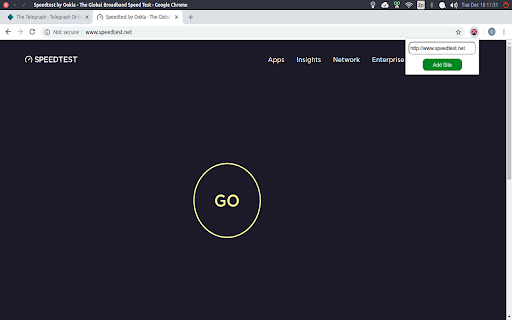
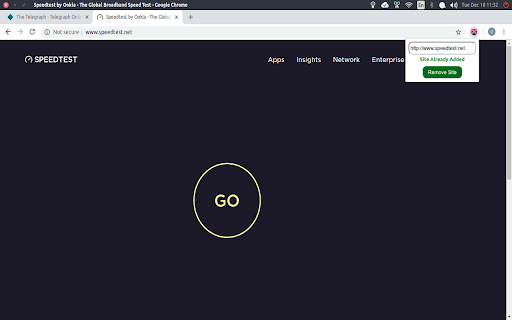

This extension automatically closes tabs and windows opened by ad-requiring sites You may be browsing normally and then you click somewhere on the page and then a new tab opens, suddenly, pointing to an ad, without you initiating it. This extension automatically closes those tabs/windows. It's not an Adblocker; it's a tab/window-containing-ad closer. ;) Once a site has that behaviour (where it opens random popups/tabs annoyingly), simply click on the extension and click "Add Site". Once that is done, the extension manages all tabs and windows opened from that particular site, automatically closing them if needed. To remove a site from the "monitored list", you can always click the extension again and click "Remove Site". Note that I intentionally created the extension to be lightweight, doing nothing but its intended task. Note that after adding a site, all new tabs opened that start with the protocol+hostname of that site will be allowed; all others won't. This means that if https://www.adopeningsite.com is added, then all sites starting with https://www.adopeningsite.com like https://www.adopeningsite.com/clickads or https://www.adopeningsite.com/hoverads will be allowed to open in a new tab. The others will be automatically closed. To purposely open a new tab that has its protocol+hostname different from that of the site, right click the link and choose "Purposely open in a new tab".

Host AdBlocker
The "Host AdBlocker" is an ad-blocking extension that uses host matching instead of RegExp matching to increase blocking performance and reduce memory footprint. How it works: This extension installs a static hostname list to the incoming filter to block advertisement, tracker, and analytic sources. If a hostname matches, the request gets blocked. If not, the request gets processed as usual. Extensions like "uBlock Origin" or "AdBlock Plus" use the RegExp matching method. Although this method is more powerful, it is computationally expensive. Features: 1. You can extend the default filtering list by adding your custom domain names in the backlist hostnames on the options page. 2. To completely ignore a hostname, add it to the whitelist 3. This extension runs on manifest v3. This means that blocking performance is native. 4. You can toggle the extension on and off with a single click on the action button.

TabBlock
This extension is for anyone, who uses websites with pop-up ads (ads that open in a new tab). Note! Redirections to ads in the same tab still work! You can try to block them by using other extensions or simply return with "back" button. TabBlock does not block any normal ads. Manifest v3 Update: The new approach in Manifest v3 prevents extensions from running in the background all the time, leading to a cold start that can significantly increase the time needed to close a new tab. However, this is purely a cosmetic downgrade - TabBlock now filters out all requests to new tabs instantly, in addition to its ability to close tabs. This means that even if you see a tab open, it won’t begin to load at all.

New-Tab Blocker
This Chrome extension blockes new tabs from specified websites. This helps against pop-up ads that open in a new tab. It is possible to specifiy which websites are allowed to open new tabs and which not. Tips: - to block all new tabs, add "" (nothing) to the "URL Beginnings" list - you can install this Chrome extension on Android with the Kiwi Browser

Bib Bypasser
Bypass some annoying popups that beg you to turn your adblocker off! Ad Blockers are extremely common things. Unfortunately, sites like EasyBib, CitationMachine, and CiteThisForMe all detect the fact that you're using an adblocker. In our experience, they give off false-positives more often than not. While we do support sites who generate revenue from advertisements, it's safe to say that many sites have too many ads. With Bib Bypasser, you won't have to deal with their popups. This extension blocks requests to the website they host their anti-ad-blocker scripts on. So, when you load any of their websites, you won't see their annoying popup anymore. At the time of release, you also won't see Grammarly ads, either! Update 1.3: Added support for popular news websites
