
pdkmmoieibfnafndfmkaknkbjllfebpg
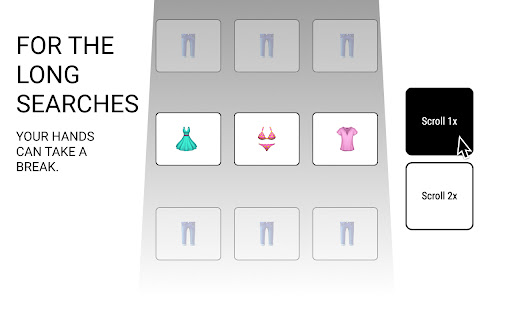

Introducing Glide Scrolling – The Coolest Way to Surf the Web! Ever felt overwhelmed by those never-ending online stores with so many things to scroll through? 🛍️ Or just wanted to quickly check out social media or news sites before something catches your eye? 📱💻 Well, say hello to Glide Scrolling – your new browsing bestie! No more fussing with that old mouse wheel! 🐭 With Glide Scrolling, all you gotta do is hover your cursor over the scroll buttons, and voilà – smooth sailing up and down the page! 🚀 Shop 'til you drop without the scrolling struggle! 🛒✨ Glide through product catalogs like a breeze, stopping only when you spot something that shouts "Take me home!" 🛍️💕 Stay in the loop with your favorite social media feeds and breaking news – no more slow scrolling! Glide through 'em like a pro, and when you see something rad, just move your cursor away from the buttons – easy peasy! 🌟 Glide Scrolling keeps it simple – no complicated clicks needed! It's the quickest and coolest way to cruise through the web without breaking a sweat. 😎 Ready to say "Bye-bye" to endless scrolling and "Hello" to effortless browsing? ✌️ Download Glide Scrolling now and let the good times roll! Don't let scrolling slow you down – Glide your way to a smoother web experience today! 🏄♀️🌊 Try it out now and see for yourself! 🤩

Roller
Enable auto scrolling with the mouse wheel button on Linux This extension allows you to scroll any web pages using the wheel button on your mouse. Click once with your middle button and start dragging around any scrollable area.

Glide Builder Tweaker (For Glide Apps Builder)
Tweak the Glide Builder to make it more user-friendly. Tweak the Glide Builder to make it more user-friendly. Tweaks: - Adds a collapsible button to container components in the Glide Apps Builder. - Organize your workflows in folders. Simply add a slash (/) in the name of your workflow to create a folder. Just like columns in Glide Tables. - Organize your tables in folders. Simply add a slash (/) in the name of your table to create a folder. Just like columns in Glide Tables. - Hide the Contact Sales Button. - Resize the peek a boo data view. - Click the Save button in Glide's column-config dialog with Option+Return (Alt+Enter on Windows) to instantly click “Save” in Glide’s column-config dialog. - Expandable Custom CSS input with line numbers, plus a format button that warns on syntax errors.

Smooth Scroll Control
Customize scroll speed and keybinds for web navigation. Adjust scroll direction and speed on-the-fly with user-defined controls. Take control of your scrolling experience with Smooth Scroll Control. This powerful Chrome extension allows you to tailor your web navigation to your exact preferences. Key Features: - Adjustable Scroll Speed: Fine-tune your scrolling velocity for comfort and efficiency. - Custom Keybinds: Set your preferred keys for scrolling up, down, left, and right. - On-the-Fly Adjustments: Increase or decrease scroll speed instantly with dedicated controls. - Intuitive Interface: Easy-to-use settings panel for quick customization. Perfect for: - Power users who want precise control over their browsing experience - Readers who prefer a specific scroll speed for comfortable reading - Developers and designers who need varied scroll speeds for different tasks Boost your productivity and enhance your browsing comfort. Download Smooth Scroll Control today and experience the web your way! Note: This extension requires permission to read and change data on the websites you visit to enable custom scrolling functionality.

Scroll-Anywhere
Scroll the webpage as if the scrollbar is right under your pointer by holding down the middle mouse button anywhere on the webpage. Allows you to scroll the webpage no matter where the pointer is, as if the pointer was currently over the scrollbar. Simply hold down the middle button anywhere on the webpage and move the mouse in any direction. You can also go into the extension's settings page and change the direction of the scroll so that it behaves like touch devices. As an optimization, if you hold down the middle button, move the mouse a little and then very quickly release the button, you can continue to scroll the webpage without needing to keep the mouse button pressed. This extension is open source: https://github.com/em-te/webextension-scrollbar-anywhere Caveat: This extension cannot work on the Extensions Gallery (this website).
