
pdfdfdelkmcjeaabcgbomohieopnlakl

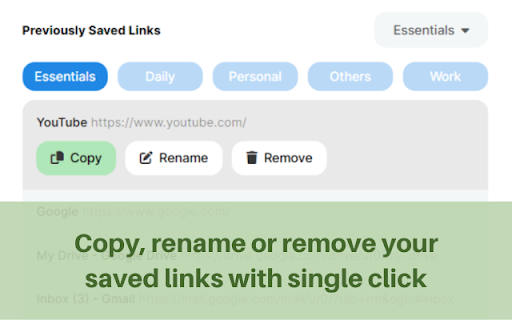
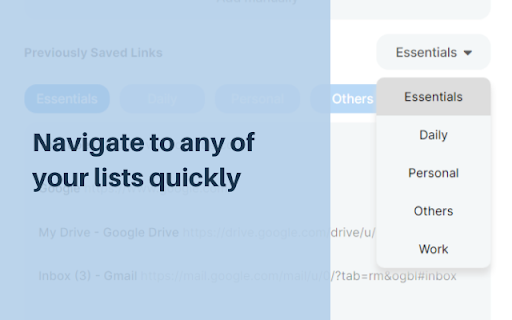
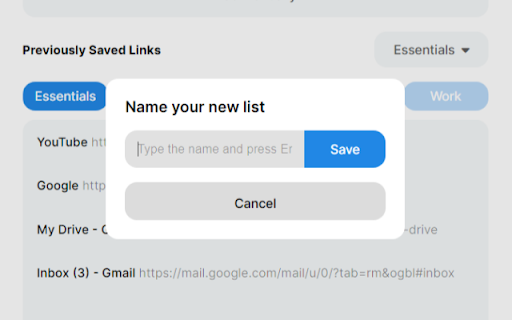
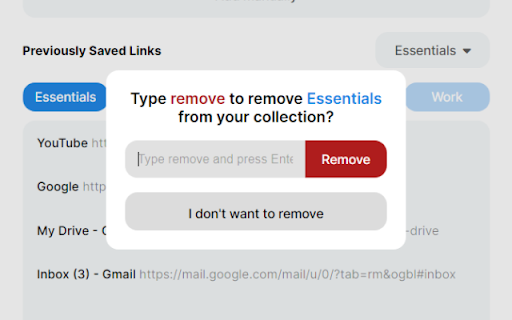
Seamlessly maintain your own digital library, conveniently save and access your favorite links, all while protecting your privacy. Experience the ultimate convenience of effortlessly saving and organizing your favorite links with just a single click. With LinkSaver, you'll enjoy unparalleled control over your digital bookmarks, allowing you to create multiple lists, rename them at will, and easily segregate your links for quick and efficient access. LinkSaver prioritizes your peace of mind by implementing a thoughtful confirmation system whenever you choose to delete a list. No longer will you have to worry about losing valuable collections of links due to hasty actions. Your organization and hard work are safeguarded every step of the way. 🐣 Embrace the versatility of LinkSaver's intuitive interface. Two convenient methods await you to effortlessly save your cherished links. Utilize the "Save Current Tab" button to instantly capture the web page you're currently viewing. Alternatively, use the "Add Manually" button to seamlessly save any copied link that catches your attention. But there's more to LinkSaver than meets the eye. 📝 Recognizing the significance of customization, we empower you to rename link titles, giving them personalized meaning that resonates with your preferences. Experience the joy of curating a collection that reflects your unique interests, passions, and aspirations. 🔏 Most importantly, LinkSaver prioritizes your privacy above all else. This remarkable extension operates completely independent of the internet, meaning no connections to external servers, no cookies, and no cache. Your favorite links remain exclusively in your control, ensuring the utmost confidentiality and data privacy. Enjoy the peace of mind that comes with managing your cherished online resources without compromising your personal information.

Bookmark For Me
Bookmark your favorite site and quickly view it! This extension will let you bookmark your favorite websites instantly along with features like edit and delete. With a simplistic and minimalistic look it still gives you the instant performance. Hope you all enjoy it!

Private Bookmarks
Hello dear friends and companions Maybe it has happened to you that you want to bookmark some websites in a private environment and these websites are not included in the public list of bookmarks. This extension creates a private and safe environment for you so that you can easily place any website you want in this environment as a bookmarks. One of the most prominent features of this extension is that if you enter the wrong password, another list will be displayed for you, so don't worry about your list. We take care of your list. It is only possible to display the main list if you enter the password correctly In the end, we are very grateful for your company Please enter your comments to improve the activity. Best regards.

Bookmark Saver
Now you can save your bookmarks smartly and easily Bookmark Saver helps you to save your favorite sites locally. It is very simple and easy to use. Visit your favorite sites and just click the save button. ============================== Main features: ✔ Save Bookmark Locally ✔ Add Bookmark Name ✔ Single Bookmark Remove ✔ Search Bookmarks ✔ Navigate to Page ✔ Clear All At One Click ============================== Note: None of your information (history or bookmarks) are stored or kept anywhere else than on your computer.

Private Bookmarker
Private Bookmarker allows you to safely and efficiently manage a completely separate set of private bookmarks, independent of your standard browser bookmarks. You can save links you don't want others to see or pages containing personal information with peace of mind. Key Features: ✅ Separate from Standard Bookmarks: Manage your bookmarks independently within the extension, without mixing them with your standard browser bookmarks. ✅ Password Protection: Set a password lock on your private bookmarks to prevent access by third parties. ✅ Import/Export Functionality: Easily back up or migrate your bookmarks. You can export and import them in JSON format. ✅ Import from Chrome Bookmarks: Smoothly import your existing Chrome bookmarks on a folder-by-folder basis into your private space. ✅ Folder Name Masking: Display folder names as IDs when adding bookmarks, making it harder for others to guess the content. 💡 Recommended for: ・Those who want to completely separate work and private bookmarks. ・Those who want to securely manage bookmarks they don't want others to see. ・Those who want to flexibly manage and organize their bookmarks. ・Those who want to avoid leaving a history on a per-folder basis. ⚠️ Note for Incognito Window Users: When opening a bookmark with the incognito window feature, by default, it will always open in a new incognito window. If you want to open it in an existing incognito window, please go to "Manage extensions," select "Private Bookmarker," and check "Allow in Incognito." ⚠️ Disclaimer: ・The private bookmark information is not encrypted. ・Please be aware that this extension is not protected by advanced security features. # Version 1.01 ・A "★" badge now appears on the toolbar icon when you open a page that is already saved in Private Bookmarker. This can be enabled on the options page (disabled by default). # Version 1.03 ・Changed the default display language to English. # Version 1.04 ・Added the ability to filter the list of bookmarks within a folder by any text string. ・Fixed an issue where the bookmark list display was misaligned. # Version 1.05 ・Added the ability to tag bookmarks and filter by tags.
