
pddgnfchkhejgbgifelohpkmcnicmkel


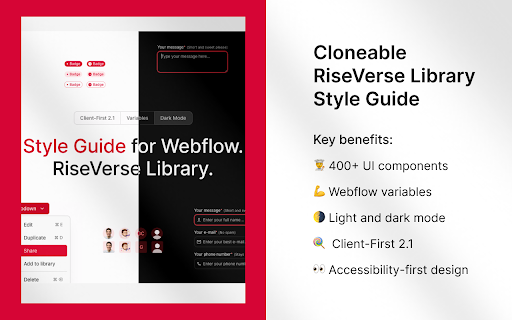
RiseVerse Library, a Chrome Extension to prevent class duplication in Webflow and improve your development workflow. Improve your Webflow workflow with the RiseVerse Library Chrome Extension. Tired of duplicated classes cluttering your Webflow projects? Say goodbye to class duplication with RiseVerseSync! 🚀 Our free, high-performance Chrome Extension prevents class duplication when you copy and paste elements from the RiseVerse Library or between projects. Keep your workflow smooth and focus on what you do best—building remarkable websites. - ⏰ Save time : No more manual cleanup of duplicate classes. - 📂 Stay organized : Maintain consistent class names across all your projects. - ⚡ Boost efficiency : Optimized for best performance without slowing you down. - 😍 Enjoy the process : Focus on what you do the best. - 🆓 Completely free : Enjoy all features at no cost. - Clone Style Guides: Add our Light Mode or Dark Mode Style Guide to your Webflow project. - Install the Extension: Add RiseVerseSync to your Chrome browser. - Activate It: Click the icon in your toolbar to turn it on. - Copy Elements: Copy components from our Component Library or any Webflow projects. - Paste Seamlessly: Paste into another project without creating duplicate classes. At RiseVerse, we empower designers to build remarkable sites. Our mission is to inspire and help designers, developers, and agencies focus on what you do best—building remarkable websites. Simplify your Webflow workflow and keep your projects organized. Try RiseVerseSync Today! ⚠️ Our extension, RiseVerse, was inspired by xSync by Virat. While we initially recommended it for its great functionality, we ran into some internal edge cases that led us to create our own. Huge thanks to Virat for the original work that helped shape this project.

Pagifye Sync
A Chrome extension to prevent class duplication when pasting in Webflow. Traditional Webflow component copying can break styles or require cleanup. Pagifye Extension eliminates that friction—making component reuse effortless, clean, and scalable. Whether you’re building from scratch or iterating on an existing site, this tool ensures visual and structural consistency. The Pagifye Chrome Extension is your ultimate Webflow design accelerator. Instantly copy high-quality Pagifye components directly into your Webflow projects—without breaking styles, duplicating class names, or losing design consistency. Whether you're working with dark or light themes, the extension ensures seamless integration, saving you hours of manual styling and rework. Built specifically for creators and developers who rely on Pagifye as their component library or web design companion, this tool helps you move faster, stay organized, and focus on what truly matters—creating amazing websites. Ideal For: Freelancers & Agencies who want to accelerate Webflow development without sacrificing quality or consistency. Founders & Entrepreneurs looking to launch professional, high-conversion websites quickly and efficiently using Webflow—without the usual design or technical bottlenecks.

Finsweet Extension for Webflow
A suite of F'in sweet tools to improve your Webflow development experience. Important: Finsweet Extension has changed! Most features are now in our new native Webflow App. Only site settings remain in this Chrome Extension due to Webflow API limits. Unlock new and powerful tools and functionalities within Webflow's Dashboard, Editor and Designer. Functionalities include: - Bulk 301 redirects upload. - CSS styles sorting, editing and removal. - Interactions, Symbols and Color swatches reordering. - Breakpoints highlighting and removal. - Components marketplace to copy and paste directly in your project. - Direct integration with our Finsweet libraries like Cookie Consent or Attributes. - Vertical Canvas Resizing. - And much more!

Lumos Extension for Webflow
This extension is built to be used on Webflow.com. It provides shortcuts for working faster in Webflow. V1 of the extension generously developed by https://www.fri3nds.com/ • Fast Class Naming Pressing the right arrow key in the class selector field returns the class name of the nearest parent that has a component class (class containing underscores). • Style The Base Class Press shift key & up arrow key to select the base class. Press shift key & down arrow key to return to all classes. • PX to REM Type a number into any style panel field and press the space bar. The number will be divided by 16 and the rem unit will be attached to the end. • PX to % Divide the width of any element by the width of its parent to get a percent width. Example: type 562/1440 into any style panel field and press the space bar. 562 will be divided by 1440. The result will be multiplied by 100, and a % unit will be attached to the end. • Automatically wrap any --variable-name in var() and any math in calc() Example: type --grid-gap / 2 in any custom property value field and press the tab key. It will be converted to calc(var(--grid-gap) / 2) • Automatically wrap any --variable-name in color-mix() for transparency Example: type --theme--text%60 in any custom property value field and press the tab key. It will be converted to color-mix(in srgb, var(--theme--text) 60%, transparent) • Automatic data attribute buttons on component fields Add any embeds containing data attributes inside one div with the class of “page_code_wrap”. Apply those attributes to any element and link their value to a component field. The component field name should include the attribute name. Buttons will be automatically created for each attribute value in the embed. Learn about the Lumos Framework at https://lumos.timothyricks.com/

Codehub for Webflow
Adds a window to save and manage code snippets for Webflow projects. Codehub for Webflow help you manage your codesnippets. THE PROBLEM: If you often find yourself searching through multiple projects to find those handy code snippets you've used before, Codehub is here to simplify your life. THE SOLUTION: This extension provides a centralized hub where you can save, manage, and easily access all your frequently used code snippets. With Codehub, reusing code across your Webflow projects becomes a breeze, saving you time and effort. It's the perfect tool for developers looking to optimize their coding process and enhance productivity on Webflow. Simply copy the snippets that you have saved and paste them where you need them. Also enjoy the premade community snippets!
