
pcapooophggbaedfdmmmmbldmhlbbjob
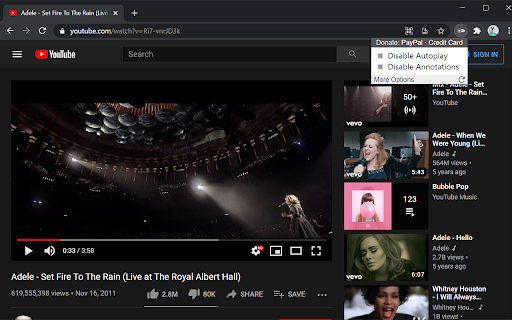
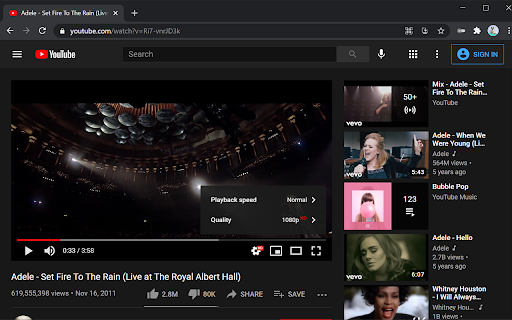
Turn off YouTube autoplay next video and disable YouTube annotations on videos. Turn off YouTube autoplay next video and/or turn off YouTube annotations. Hides the toggle option when disabled. Compatible with desktop, mobile, and embedded YouTube videos. For more features including removing recommendations, comments, and more: https://chrome.google.com/webstore/detail/unhook-remove-youtube-rec/khncfooichmfjbepaaaebmommgaepoid

Unhook - Remove YouTube Recommended & Shorts
Hide YouTube related videos, shorts, comments, suggestions wall, homepage recommendations, trending, and other distractions. A browser extension to remove YouTube distractions, including the recommended sidebar, shorts, endscreen video suggestions, user comments, homepage related videos feed, trending tab, turn off autoplay or annotations, and more. Toggle the options through the popup to customize your own YouTube experience! Compatible with mobile YouTube, m.youtube.com, through Firefox on Android. Also works on video embeds. Unhook YouTube is available as an add-on for: - Firefox: https://addons.mozilla.org/firefox/addon/youtube-recommended-videos/ - Microsoft Edge: https://microsoftedge.microsoft.com/addons/detail/unhook-remove-youtube-r/hebpjnnclppdnfghdnmhgdljmjpfhggk If you find Unhook useful, please consider making a donation: PayPal.me/unhook OPTIONS: - Hide Homepage Feed - Hide Video Sidebar - Hide Recommended (Related Videos) - Hide Live Chat - Hide Playlist - Hide YouTube Shorts - Hide End Screen Videowall - Hide End Screen Cards - Hide Comments - Hide Mix Radio Playlists - Hide Merch, Tickets, Offers - Hide Video Info - Hide Video Buttons Bar (share, likes, dislikes) - Hide Channel (profile + subscribe button) - Hide Video Description - Hide Top Header - Hide Notification Bell - Hide Irrelevant Search Results ("Related to your search", "Latest from", "Searches related to", "People also search for", etc.) - Hide Explore and Trending - Hide More from YouTube - Hide and Redirect Subscriptions - Disable Autoplay - Disable Annotations

Chrome Web Store
Add new features to your browser and personalize your browsing experience.

YouTube™ No Buffer - Stop Autoplaying
Prevents YouTube HTML5 and Flash players from auto-buffering (auto-playing) videos This extension stops YouTube HTML5 and Flash players from auto-buffering videos. Using this add-on (extension) you can save bandwidth and also prevent YouTube on multiple tabs from buffering media simultaneously. You will have to click on the player to allow buffering of the media files. Once a player is buffered, it can play multiple tracks. There is no need to activate the player on each new track (so you can easily watch playlists for instance). Notes: 1. As of version 0.2.4, this extension is compatible with YouTube's material design 2. As of version 0.2.5, this extension is not working on the old non-material design 3. If you would like the extension to not stop buffering when switching back and forth to the mini-player ("i" keyword on YouTube pages), go to the options page and check "Do not stop the player if the player is already playing" option. 4. This extension is compatible with ad-blocker extensions operating on YouTube pages.

Remove YouTube End Cards & End Screen Videos
Remove YouTube end cards and end screen recommendation videowall. Remove cards and the end screen videowall on YouTube. YouTube cards show up when a video is ending, and the recommended videowall that shows up when a video is over. Compatible with mobile and embedded YouTube videos as well. For more features including removing recommendations, comments, and more: https://chrome.google.com/webstore/detail/unhook-remove-youtube-rec/khncfooichmfjbepaaaebmommgaepoid Remove YouTube End Cards & End Screen Videos is also available on: - Firefox: https://addons.mozilla.org/firefox/addon/youtube-cards/ - Microsoft Edge: https://microsoftedge.microsoft.com/addons/detail/remove-youtube-end-cards-/hgpdfaoiakjklnfcddohfoncklfdhbpp
