
pampamgoihgcedonnphgehgondkhikel

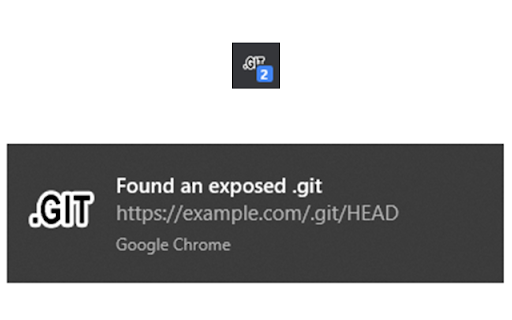
An extension for checking if .git is exposed in visited websites An extension for checking if .git is exposed in visited websites - Check if a .git/.svn/.hg folder exists for each site you visit - Check if a .env file exists for each site you visit - Check if a .DS_Store file exists for each site you visit - Check if the site is open source (github/gitlab) - Check if the site has security.txt - You will be notified when a folder is found - List of exposed sites found - Download the entire .git folder in zip format, even if the files are not listed on the site - View .git/config with one click - Options for: colors, notifications and downloads Some checks are turned off by default, open the settings to turn them on Source code: https://github.com/davtur19/DotGit

S3BucketList
S3BucketList automatically scans network requests made by your browser to detect Amazon S3 bucket URLs In penetration testing, searching for S3 Buckets can be a exhaustive task, which requires you to filter, search, and check for every S3 bucket urls. This extension does all that work for you while you browse the internet. It will instantly notify you, automatically filter buckets, and lists all the permission it was able to extract, even tell you what buckets are unclaimed.

Trufflehog-PingPwn
Trufflehog-PingPwn scans web pages and referenced resources for common secret patterns (API keys, tokens, private keys, webhook URLs) so you can identify accidental exposures quickly. Scanning and detection are performed entirely in your browser; this extension does not send findings to any remote server. Use the popup to review findings, clear them, or download a CSV of results. This extension tries to brings the scanning & Detection capabilities of well known Trufflehog to browser in real time scanning. Key features: - Detects generic API keys, specific provider tokens, and common secret formats. - Optionally checks for `.env` files and `.git` directories (may trigger server protections). - Shows per-origin findings with a badge count and in-popup listing. - Local-only storage of findings using the browser's storage; no remote transmission. Core Detection Features: - Detects API keys, tokens, private keys, and webhook URLs on web pages - Scans referenced resources (external scripts, .env files, .git directories) - Recognizes patterns from 30+ secret providers. - Supports generic secret patterns (API keys, database credentials, passwords) - Base64-encoded secret detection with automatic decoding - Real-time scanning as you browse UI & User Experience: - Clean, intuitive popup interface with toggle controls - Badge count on toolbar showing findings per origin - Per-origin findings list with detailed match information - One-click clearing of findings (current origin or all) - CSV export for audit trails and compliance reporting - Origin-based filtering and deny list to skip specific domains - Local notification alerts for critical findings (e.g., .git directories) - Customizable detection rule toggles (turn on/off specific categories) Privacy statement: All scanning and analysis occurs locally inside the browser. No findings, page contents, or extracted secrets are transmitted to external servers. The extension uses `chrome.storage.sync` to store settings and detected findings on your browser; you can clear stored findings via the popup.

FoxyProxy
Easy to use advanced Proxy Management tool for everyone FoxyProxy is an open-source, advanced proxy management tool that completely replaces Chrome's limited proxying capabilities. No paid accounts are necessary; bring your own proxies or buy from any vendor. The original proxy tool, since 2006. WHAT IS IT? FoxyProxy is a Chrome and Firefox extension which switches an internet connection across one or more proxy servers: 1. by point-and-click of colored icons 2. by URL (define URL patterns with wildcards or regular expressions) 3. by browser tab - set individual proxies per tab: assign up to 4 proxy servers for use on 4 different tabs. FoxyProxy automates the manual process of editing your browser's proxy settings. * Customize colors and country flags to make it easy to see which proxy is in use * Proxy per tab, by URL, or by point-and-click of colored icons * Import/Export all of your settings, or just URL patterns, to share with others (fixed in 8.0 and above) * Select a proxy specifically to use in Incognito Mode * Keyboard shortcuts * Globally exclude any domain from proxying * Create patterns with wildcards or regular expressions. A pattern tester is included. * (optional) Automatically synchronize all of your proxy settings with your other Chrome instances when you use Sync. * Turn WebRTC on/off to further limit discovery of your IP address * Built-in predefined selections for tor, privoxy, and psiphon * Extensive built-in help Source code is at https://github.com/foxyproxy/browser-extension FoxyProxy has been owned and developed consistently by the same team since 2006. It has never been sold and never will. * downloads: Required to export the extension settings to a file. Users can import that file to other Chrome/Firefox instances, or share it with colleagues, in order to keep the same settings. It can also be backed up and used later. * proxy: The core function of the extension is to allow users to set the proxy server used by the browser. * storage: Required to store proxy server settings (hostname, port, username, and which proxy server is enabled by the user). * tabs: Required so that users can set separate proxies to use per tab. It is also needed for "QuickAdd" to quickly add a URL pattern that applies to the current/active tab. It is also used to open a URL to getfoxyproxy.org where there is online help. webRequest: Required to authenticate with proxy servers via webRequest.onAuthRequired webRequestAuthProvider: Required to authenticate with proxies servers via webRequest.onAuthRequired * browsingData: Required so the extension can delete cookies, indexedDB, and localStorage when requested by the user on the Options page (Delete Browsing Data button) privacy: Required so the extension can call browser.privacy.network.webRTCIPHandlingPolicy to turn on/off webRTC in Chrome (Limit WebRTC checkbox in Options page) * host permission: Required to proxy all webRequests and provide proxy server authentication. is used because users may choose to load any/all URLs through proxy servers (chrome.webRequest.onAuthRequired and chrome.webRequest.onAuthRequired.addListener) . Required to proxy all webRequests and provide proxy server authentication. Also needed to get accounts details from FoxyProxy servers, if requested by the user with the Import FoxyProxy Account on the Import tab. ** No remote code is used in this extension. **

FindSomething
Find interesting things in the webpage's source code or JavaScript This tool is used to quickly extract some interesting information from the HTML source code or JS code of the web page, including possible requested resources, interface URLs, possible requested IPs and domain names, leaked ID numbers, mobile phone numbers, email addresses, etc. Welcome to communicate with us, WeChat canxiao_xiao
