
pacnollcefnfheghikkhbhodhnplhbdm

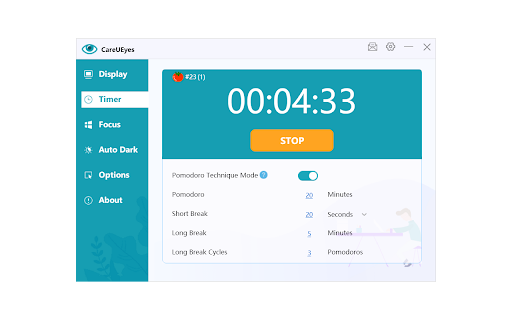
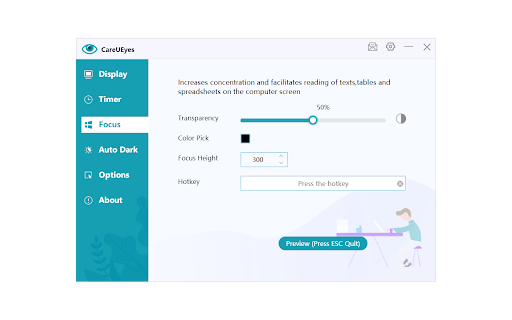
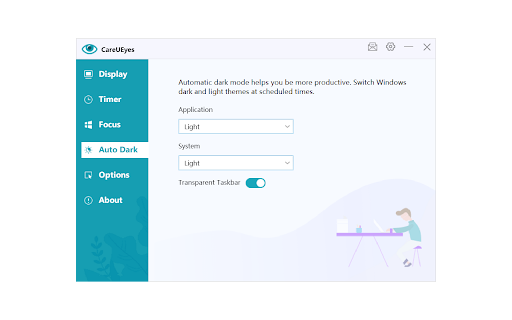
Blue light filter extension can adjust the gamma value of your computer’s display adapt, reduce the blue part (RGB value) of the light, filter the blue light, it makes your computer screen looks more comfortable, so that your eyes will not feel tired ,Protect your eyes from computer screen Blue light filter extension for all versions of Windows, including Windows XP, Windows 7, Windows 8, Windows 10. Tip!!! 1、To control the blue light and brightness of Windows system, you need to download CareUEyes.exe

Adjust Page Brightness
Control your browser's global screen brightness to use sites that do not support the native dark theme This extension reduces or increases the screen brightness level for both daytime and nighttime periods based on user-defined values. It helps the websites that do not support the native dark theme. Also, it can increase the brightness of websites that are too dark. It reduces the eyestrain while reading documents online when dark mode is not supported. The extension offers two different values for daytime and nighttime duration to enhance usability. Features: 1. Control the darkness level of all websites or just a single hostname 2. You can increase or decrease the brightness level of a website 3. Supports keyboard shortcuts for every action. 4. You can disable the extension on a single website or entirely 5. Control the brightness level from 0% (completely dark) to 120% (20% brighter than the original) 6. Supports two different methods to decrease the brightness level. Notes: 1. By setting the brightness level to 100%, the extension does not affect browser tabs (does not inject any CSS styling) 2. It is recommended to configure the start time for both daytime and nighttime. By default, daytime starts at 08:00, and nighttime starts at 19:00. 3. By adding a website to the exception list, brightness control is turned off for this website. You can use this feature to turn off the extension on websites that support native dark mode. 4. This extension does not reduce the screen brightness when printing a webpage. There is a CSS selector that only affects "screen" type displays. What is the difference between this extension and other dark mode extensions (e.g. "Dark Reader™" or "Turn Off the Lights™" (I do not own these two extensions))? These extensions manipulate the styling of all elements by using custom stylesheets. They convert the light theme to dark. This extension only injects a filter to reduce or increase the original brighness. So it does not perform any resource-intensive operations and does not alter the website's styling.

Blue Light Filter
One-click blue light filter and eye protector. A gentle screen dimmer for comfortable night mode with blue light reduction. 🌙 Struggling with eye strain from endless screen time? Meet your new Blue Light Filter Chrome extension—a minimalist yet powerful tool designed to block harmful bluelight with a single click. Perfect for Windows and Mac users, this lightweight app transforms your screen into an eye saver zone, day or night. Why This Blue Light Filter App Stands Out 1️⃣ Right-Click Customization Right-click the icon to access advanced screen dimmer and blue filter settings. Adjust warmth, brightness, and night mode intensity in seconds. 2️⃣ Universal Compatibility Works flawlessly on blue light filter windows 10, windows 11 blue light filter, and blue light filter mac. Seamlessly integrates for Google Chrome and other Chromium browsers. 3️⃣ Instant Activation Click the icon once to enable blue light filter mode—no menus, no delays. Ideal for users who need quick blue light reduction during work or gaming Key Features of Your New Chrome Eye Protector ➤ One-Click Bluelight Blocking Activate screen filter instantly—no complex setup. Reduces eye fatigue during late-night coding or binge-watching. ➤ Custom Color Profiles Right-click to tweak filter hues and dim screen levels. Save presets for reading, gaming, or night mode. ➤ Lightweight & Efficient Uses fewer resources than а bulky computer screen brightness app. No lag—perfect for multitasking on blue light filter pc or Mac. Say goodbye to digital eye strain with the chrome extension—your one-click solution for healthier screen time. Designed for simplicity, this tool lets you activate bluelight reduction instantly and fine-tune colors with a right-click. Whether you’re on Windows, Mac, or any PC, enjoy a screen that cares for your eyes. How to Use This Software 1. Install in Seconds 2. Click & Protect 3. Right-Click to Refine Complete the blue light filter download for PC or Mac. Add the extension to your browser. Left-click the icon to enable filter blue light computer protection. Access screen shader settings to personalize warmth and brightness. Compatibility: Built for Every Device ▸ Windows: Optimized for Windows 10 and Windows 11. ▸ Mac: Smooth performance on macOS Ventura and later. ▸ Chrome: Works as chrome screen protector blue light on all versions. Benefits You’ll Love 📌 Eye Care PC Download: Combines blue light app efficiency with eye protector safety. 📌 Battery-Friendly: Gentle on laptops vs. resource-heavy night apps. 📌 Always On Guard: Use night mode for sleep-friendly tones or daytime glare reduction. Download the ultimate light filter for google chrome today and start protecting your eyes! Your vision will thank you during those late-night work sessions and extended browsing marathons. This eye protector solution is what every serious computer user needs in their digital wellness toolkit. Who needs this extension? Gamers: Protect your eyes during marathon sessions with screen blue light filter. Students: Study longer with chrome eye protector blue light reducing strain. Professionals: Stay focused with blue light filter software that adapts to your workflow. Why It’s Better Than Built-In Tools ✅ Simpler than native Windows or Mac settings. ✅ More Control than basic filter — tweak colors your way. ✅ Zero Learning Curve: Left-click for safety, right-click for precision. User Success Stories 💎 For Developers: This chrome extension is go-to for coding nights. 💎 For Graphic Designer: The screen dimmer settings saved eyes during client deadlines. Join Thousands of Protected Users Transform your screen into an eye saver today. Whether you need bluelight blocking for work or a gentle screen shader for relaxation, this tool delivers. In a world where screens dominate our daily lives, finding moments of digital comfort becomes essential. It’s about creating a space where technology aligns with your well-being, letting you focus on what truly matters. Enjoy. Installation Guide in 3 Steps 🔹 Download the extension from the store. 🔹 Pin the Icon to your toolbar for one-click access. 🔹 Click or Right-Click to toggle mode or adjust settings. FAQ: Quick Answers Q: Does this work alongside other apps? A: Yes! Pair it with computer screen brightness apps for layered comfort. Q: Can I use it as a night light app? A: Absolutely—activate filter night mode for warm, sleep-friendly tones. 🚀 Ready to Click Your Way to Eye Comfort? Install the Blue Light Filter for Google Chrome now—your eyes deserve it!

Night Shift Mode
Take care of your eyes. Change screen brightness to special eye-protective colors from the list or to a color that you prefer. Night shift changes the colors of the screen to warm and eye-protective shades. You can automatically change screen mode by scheduling or selecting a color theme for a certain website. Our extension suggests a palette of colors that are good for eyes in a dark time and also you can pick any color and add it to the settings page. Working on a computer at night time may affect your eyes or can disturb other people in the same room. Night Shift Mode is a good opportunity to reduce screen brightening to take care of your eyes. Dark Mode isn't suitable for all websites, so applying warm colors to all websites will be the best alternative for screen tinting. Our extension offers several benefits for users of notebooks or PCs by reducing the blue light emitted by screens. Here's how it can help: 1. Reduces Eye Strain - excessive blue light can strain your eyes during extended screen use, especially in low-light conditions. Night shift mode adjusts the screen's color temperature to warmer tones, which are gentler on the eyes. 2. Improves Sleep Quality - blue light suppresses the production of melatonin, a hormone responsible for regulating sleep. By reducing blue light exposure in the evening, night shift mode can help you fall asleep more easily and maintain a healthy sleep cycle. 3. Minimizes Digital Fatigue - spending long hours in front of a screen can lead to digital fatigue, causing discomfort and difficulty focusing. Warmer screen tones may help alleviate this, enabling more comfortable extended use. 4. Helps in Low-Light Environments - Night Shift Mode dims harsh light, making it easier to work in dimly lit or dark environments without causing discomfort or disrupting the ambient lighting balance. 5. Potential Long-Term Eye Health Benefits - although research is ongoing, reducing exposure to high-energy blue light may help mitigate risks associated with long-term eye health issues like macular degeneration. 6. Customizable and Easy to Use - most devices allow users to schedule night mode automatically (e.g., sunset to sunrise) or adjust settings manually to suit individual preferences. While Night Shift Mode can be beneficial, it’s not a substitute for regular breaks from screen use, proper lighting, or comprehensive measures like blue light-blocking glasses or ergonomic screen settings.

Screen Dimmer
Screen Dimmer, light filters & break timer for eye protection. Reduces eye strain, encourages breaks, relax your vision. Eye Guardian: Screen Dimmer & Blue Light Filter by Eyeletic Eye Guardian is a lightweight screen dimmer and blue light filter Chrome extension designed to reduce eye strain, screen glare, and brightness discomfort caused by long hours in front of a screen. Unlike system brightness controls or dark mode, Eye Guardian works as a full-page screen dimmer and brightness filter, allowing you to darken or brighten any website beyond your device’s default limits. This makes it ideal for night use, low-light environments, and users with sensitive eyes. Screen Dimmer & Brightness Filter Dim or brighten your screen on any website using a smooth overlay. Works even when your system brightness is already at its minimum or maximum. Blue Light Filter Reduce exposure to harmful blue light to help prevent eye fatigue, headaches, and sleep disruption. Screen Brighter Mode Increase perceived brightness without increasing eye strain. Vision Trainer & Vision Tester Simple tools to help assess and improve visual comfort and focus. Customizable Break Timer (20-20-20 Rule) Get automatic reminders every 20 minutes to take a 20-second break and look 20 feet away, helping reduce digital eye strain. Reduces eye strain and visual fatigue from prolonged screen use Helps relax your eyes and maintain healthier screen habits Supports better sleep by lowering blue light exposure Enables comfortable screen viewing in any lighting condition Easy to use, lightweight, and adjustable at any time What is the best screen dimmer for Chrome? How can I dim my screen more than the default brightness? How do I dim my screen in Chrome? How can I reduce screen brightness at night? How can I relax my eyes while using a computer? How do I reduce eye strain from long screen use? Is a screen dimmer better than dark mode? Can lowering screen brightness help with sleep? Eye Guardian is a simple and effective eye protection and screen dimmer extension for anyone who spends a lot of time in front of a computer. By combining a screen dimmer, brightness filter, blue light filter, and break reminders, it helps protect your eyes, improve comfort, and support overall well-being. Ideal for remote workers, students, developers, designers, and night users.
