
oopkohppehamfoconkdjlhamenlijmkb
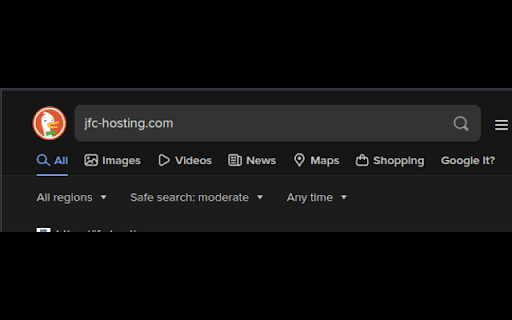
Hate when you can't find what you're looking for on DuckDuckGo? Why not look at Google with a simple press of the button! Hate when your using different search engines and you want to check a different one like google for different results? Well I added a button under the search bar that will do just this! It will open a new window with search what you were looking for into google!

Hide w3schools on DuckDuckGo
tl;dr: This is a simple extension to remove w3schools links from DuckDuckGo search results. w3schools is a proprietary website that provide information about web technologies like HTML, CSS, Javascript etc. Even though their SEO is top notch there are problems with their content: 1. The information they provide is not crowdsourced and open like MDN, often lacking proper documentation, examples and sources. 2. Their webpages contain various third party cookies and trackers 3. They serve targeted advertisements which could be inconvenient for their users With all those problems, it is annoying to see them as top results on DuckDuckGo. While helping websites like MDN to improve their SEO for better placement on search results is an option in the long run, this small tool helps to get rid of the annoyance. This extension is inspired by "Hide w3schools" Firefox add-on by Stefano Nardo which works only for Google search results. This add-on is open source, and the source is available at https://git.sr.ht/~eih/hide-w3schools-ddg for you to inspect and improve.

Yang! - Yet Another Bangs anywhere extension
An open-source, lightweight extension that allows using DuckDuckGo-like bangs anywhere. "Bangs are shortcuts that quickly take you to search results on other sites. For example, when you know you want to search on another site like Wikipedia or Amazon, our bangs get you there fastest. A search for '!w filter bubble' will take you directly to Wikipedia." ➡️ How does the extension work Simply install the extension and use any of the supported Kagi Bangs (see https://kbe.smaertness.net/). Bangs can be used at the beginning or at the end of the query, e.g.: • Kagi Bangs: More than 13,500 default bangs included. • Custom Bangs: You can create your own bangs or override defaults. • Custom Bang Symbol: Define your own custom symbol(s) to trigger the bangs. • Multiple Target URLs: Open multiple websites with a single bang. • Custom Base URL: Specify which URL to open when the bang is triggered without arguments. • Fast Redirections: Bangs are resolved locally, without Kagi as intermediary. • Address Bar Trigger: You can use bangs directly in the URL bar. • Search Engine Trigger: Bangs also work from the search bar of your favorite search engine. • Backup and Restore: Never lose your bangs. • Mobile Support: Yang! is also available on Firefox Android. • Do bangs sync across devices? Yes... and no. Bangs will sync across all the Firefox desktop browsers in which you are logged in with your Firefox account. However, the sync between desktop and mobile is currently unsupported. As a workaround, you can create a backup on desktop and restore it on Android (or vice versa). • Why does Yang! need permissions on a 300+ sites? Instead of requesting data access on all sites, we granularly specify the search-engine sites that Yang! supports (which yeah, they're quite a few). You can find which sites we request permissions for in the manifest.json.

Turn off Ads on DuckDuckGo
Easily toggle ads on DuckDuckGo search on or off. Click on the extension, then the button that says "hide ads". To see ads again, click on "show ads".

DuckDuckGo Search - Context Menu and Omnibox
Search DuckDuckGo using the context menu option and omnibox. 1> Highlight text and right click on it. Select the option to search that text query with DuckDuckGo search engine in a new tab. 2> Type "ddg " in the address bar (omnibox), and type your search query and hit the enter key. Simple and light-weight extension. Doesn't require any permission. Read more on our homepage: https://browsernative.com/duckduckgo-chrome-extension/ Extension created by BrowserNative, not affiliated with DuckDuckGo.
