
oohlahjiaikoffkafcgighlmbnfipajo


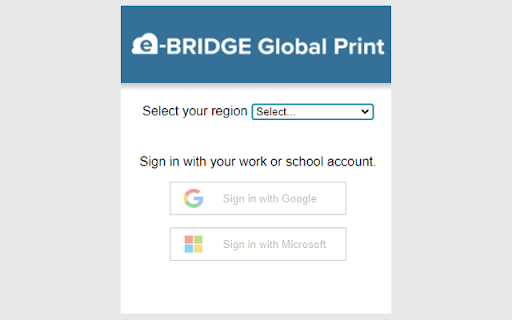
e-BRIDGE Global Print Extension The e-BRIDGE Global Print Extension allows you to submit a print job from Chrome to your organization's cloud print queue, and then release it from any of your e-BRIDGE Global Print connected MFPs. After installing the Chrome extension, you will register with the e-BRIDGE Global Print system by logging in with your work or school account; this allows us to associate you and your company with your print jobs. Once registered, you will be able to use the Chrome "Print" function, to print directly to your e-BRIDGE Global Print cloud queue. To read the Privacy Policy, go to: https://www.toshibatec.com/privacy/ To read the Terms and Conditions, go to: https://egp.toshiba-solutions.com/terms-of-use

FasterMe
FasterMe is a powerful Chrome extension that will help you learn new tools quickly and easily to improve efficiency and reach full… FasterMe is a powerful Chrome extension that will help you learn new tools quickly and easily to improve efficiency and reach full productivity potential. It is designed to help users be more productive and efficient with their work. Whether you're a student, freelancer, or professional, this extension can help you streamline your workflow and save valuable time. Try it now with a 7-day free trial. One of the key features of FasterMe is its ability to help users learn new shortcuts for their work. This is especially useful for those new to certain applications or software who need help navigating them quickly and efficiently. With FasterMe, you'll be able to access all of the shortcuts you need to get your work done faster and more efficiently. The extension works with popular applications such as Google Sheets, Docs, Figma, Github, and more. We are constantly working to improve the extension and add more supported applications, so you can expect to see new features and supported apps added in the future. FasterMe provides a versatile advantage with its custom shortcuts feature, applicable across multiple apps and websites. This functionality empowers you to optimize your workflow by creating personalized shortcuts for various actions and keys. FasterMe very easy to use. It runs in the background, so you don't need to worry about it getting in the way of your work, and it has a simple, user-friendly interface that makes it easy to navigate and access the shortcuts you need. Overall, FasterMe is a powerful, easy-to-use Chrome extension that can help you increase productivity and efficiency with your work. Whether you're new to certain applications or just looking to streamline your workflow, this extension is a must-have tool for anyone looking to boost their productivity and save valuable time.

Jobin & Jismi NetSuite Portlet Refresher
This extension Refresh the Portlets every time you reach Netsuite Home This extension refreshes your Oracle NetSuite portlets whenever you login or accessing the NetSuite Dashboard automatically. Why choose this extension? * For a better NetSuite experience * Portlets get refreshed automatically on login or access your NetSuite Dashboard as it is not default in NetSuite. Jobin & Jismi is a NetSuite solution provider with over 12 years of experience in NetSuite implementation, customization, administration, and integration services. Jobin & Jismi : NetSuite Solution Provider with 'Expertise in ERP' badge holder. Corporate Office: Kottat, Chalakudy P.O, Thrissur, Kerala, India – 680307 Infopark Office: 3rd Floor, Indeevaram, Infopark Thrissur Campus, Koratty P.O. 680308

AppointmentReminders.com Google Calendar Sync
Send Call, Text and Email Appointment Reminders from Google Calendar The AppointmentReminders.com Google Extension provides links and support for syncing your Google Calendar as well as providing a TAG creator to easily sync events. Add the TAGs that you create with this extension to your calendar title or description. You can easily link your Google Calendar to our appointment reminder service. Once you set up the linking, everything is done through your Google Calendar. Send Call, Text, or Email Appointment Reminders to your patients or customers using our automated reminder system. Example #1 : The minimal amount of info we need! At a minimum, we need First Name+Last Name+Phone Number. It will add a customer named Mark Johnson into your customer list, set his Primary Phone Number as 3031234567, and send him your default reminder. In addition, we can OPTIONALLY write back to your Google Calendar. 1. Write Customers Responses to Event Description: Will write your customer’s response back to your Google Calendar event Description 2. Change Event Color – Will change the color of your Google Calendar event based on the customers response to your reminder.

chickadeasy
Add to Chrome and open extension to sign up for your 30 day Free Trial! ✶ We Get You! ✶ We know exactly what your day entails. We're affiliate marketers too! It can be a grueling, time consuming, all-encompassing job. It's our goal to lighten the load and give us all some more time for the FUN STUFF! ➤▶︎What is Chickadeasy? It's a paid Chrome browser extension that uses the information on an Amazon or Walmart product page to create an affiliate post using links from Amazon Affiliate, Walmart Creator, Mavely, or Shop Your Likes. You can also use a chickadeasy template to deep link any of those with Amazon or Walmart using Genius Links, Mavely, URL Genius, PostTap or Joylink. You customize templates in the format that you want, so you can post with the click of a key. You'll create posts in less than half the time, allowing you free time that you never thought you'd have! Chickadeasy includes the ability to clear unnecessary tracking parameters from Amazon and Walmart URLs so you know you're starting with a clean slate every time. Chickadeasy is a paid extension. Learn more and sign up for a 30 day free trial at Chickadeasy.com ➤▶︎Where can I use it? We designed it with social media in mind, but the format building is flexible enough that you could use it for almost anything! Just make sure to check the TOS of your affiliate connections to make sure you're following their rules. ➤▶︎Multiple Post Formats You choose how many post formats you need so you can customize the extension for your business. From one to Infinity! ➤▶︎Format posts in seconds The Chickadeasy extension lets you auto-create your post with a click on the extension icon (a chickadee of course!), or by assigning a key-stroke combination. Either way you chose, your posts are at your literal fingertips! ➤▶︎Multiple Amazon Tracking IDs and Deep Link Services The Chickadeasy extension allows you to use your Amazon affiliate links, and also deep link through Genius Link, URL Genius, Mavely, PostTap, and JoyLink. Individual tracking IDs are available based on the features of each link service. ➤▶︎Walmart Affiliate links can be created through Walmart Creator, Mavely, and Shop Your Likes. ➤▶︎More time in your day Posts take half the time (or less!). Formatting is automatic. Price drops can be posted immediately. If you have codes or coupons, they just need to be added in the post field before hitting "send". ➤▶︎All information is Secure The Chickadeasy extension does not have access to your accounts. It gets its information directly from the product page. ➤▶︎Live more or Post more? What will you do with all that extra time? Play more? Post more? A little bit of both? The choice is yours!
