
onofemfgmdgcphoaojiocilaepdlcllf
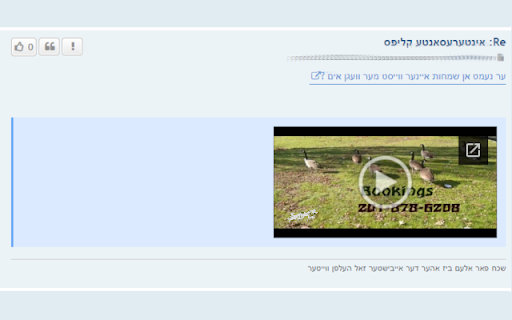
Adds embedded media players for linked media in ivelt.com posts. Instead of opening links to view videos, this extension will embed the video right inside the original post.

iVelt Helper v2
Adds accessibility and usability improvements to אייוועלט. Based on the original extension by the 'ivelt extension creator', we proudly introduce iVelt Helper v2. This meticulously crafted browser extension is designed to provide a seamless, enjoyable, and enhanced אייוועלט forum experience. This modernized extension brings a host of powerful features that ensure a value-added browsing adventure right to your fingertips. ▪ Keyboard Navigation: Navigate the forum pages using left or right keyboard keys and scroll through posts with up or down keyboard keys. ▪ Post Submission Shortcut: Submit your posts swiftly with a Ctrl+Enter shortcut. ▪ Post Preview Shortcut: Use the Alt+V shortcut to preview your posts, available in both quick ▪ post and full editor options. ▪ Shortcut to Active Threads: A rapid Alt+A shortcut takes you directly to the page containing active threads. ▪ Popup Notification Shortcut: Stay updated on forum activity with a handy Alt+N shortcut for popup notifications. ▪ Inbox Notifications: Receive alerts about new inbox messages regardless of whether you are currently browsing אייוועלט. ▪ New Response and New Page Notifications: Get notified about new responses on topic pages and when a new page is created in an active thread. ▪ Quote last reply only: When responding to posts with multiple quotes, conveniently quote only the last reply. ▪ Google Thread Search: Utilize Google's search capabilities to find specific threads in the forum. ▪ Form Security: Avert accidental triggering of 'mark all notifications as read' and shield your form inputs from unexpected loss. ▪ Various Fixes and Options: Enjoy a smoother forum experience with various other enhancements and customizable options. ▪ Advanced Notifications - Conveniently hide notifications in user control panel and use Alt+M shortcut to navigate to the next unread notification. ▪ Enhanced Printing Capabilities - Leverage the ability to print multiple pages.

Kosher Video Slideshow - YouTube & Drive
Plays audio normally while showing video as slideshow, distraction-free viewing on YouTube and Google Drive. Video Slideshow Mode: For Focused, Kosher-Friendly Video Consumption Transform YouTube and Google Drive videos into a calm slideshow for focused work and learning. This tool preserves the full audio while displaying a still frame at intervals you control, eliminating distracting on-screen motion. Ideal for those who wish to align their online activity with rabbinic guidance, Video Slideshow Mode allows you to absorb content from trainings, demos, and lectures without compromising your focus or values. Works with YouTube & Google Drive: Seamlessly integrates with major video platforms. One-Click Toggle: Easily switch the mode on or off. Custom Frame Rate: Adjust the still frame interval from 0.5 to 10 seconds. Full Video Controls: Retains all original player functionality. How to Use: Simply add the extension to Chrome, open a video, and toggle on Slideshow Mode for a calmer, more productive viewing experience. About the Creator: My name is Aron Dirnfeld, and I help businesses use AI and automation to work smarter. I built this extension for my own need to watch training videos and shiurim in a more focused, kosher-friendly way, and I hope it helps you too. To learn more about AI integration for business, contact me at dirnfeldaron@gmail.com.

Tzofar - Red Alert
The best extension for rockets sirens alerts and other threats in Israel

TAG Image Filter
The TAG Image Filter blocks out skin color when it senses any skin colors in an image. This way you can surf safely without accidentally seeing any adult images and not modest pictures. *Comments and Feedback* • We regularly monitor this google form, for your comments and feedback https://forms.gle/XeepEpexzu8tWTr26 Always on (Default) - • By default the filter is on for every website. Use the options to enable/disable different filter features. Note that filters currently do not wok on IFrame contents (embedded content from third parties, such as ads). You can select to hide all IFrames in the options, but this may cause issues with some normal website functionality (e.g. captcha). *Warnings* • This is not a replacement for an internet filter and should not be relied upon. It is only to provide you with an extra level of protection or for situations where you don’t have the option of installing a filter, such as your office computer. • Flash will not be blocked by the filter; you will also have to set Flash not to run automatically. To back Flash, type chrome://settings/content in the address bar, scroll down to the 'Plug-ins' section, and select 'Click to play'. • Videos will not be blocked by the filter. *Our mission* • Our mission is to help people surf safely, especially where a regular internet filter is not an option. • The extension will update itself automatically as we improve it and will always be 100% free. • This filter is donated for the hatzlacha of Moshe ben Ruth, and family. • This filter is donated for the Refuah Shelemah of Moshe Ben Chana by the Setton Family. • This filter is donated in memory of Elan Ganeles by the Simhon Family.
