
oldhlfinhpcinbpngoonbaklipfmlpba
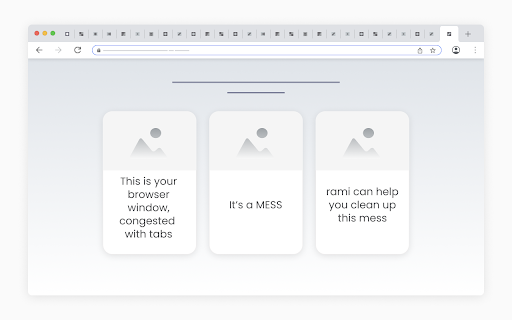
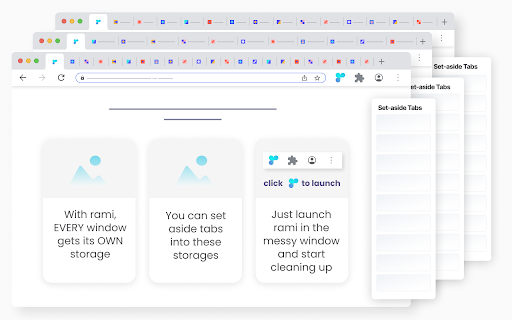
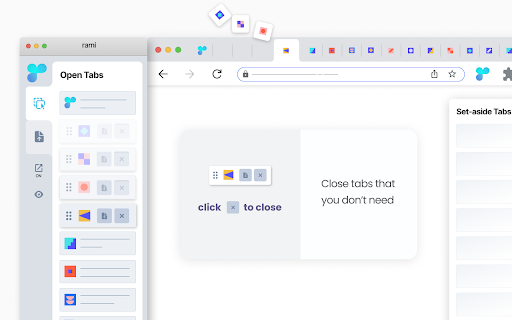
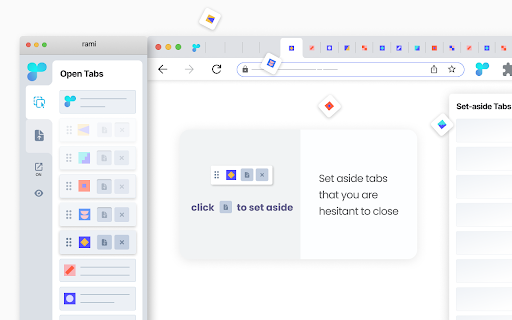
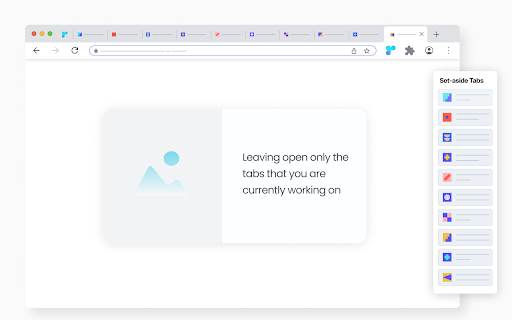
A simple cleanup routine to close and organize the too many open tabs. Imagine a messy browser window, congested with tabs. rami offers a simple routine for cleaning up such windows: - Launch rami in the messy window. - When launched, rami loads a “tab container” for each open tab in the window. - Start at the first container and individually consider each tab: - Hover the container to view the tab, quickly identifying it. - Close the tab if you don’t need it, - Set aside the tab if you are hesitant to close, - Leave the tab open if you are currently working on it. - You are done cleaning up the window once you have made the - set-aside|discard|keep - decision for every tab in it. - - - - - - - - - - - - - - - - - - - - - - - - - Buttons to set aside and close are inside the containers, easy to reach, making the cleanup process faster. - rami is dynamic - any changes within the rami window are immediately reflected in the browser window and vice versa. rami assigns a storage to each open window. When you set aside a tab, it is automatically placed in the storage of its parent window. This allows for one-click set-aside, as you don’t have to decide where to store the tabs. You simply set aside a tab, knowing exactly where it will be stored. Retrieving set-aside tabs from storage is very easy: - All storages are only two clicks away, accessible from the rami window. - Conveniently, you can preview the set-aside tabs before returning them to their parent windows. - From within the rami window: - Conduct a convenient drag and drop of tabs within and across windows. - Bring any open window in focus to clean it up or access its storage. - Context menu set-aside - right-click a tab and select “Set Aside”.

TabTap - Clean & Fast Tab Manager
Search, organize, and manage tabs with ease. Make browsing simple and stress-free. 🔎 Search and filter tabs across all open windows 🗄️ Archive tabs to declutter and revisit later 🗂️ Group tabs by domain or window ↕️ Sort tab groups by tab count or by time 👓 Handle duplicate tabs effortlessly ♻️ Restore closed tabs with one click 🏂 Add up to 3 quick-access shortcuts ⚙️ Customize your interface in Settings 🏗️ Manage tabs across multiple windows 🔒 Privacy First: your data stays on your device, no tracking, no collection 🎨 Flexible Views: switch between tab list, domain, or window grouping 🛠️ Make it yours: customize TabTap to your workflow ⚡ Fast and lightweight: simple, clean, and quick 🌙 Light and dark themes: pick what feels right for you [v1.15.0] - Close All Duplicates: close all duplicate tabs with one click [v1.13.0] - Choose whether to keep tabs in the archive after reopening Reopening archived tabs now offers two options: 1. Reopen and keep in archive 2. Reopen and remove from archive You can customize the interface by toggling "Show Options for Removing from Archive when Reopening" in Settings. [v1.11.1] - Remember Archive Toggle in Settings: choose whether the plugin reopens in Archive mode if that was your last session - Group actions for archived tabs: fixed inconsistencies with restore/delete operations caused by a race condition [v1.10.1] - Archive Recovery: restore recently deleted archived tabs - Current Tab Finder: locate and scroll to the current active tab - Full URL Display: display complete URLs instead of domains in tab subtitles [v1.8.1] - Archive: archive tabs and groups for later use [v1.7.1] - Open Tabs in the Current Window: open a tab or a group of tabs in the current window [v1.6.0] - Open Tabs in a New Window: open a tab or a group of tabs in a new window - Focus Window: focus a specific window with one click [v1.5.3] - Duplicate Tab Management: identify and manage duplicate tabs [v1.3.1] - Group Close: close all tabs in a domain or window group with one click [v1.2.0] - Tab Counter Badge: quickly check your open tab count - Tab Counter Badge Toggle: enable or disable the tab counter badge in Settings [v1.0.0] - Tab Grouping: view, search and manage tabs grouped by window or domain [v0.2.0] - Quick Access Shortcuts: add shortcuts to your favorite websites [v0.1.0] - Tab Search and Filter - View Open Tabs - Remove Tabs - Restore Closed Tabs - Dark/Light Themes 💬 We'd love to hear from you! Your feedback helps make TabTap better. If you have any suggestions, feature requests or bug reports, please leave a comment in the Support section! 😊 If You like TabTap, please leave a rating on the Chrome Web Store:) It makes a big difference for us and helps us a lot.❤️ Hope you enjoy TabTap! ^^

Blixem Tab Manager
Organize, save & share your tabs for easy collaboration with Blixem. Blixem helps you manage your tabs and windows efficiently, reducing distractions and improving performance. Homepage: Your new tab screen shows tabs vertically, gives quick access to favorite sites, and lets you launch Workspaces with one click. Customize with widgets, colors, and backgrounds. Workspaces: Save tabs into Workspaces for easy access, sharing, and collaboration. Customize Workspaces and share them with a few clicks. Collaborate: Share Workspaces by granting view or edit permissions. Teams can add content, comment, and invite others with a link or email. Collaborators don't need the extension installed. Windows: See all open tabs across all Chrome windows from one page. Rearrange, close, or add tabs to Workspaces. Pause tabs and windows to speed up your computer. Widgets: Add widgets like recently closed tabs, frequently visited sites, and top Workspaces to your homepage. Work-Personal Separation: Separate work and personal tabs using Categories. Hide work tabs when off duty and personal tabs during work hours. Blixem Tab Manager helps you control and organize your online life.

Simple Tab Manager
Simple tab manager that allows you to easily manage and sort tabs. Windows: - Open, close, and minimize windows - Change window title - Color code windows Tabs: - Open, close, mute, pin, refresh, duplicate tabs - Move tabs within and between windows - Select multiple tabs at once - Sort tabs by title or url - Easily find tabs by searching Other: - Supports dark mode - An alternative, more compact view (grid view) - Use shortcuts to quickly perform actions - Export and import windows and tabs

Flow - Tab Manager
A new way to manage chrome tabs and windows easily. Flow is your ultimate solution for managing tabs and windows in Chrome. Whether you’re a power user or just someone who wants to keep things tidy, Flow streamlines your browsing experience. Here’s why you’ll love it: Effortless Tab Management • Create Sessions: Start fresh by initiating a new session. A dedicated Chrome window opens, marking the beginning of your focused browsing journey. • Automatic Saving: Flow takes care of your tabs in the background. Close a window without hesitation; your tabs are securely saved. • Resume Seamlessly: Reopen any session whenever you need to pick up where you left off. • Unsaved Windows: Add any open window to your sessions directly from the ‘Unsaved Windows’ section. Boost Your Workflow with Additional Features • Main Session: Designate a session as your ‘Main Session.’ When you launch Chrome, all other windows close, leaving only your essential workstream active. • Backups: Create local backups of your sessions. Flow auto-generates a backup before deleting any session, ensuring you never lose your work. • Dark Mode: Enjoy a sleek dark mode that’s easy on the eyes during late-night browsing. • Resizable Interface: Customize the extension’s size by simply dragging the bottom right corner to fit your screen and preferences. • Simplicity: Flow keeps things straightforward. • Speed: It’s fast and reliable. • Organization: Say goodbye to tab overload. Give Flow a try and experience a clutter-free browsing environment. Your feedback is invaluable in making Flow even better! What's new? 1.2.8 • Added session badge • Removed the unsaved window popup 1.2.7 • Added sessions details to view tabs and move tabs between sesssoin • Added move tabs to session in chrome context menu • Added permission view to review optional permissions for certain settings 1.2.5 • Now Discarding tabs after title is load to improve search and visibility. • Clicking on the open sessions will bring them to front. • Bug fixes. 1.2.1 • Organizing settings and added a few more settings in additional settings • Bug fixes 1.1.0 • Sessions can be opened in the current window. • Project is open source now. see about us in extension settings for more info. • Pinned tabs will be saved now. • Alert will be shown if a window is not saved as session. • Performance improvements.
