
olcdoahmljneiibhmblhckcmhoabheff
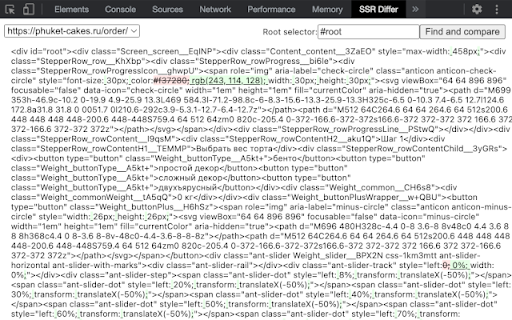
Helps to find the difference between SSR and client rendered content Сompare your ssr html with client side 🥂 - Select request with ssr - Fill "Root selector", between which will be compared - Click "Find and compare'

GitHub to CircleCI
Open your CircleCI pipelines directly from a GitHub repository, PR or release tag.

JSON Formatter & Beautifier
makes it simple to read JSON Code for browser JSON Formatter & Beautifier that takes raw, unformatted JSON data and transforms it into a well-structured and indented format. This transformation makes it significantly easier for developers, data analysts, and other users to comprehend the structure of JSON data at a glance.

SSR vs Rendered DOM Viewer
Compare server-side (SSR) HTML and final rendered DOM side by side. A Chrome extension that lets you visually compare the server-side rendered (SSR) HTML and the final rendered DOM of any web page, side by side. Includes tools to highlight differences, view raw HTML, and improve fidelity by rewriting resource URLs. Ideal for debugging hydration, SSR, and client-side rendering issues.

Reveal RSS Feeds
Reveal a web page's RSS feeds, then subscribe or share Click the icon or press Alt+R: if a web page has RSS feeds, this extension will reveal them in a Popup. From the Popup you can • Subscribe to a Feed in an online Feed Reader • Create a QR Code for a Feed (eg. to scan into a phone) • Copy a Feed's URL • Open a Feed in a new tab Note: This extension can reveal Feeds which are not registered in a standard format, including those from Reddit, Medium and Github. We welcome reports via the Support Hub (link below) of websites whose feeds cannot be found—they are likely to be non-standard too, and will need customised code to reveal them. Credits and attributions: The RSS icon used in this listing is in the public domain. It is available from http://paomedia.github.io/small-n-flat/ Other icons are part of the Material Icons set https://fonts.google.com/icons
