
olagniaikhbmpdgghoifgloijcndfled
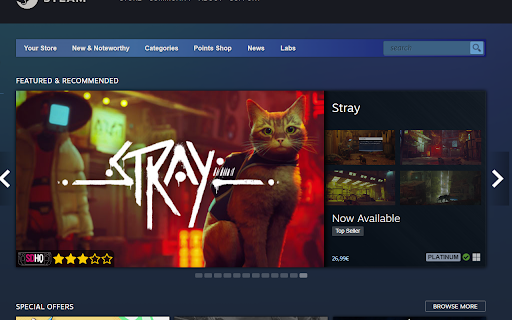

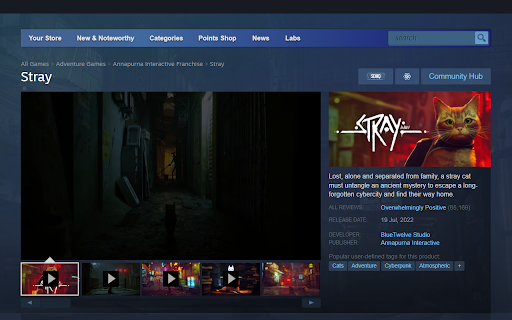


See what Games are verified for the Steam Deck and which Medal they have on ProtonDB in the Steam Store. The Steam Store does not display the Steam Deck Verification Status on every page. This extension adds this status to a lot of pages, so you can see at a glance which games are compatible with the Deck. Furthermore the Verification Status is often not up-to-date. To solve this issue, the extension adds a medal from ProtonDB to the search results, front and app page. For more info, head over to the ReadMe on Github: https://github.com/cptpiepmatz/great-on-deck-search/tree/main#readme

Steam Store Tooltip
Show Steam games information when hovering the store links. ⚡️ Quickly see all the relevant game's info in a tooltip: ▫️ price and discount ▫️ screenshots ▫️ categories ▫️ reviews positive rating ▫️ wishlisted or owned game (available if you're logged in on the browser) ▫️ description ▫️ release date ▫️ platforms ▫️ user tags ▫️ Metacritic score ⚡️ Choose the store language ⚡️ Choose the store currency (available if you're not logged in on the browser) ⚡️ Activate the tooltip with a chosen key ⭐️ Free and open source

alike03's Subscription Info on Steam
See on Steam if the game is currently available on any Subscription package like Xbox Game Pass PC & Console, Ubisoft+ or EA Play Have you ever bought a game only to discover later that it was already included in a subscription service you're subscribed to? You're not alone; I've experienced that frustration too. So, I thought, "What if I could see this information directly on Steam?" This addon checks your game selections against a database, displaying current availability on Xbox Game Pass for PC and Console, Ubisoft+, EA Play, and EA Play Pro. Enjoy an ad-free experience with alike03's Subscription Info. You can support me by purchasing games through my affiliate link on the Contributors Page—it provides a small contribution to me at no extra cost to you. If you're feeling generous, you can also support me directly via PayPal or Ko-fi. Your support is greatly appreciated!

ProtonDB Community Extension
Elevate Your Linux Gaming Experience with ProtonDB Community Extension! Elevate Your Linux Gaming Experience with ProtonDB Community Extension The ProtonDB Community Extension for Chrome and Firefox is a powerful tool that enhances your gaming experience on Linux by integrating ProtonDB's compatibility data into Steam's interface. This extension provides an intuitive way to access game compatibility information right from the Steam store, search bar, and app pages. It highlights game tiers, shows deck verification status, offers adjustable line colors, and simplifies your decision-making process when it comes to playing Windows games on Linux through Proton. App Page Integration Compatibility with Other Steam Extensions Search Bar: As you search, compatibility tiers appear in search results. Email: solidet@gmail.com Buy Me a Coffee: https://www.buymeacoffee.com/trsnaqe Github: https://github.com/Trsnaqe/protondb-community-extension Index: Proton, ProtonDB, ProtonDB for Steam, Protondb Extension

HowLongToBeat Context Menu
Search on howlongtobeat.com for highlighted text by right clicking This convenient extension enhances your browsing experience by adding a HowLongToBeat.com search option to your right-click menu. This works on every website. If you come across a game and want to find out how long it takes to beat, simply highlight the game's name, right click, and select "Search HowLongToBeat.com for " from the menu. The search results will open in a new tab, giving you quick access to valuable information about game lengths, playtimes, and more.
