
oijfdljkficjojicjlgcpjipioglnlog


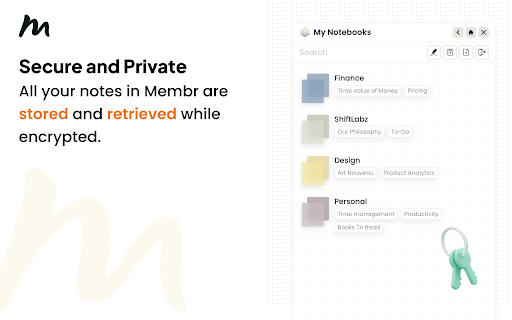

Stay organized and productive with Membr's rich note-taking editor, AI powered summaries and secure storage. Stay In Flow, Be More Productive =============================== A huge portion of work already happens in the browser. And if you’re like us, you also take draft notes when studying, researching or ideating. You can do this through note-taking apps like Notion, Evernote, Google Docs and many more. However, most of these note-taking apps interrupt *flow* by forcing you to context switch, either by opening a new browser tab or app window. With Membr for Chrome, your notes sit alongside the source content. Why Membr Notes? =================== - Rich editor experience with all the essentials and more. The editor offers rich formatting, task lists, drag and drop images etc. with regular updates expanding this feature set. - Encrypted notes. We take the security of your information seriously and that’s why all your notes in Membr are stored and retrieved while encrypted. - It's fast. Membr runs on all browser tabs and offers single-click access to your most recent notes. - It works well with other apps. You can export to PDF with *Google Docs and Notion export coming soon. FAQs ======= 1. Membr doesn't start after install? If you are unable to start the extension immediately after install, try refreshing the browser tab(s) that you'd like to use Membr on. 2. Do my notes sync across devices? Yes, your notes will sync across all signed in Chrome browsers that have the extension installed. 3. Is there a mobile app? The mobile app will launch later in 2022. August 2024 Updates: ============= * ⚡️Improved login experience. * ❤️🩹 Minor bug fixes and improvements.

Napkin Notes • Side panel notes
Your quickest canvas for thought. Capture ideas and notes in seconds from the side panel! Capture fleeting ideas and notes in seconds with Napkin notes. Press Alt + X to open the side panel and jot down key details in the text field 💡 Pro tip: Use dividers and markdown such as section headers to keep your thoughts nice and organised! v2 Update - October 2024 🚀 ✨ Fresh new design with more customisability 🎨 More markdown options including section header, highlight, and colour text red 🖼 Image support! 🗣 Added link to provide feedback and feature requests 🐜 Bug fixes - significantly increased notes capacity What's next? You decide 👀 Use the feedback button in the extension to let me know which of the follow features would be most valuable for you! • Create bullet point list • Multiple notes instead of a single large note • Customise shortcut to open the side panel (FYI you can use chrome://extensions/shortcuts for now) • Customise background and font colours • Something else? Get in touch :) I'm always keen to hear your thoughts and ideas - use the feedback button in the app to get in touch :)

Notes Dashboard
Notepad and to-do lists saved to your browser Open a new tab to write down your thoughts and keep track of your agendas! Replace a new tab page with a markdown text editor and an organised task manager. Your data is saved to your browser storage and will be synced across different tabs. (Clearing your browser cache will also clear your data.) This extension works offline though some styles may be affected. Features: ** To-do lists ** ➝ Add, delete & update tasks ➝ Categorise your to-do lists into stay organised ➝ Colour-code your lists ➝ Set different priority levels for each task ➝ Clear completed tasks to keep your list clean ➝ Toggle to hide/show the task panel ** Text editor ** ➝ Choose to hide/show your toolbar to keep the interface clean ➝ Notes are immediately saved to your local storage ➝ Supports markdown editing - if you're unfamiliar with markdown, you can click on the extension icon to view a cheatsheet :)

BriskNote: New Tab Notes that Sync across Devices
Take notes on any new browser tab and sync them with your phone Make your life more productive with every new browser tab you open. Taking a note is as simple as opening a new tab. Access your notes across platforms - browsers, mobile apps, and the web. If you spend a good amount of time on your web browser, and you like to take quick notes, then BriskNote is for you. BriskNote is the perfect middle ground between oversimplified sticky notes and complex desktop note-taking software. BriskNote is perfect for taking notes while having conversations, jotting down spontaneous ideas, making lists, storing drafts or pieces of code, and so on. And of course, it's absolutely free!

Tab Notes
Tab Notes will helps you to make notes on the browser. It is easy to use and quick to access Tab Notes lets you compose notes like articles using a variety of typography styles. You can also draw shapes to accompany your notes. Notes will automatically be saved and synced with each new tab. Tab Notes offers you a wide variety of built-in themes. If you are not satisfied with the built-in themes, you can create custom themes as well. ⚡ Quick and easy to access notes while clicking on a new tab 🗂️ Store multiple notes ✍️ Variety of typography styles are available to write notes 📐 Draw shapes to accompany your notes 🤹 Code block support 🎨 Variety of built-in themes and option to create your own theme 💾 Auto saving notes 🔄 Real time tab sync
