
ohhpliipfhicocldcakcgpbbcmkjkian


A dark theme for google searches

Darkness - Discontinued
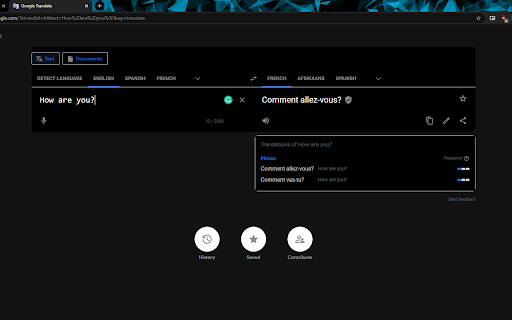
Darkness is discontinued and no longer works. You can remove it from your browser's Extensions page. As of July 2025, Chrome no longer supports the older extension system Darkness was built on. As a result, Darkness can no longer be used. To remove Darkness from your browser: 1. Go to chrome://extensions 2. Search for "Darkness" 3. Choose "Remove" Thank you for using Darkness over the years. About Darkness (historical): Darkness provided handcrafted dark color themes for popular websites, including Google, Facebook, YouTube, Gmail, and others.

Custom Dark Mode
Customize your dark mode for the web! Custom Dark Mode is a browser add-on that helps you design your own dark style for the web. Simply open toolbar popup UI and then adjust the color settings. There are a variety of options available to choose from. From document body's "background-color" to "font-color", "header-color" and etc. Moreover, you can adjust the opacity for all HTML elements. All the settings in the toolbar popup are auto saved to the memory. There is also a (+/-) button with you can use to whitelist desired domain(s) from dark mode. Please note that, at the current version of the add-on, there is no option to see the whitelist table. You can only add or remove websites from toolbar popup UI. In order to turn the add-on ON/OFF, you can use the big "torch" button at the top center in popup. Moreover, to switch the popup interface theme to dark, please press the moon icon in the top-right toolbar. If you found a bug to report, or have a feature request, please fill out the bug report form in the add-on's homepage (https://mybrowseraddon.com/custom-dark-mode.html).

Dark Mode
Dark Mode, read at night. Bluelight filter for every website. Relax your eyes at night and day. The Dark Mode Extension. Works with all websites! ⭐️ Dark Mode: ( Night Mode / Smart dark reader / dark night reading) ✓ Blue Light Filter + Darkness for every Website AND / OR specific ones! Avoid eye strain. Relax your eyes at night & day. ✓ Invert colors, improve brightness & contrast. Mild / faint colors, Bright colors, greyscale, sepia, ... ✓ Schedule dark to manage your day-night-cycle. Blue light makes us awake and prevents sleep. Care for your eyes. (dark mode is not only for night shifts) ✓ Style (css) editor. Delete elements/logos/ads/notifcations. Soon: Visual Picker/Selector, Drag & Drop. customize any Website beyond stylus / stylish / userstyles To come: ✓ Reduce brightness of colors only - not color-tone (compare with samsung browser dark mode) ✓ Smart dark mode / invert: Only if page is very light or blue ✓ We are working on a smart Theme-Engine to exceed the results you get from other extensions (dark reader depends on crowdsourced styles) "When the night (night night night) has come, and the land is dark (dark dark dark)", note: - If you use multiple night / dark reader extensions / screen shader at once, then color-Inverting or other effects can invert each other. Dark Mode is your extension offline on your computer. https://github.com/code-charity/night-mode. We can not track you. We are developing distraction-free extensions transparently (Open-Source) since 2012 for 300000 people: https://github.com/ImprovedTube/YouTube super-amoled / oled screens: 100% dark (black) backgrounds save electricity & screen wear-down Permission explained: "Read and change...all websites you visit" to modify Colors (Dark Mode) on any website.

ReaDark - Reading & Dark Mode
ReaDark - Reading & Dark Mode for turning all websites in Chrome browser to reading or dark mode or both. It's 100% ad-free. ReaDark - Reading & Dark Mode is a fast, lite, simple and open source add-on that automatically turns the colors of your browser content to warmer or darker. (github.com/onursert/readark) The add-on consists of a small screen that allows you to control those preferences. The first switch called "Reading Mode" and provides you to turn the colors of your browser content to warmer. Second switch called "Dark (Night) Mode" and provides you to change the colors of your browser content to darker. Turning on reading mode protect your eyes from reading for hours. Hence you can easily continue to read EPUBs or e-books much longer. Turning on dark mode protects your eyes from bright colors. Social networks, mainstream sites, and all other new tabs will be in dark mode with ReaDark. No needs to open every website settings one by one - just one add-on makes every website in dark mode. Chrome Browser policies restrict ReaDark to work on the Chrome Web Store and Home Page.
