
ohemimdlihjdeacgbccdkafckackmcmn
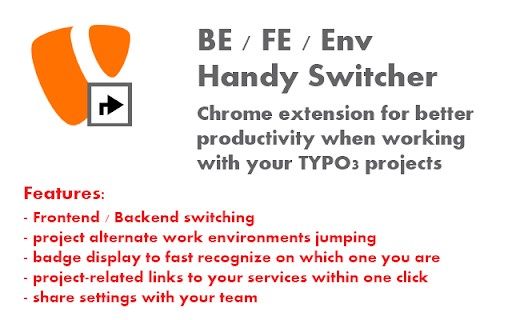
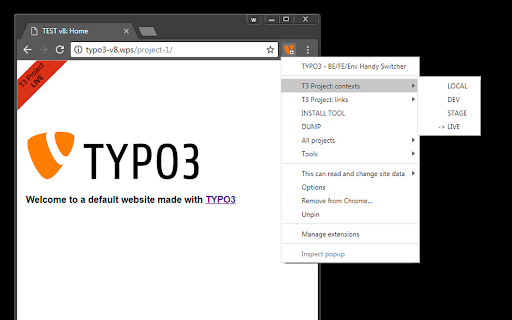

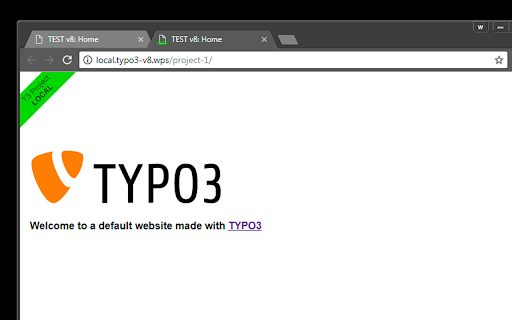

Switches between Frontend / Backend and work environments on your TYPO3 projects. Preserves page path and base url. ** NEW FEATURES: - Now it works with ANY CMS using CUSTOM BACKEND PATH option - BACKEND DEEP LINKING works with Page, Language, News, Custom records - Project Repository > MANIFEST 3 UPDATE - PLEASE TAKE A LOOK INTO MY GITHUB AND HELP FINISHING MIGRATION - IT STILL NEEDS SOME TREATMENT ** What's that (and for who)? It's a productivity everyday time saver / navigation helper for CMS web projects, originally dedicated to TYPO3 integrators / devs / editors / project managers. Especially recommended for those who works with a large number of projects that runs multiple instances / continuous integrated etc. - But it's a great work improvement for everyone who works with CMS on everyday basis. Non-TYPO3 people also finds it very usable - so the "/typo3" segment is configurable, making the ext system-independent and universal. In short words, simple yet advanced - it can drastically simplify everyday navigating through your projects instances / their backends / trackers / repos / whatsoever. Forget searching for bookmarks, which usually throws you to homepage anyway, forget clicking again and again through some sub-sub-menus looking for that one subpage on stage that you just edited on dev, or copy-pasting paths from domain to domain every time... Have all instances within a click, teleporting from one to another in a second, always landing exactly where you wanted. + With minimum effort and easy config exchange it helps to keep full url sets always up to date for all team members. (see: Project Repository section) - One basic function is the toolbar button which opens TYPO3 Backend of current site (base href-based), or returns to Frontend, if already there. But it offers much more than that. - Magic starts when you work with many projects that runs on multiple staging environments and frequently jump between them. Go to the options and start using Projects configurations - create or import from your teammates. Name the new project and set all urls for environments / contexts / servers. Now you can quick jump between them keeping path (go straight to the very same subpage). It shows color badge and favicon overlay on each one to visually distinguish and always have a good overview where you are (and avoid mistakes like messing on the wrong one - set red for public servers and you never miss that again). You can also add some project-related links (like issue tracker, wiki, repo etc) to show in project's context menu. - Projects can be easy exported/imported in json format (all or separately) to share with your team / post to wiki / etc. There's also more advanced PROJECT REPO FUNCTIONALITY, where you can synchronize/share your projects with remote hosted repository. - SWITCHING TO BACKEND TRIES TO FIND CURRENT PAGE UID IN THE PAGE SOURCE AND GO DIRECTLY TO THAT PAGE EDITION. It also supports language, News and CUSTOM RECORDS. (it just needs typical html/body classes for that, - and metatag for custom records) (tested in versions 11.5 - 12.4) (See section below for details) - Switching to Frontend tries to use current pagetree-selected Page UID and open it instead of just base url (similar to "View webpage" button in backend, but works even if you're in a module without page tree or such button). (you can turn off this behaviour) [note, it doesn't respect multidomains - probably impossible to implement easy] - If you rather go simply, you may turn off all that fancy environment-related functions, and use only BE/FE switch button to keep lightweight. (but why give up all these great features?) 1. Out of the box it works with PAGE ID, LANGUAGE and NEWS - it can open Backend linking directly to the edit form. 2. CUSTOM RECORDS can be configured by adding similar way, for example and then adding simple meta tag config into this way: (for example, using Typoscript:) page.headerData.7700 = TEXT page.headerData.7700 = TEXT.value ( - that will make possible the Switcher will open backend edit form for the specified record, when switching to Backend from product detail page Frontend. Configuration ref: 'table' - record db table name, used to build backend url 'module' - 'edit' (default) or 'page' 'pattern' - ready pattern to match string 'selector' - it will search for that keyword/pattern in that tag 'attr' - in that attribute of that tag This ext now has a functionality to synchronize Projects with external Project Repo, where you can store, manage and exchange projects with your team - to always keep all urls sets up to date and ready to use. You can push, fetch and compare Project configurations, also managing simple user roles (read, write, admin access) For that to be possible I wrote a tiny web app for easy hosting of the repository on your server: http://wolostudio.free.nf/handyswitcher/repoexample/ Code: https://github.com/w010/handy-switcher-project-repo/ It's almost zero-config and easy to run, just clone it somewhere on your server and open web gui for details. That app was originally meant for my private use, so it's rather simple and doesn't provide much of security - it was made rather for presenting the concept. But it works well, if you don't forget to set htaccess password. If you need it to be more pro for your purposes, use it as a base for writing something better, ie. TYPO3 extension... There was that Chrome ext for opening backend, some time ago ("Fast TYPO3 CMS Backend switch"), but it only opened current domain + /typo3/ segment - I've used it for a long time though. Thanks to the author of it, Patrick Lischka, for inspirations to improve this idea.

JSON Formatter
Format your JSON so that it is indented correctly for easier reading. A simple tool to quickly and easily format your JSON for easier reading. This tool is useful if you : - want a quick way to format JSON that is returned as a single line by a Web service call. - have a JSON structure that's just badly formatted, - just want to prototype a JSON structure and have it formatted as you type rather than worry about formatting it yourself. - want to see the formatted JSON while debugging a web service call Features: - available as an icon on your toolbar - a right-click context menu allows you to select JSON and format it in a new tab in your browser - choose between tabs and spaces for formatting

Plugin Vulnerabilities
Adds warning message to WordPress Plugin Directory pages when plugins are from developer we have released security advisories for. One of the little understood realities of security issues with WordPress plugins is that the insecurity of them is not evenly spread across those plugins. Instead, many developers are properly securing their plugins and others get them properly secured when alerted they haven’t done that, while other plugin developers either are unable or unwilling to properly secure their plugins. With the latter group, among the issues we have seen, are developers who have introduced new serious vulnerabilities that are substantially similar to vulnerabilities that they know have been exploited in their plugins. In situations where we become aware of developers who have shown that inability or unwillingness to properly secure their plugin, we are releasing advisories to warn customers of our service and the wider WordPress community of the risk of utilizing those developers' plugins. This extension adds a notice on the pages of the WordPress Plugin Directory for the plugins from those developers.

Browser Links
Quick access to Chrome pages in the context menu. Ever wondered what was under the hood of your favorite browser? With this extension, you can access the Google Chrome internal tools and other useful pages directly from the context menu.

npmhub
On every GitHub repository or folder with a package.json file, scroll to the bottom of the page to see a list of its npm dependencies and their descriptions. - the package.json file - npmjs.com - RunKit to test the package - BundlePhobia to see the package size when bundled - PackagePhobia to see the package size when installed - NPMGraph to explore the sub-dependencies - UNPKG to see the exact contents published to npm GitHub Enterprise is also supported by right-clicking on npmhub's icon in the toolbar and selecting Enable npmhub on this domain.
