
ogeojeaiaphnngpiabnjpogdimbgedkg
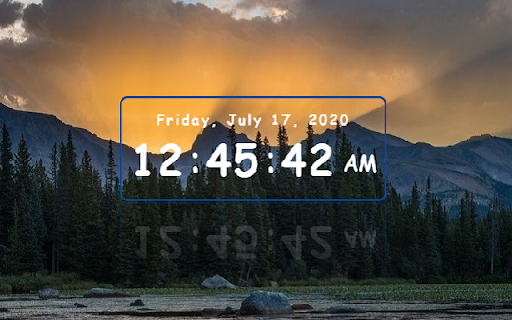
Date and time of your location Digital clock. Date and time of your location. Searching possibility.

Sidebar Clock
A minimalist sidebar clock extension featuring clock, stopwatch, timer, and Pomodoro timer to help you manage time efficiently. A minimalist sidebar clock with stopwatch, timer, and Pomodoro. Customizable fonts, themes, and persistent background tracking. ⏰ **Clock** - Real-time display with day, hours, minutes, seconds - 12H/24H format switch 1. Click toolbar icon to open sidebar 2. Navigate: ⏰ Clock / ⏱️ Stopwatch / ⏲️ Timer / 🍅 Pomodoro / ⚙️ Settings 3. Customize fonts and themes in Settings ### v1.2 - **New theme system**: 5 redesigned themes with oklch() gradients — Dawn (default), Mist, Sage, Pearl, Charcoal - **Pomodoro settings**: Customizable work duration, short/long break, and long break interval - Redesigned Pomodoro page with flat minimal style and progress ring

Floating Digital Clock for Zerodha Kite
A Chrome extension that displays a Floating Digital Clock for Zerodha Kite. A Chrome extension that displays a Floating Digital Clock for Zerodha Kite web pages

Big Digital Clock
Big Digital Clock with Discover your Own Browser Homepage **Extension Name: ** Big Digital Clock** BY GSMSNAJOY.COM Transform your new tab into a productivity hub with a stunning digital clock, smart search, and customizable shortcuts. **Full Description:** Tired of the same old, blank new tab page? **Big Digital Clock** transforms your browser's start page into a beautiful, functional, and personalized productivity dashboard. More than just a clock, it's your command center for a more organized and efficient day, designed with your privacy and control at its core. **🕐 STUNNING DYNAMIC CLOCK** The centerpiece of your new tab is a bold, beautiful digital clock that does more than just tell time. * **Large, Easy-to-Read Display:** See the time at a glance with a prominent display for hours, minutes, and seconds. * **Mesmerizing Animations:** Watch as the clock's colors dynamically shift every second, creating a captivating visual effect. * **Intelligent Greetings:** Receive context-aware greetings like "Good Morning" or "Good Afternoon" that change throughout your day. * **Automatic Style Cycling:** The clock seamlessly transitions through 10 unique visual styles, keeping your start page fresh. * **Full Date & Day:** Stay informed with a complete date display, including the day of the week. **🔍 SMART, ANIMATED SEARCH** Search the web faster and more elegantly than ever before. * **Typewriter Effect:** The search bar features an animated placeholder that cycles through helpful prompts, drawing your attention. * **Real-Time Suggestions:** Get instant search suggestions as you type, helping you find what you need with fewer clicks. * **One-Click Google Search:** Instantly search Google without ever leaving your new tab. **📚 ULTIMATE SHORTCUT CUSTOMIZATION** Organize your digital life with a powerful and intuitive shortcut system. * **Add & Edit Shortcuts:** Quickly add your most-visited sites. Customize the name, URL, and icon for each one. * **Create Groups:** Go beyond simple lists. Create custom groups (like "Work," "Social," or "Finance") to categorize your shortcuts perfectly. * **Drag-to-Reorder:** Arrange your shortcuts and groups in the exact order you want with simple up/down controls. * **Backup & Restore:** Export your shortcut configuration to a file and easily import it on other devices. Never lose your setup! **🎨 YOUR STYLE, YOUR WAY** Make your new tab truly yours with deep personalization options. * **Custom Backgrounds:** Choose from a selection of beautiful default backgrounds or upload your own images to set the perfect mood. * **Auto-Rotating Wallpapers:** Set your backgrounds to change automatically every 24 hours for a fresh look every day. * **Toggle Elements:** Prefer a minimalist look? Easily hide or show the clock and search bar to match your workflow. * **Professional Cover Photo:** Enjoy a beautiful, animated welcome screen the first time you use the extension, with an option to skip it for future visits. **✨ PROFESSIONAL POLISH & PERFORMANCE** * **Smooth Animations:** Every interaction, from hover effects to transitions, is crafted for a fluid, premium experience. * **Responsive Design:** Looks and works perfectly on all screen sizes, from large desktop monitors to small laptop screens. * **Hover-to-Open Sidebar:** Your shortcuts and groups are neatly tucked away in a sleek sidebar that appears on hover and can be hidden by clicking anywhere on the page. **Your Privacy, Our Priority** We believe your browser is your personal space. This extension is built on a foundation of trust and respect for your digital rights. We are committed to protecting your privacy. * ✅ **100% Local Storage:** All your data—shortcuts, settings, and custom backgrounds—are stored securely and privately on your device. **Nothing is ever sent to our servers.** * ✅ **No Tracking or Analytics:** We do not use any trackers, analytics, or telemetry. Your activity is your own, period. * ✅ **No Ads, No Bloat:** What you see is what you get. A clean, fast, and ad-free experience. * ✅ **Open & Honest:** Our code is straightforward and our practices are transparent. No hidden data-mining or questionable permissions. Ready to make your new tab work for you? **Install Big Digital Clock now** and take the first step towards a more productive, beautiful, and private browsing experience

HoverClock
Hover Clock is a beautiful, customizable digital clock for any web page. Hover Clock is a beautiful, customizable digital clock for any web page. • Clocks settings can be customized for every web page. • Change size and position by simply dragging the clock anywhere on your screen. • Open the settings menu to browse millions of background images. • Control which sites the clock appears on. • Each site you visit can have a custom clock size, color, and background. • Settings are automatically saved for each web page. • Minimize the clock into a mini "time capsule". • Clocks can be opened into new browser window for use anywhere on your computer desktop. • Clock can be opened into a new browser tab. • Clock can be instantly docked to preset locations (top left, top right, etc). • Once installed, the clock will automatically appear on every webpage. You can drag the clock by clicking and holding the mouse on it, and resize it by dragging the lower right corner. • Click the minimize button in the upper left corner to enable a tiny "time capsule" version of the clock. • Click the "New Window" button (+) in the upper right to pop open the current clock into it's own browser window that you place anywhere on your computer. • Click the "Full Screen" button in the upper right corner to fill the current web page, or as a new window for a true full screen experience. • To customize the clock's appearance and manage blocked domains, click on the settings icon in the bottom left corner of the clock. This will open settings where you can change the font size, background color and opacity, and load random background images. You can also toggle the display of date, time zone, and seconds. Click the Save button to remember your settings. • If you want to hide the clock for a specific domain, simply open the settings and click the block button. This will add the domain to a blocked list which you can also manage in settings (from any other site that isn't blocked). • To minimize the clock into a small "time capsule", simply press the corner arrow in the upper left of the clock. • Click the dock icon to select from preset locations on the screen: top left, top center, top right, bottom left, bottom center, bottom right, and screen center. • Click the New Tab button to open full-page the clock in a new browser tab. The HoverClock Extension only saves your settings locally on your browser using Chrome's sync storage. No data is collected or shared externally. Open clock in a new tab Docking buttons for sides and corners of screen Update action icons Multiple frontend and backend optimizations Millions of background images via Unsplash API Image Links and Attributions Image loading indicator spinner Auto-saving indicator spinner Random Image Themes Separate Opacity Settings for Image and Color All settings auto-save Free resize (aspect ratio not constrained) Multiple frontend and backend optimizations Button to pop out into it's own window 'Minimized' state is saved across sessions Full screen button Clock will always remain on-screen when moving/resizing Some web sites use CSP (Content Security Policy) settings that prevent the random background images from loading. On these sites, you will only be able to change the background color and opacity.
